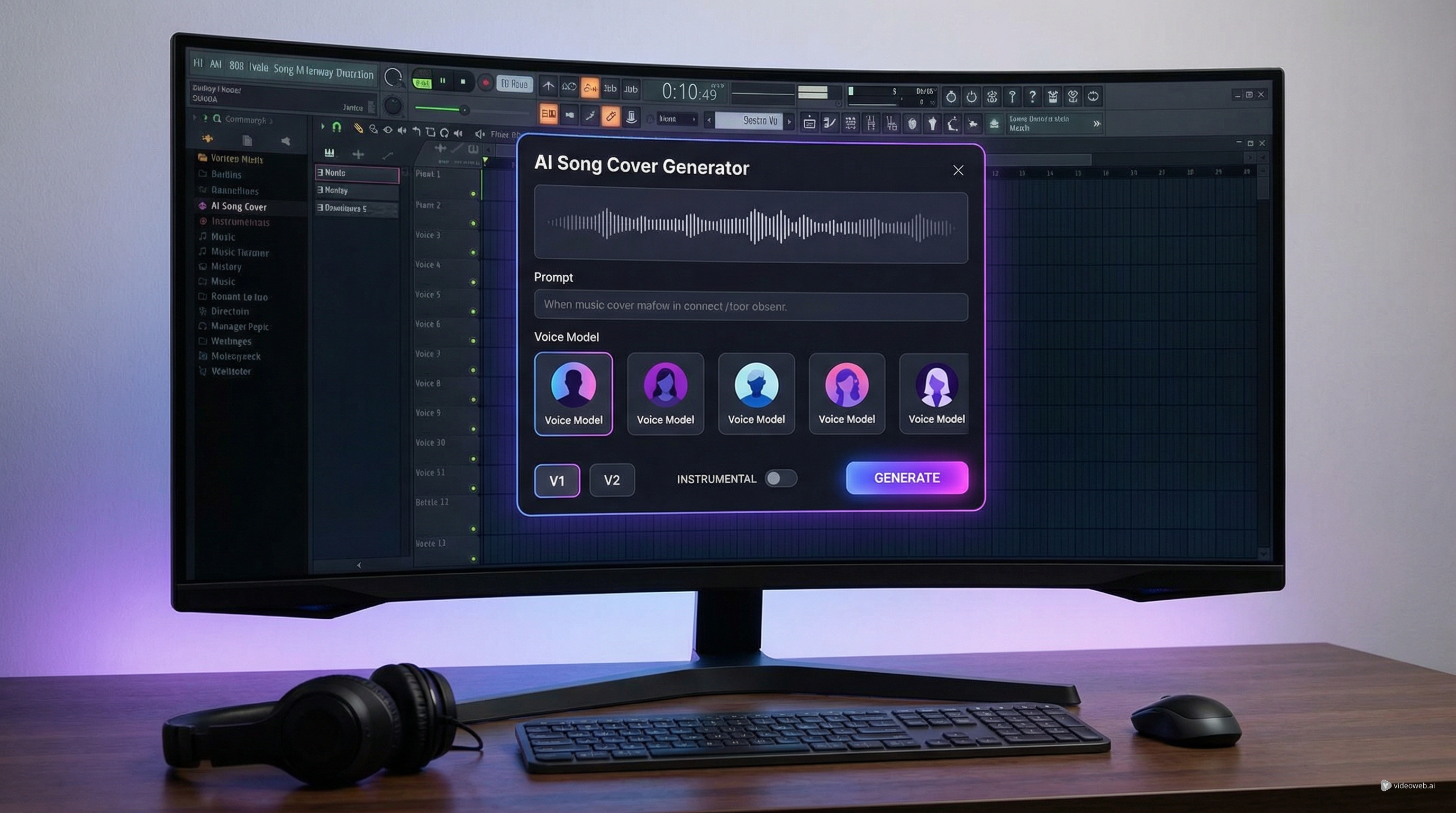
Why an AI Song Cover Generator Is Useful
An AI song cover tool is different from a standard AI music generator. Instead of building a song entirely from scratch, it focuses on vocal style, performance feel, and the way a voice sits inside the track. That makes it useful for creators who want to experiment with alternate vocal identities, test arrangement ideas, or turn a concept into a polished demo more quickly.
MusicMaker’s AI Song Cover Generator is built around that workflow. It gives users a direct way to create an AI cover song using voice models, prompt-based style guidance, and a simple generation interface. For beginners, that means less setup friction. For repeat users, it means a faster path from idea to output.
This also explains why terms like AI cover song generator, AI voice cover, and AI voice song cover are often used interchangeably. In practice, people usually mean the same core goal: generate a song performance in a chosen voice style with enough control over mood, genre, and arrangement to make the result feel intentional.
Start by Choosing the Right Voice Model
The voice model is the most important creative decision in this workflow. In MusicMaker’s interface, the voice section lets you choose between your own saved model history and template-style options. That matters because the same prompt can sound very different depending on the voice model behind it.
If you want something personal or brand-specific, a custom voice model makes more sense. If you just want to experiment quickly, a template voice is usually the better starting point. The smart approach is to think less about “best voice” and more about “best fit for this song.” A soft indie-style vocal, for example, may not work well for a dramatic electronic anthem. A bright pop voice may sound wrong on a slow emotional ballad.
So before you generate anything, decide what role the voice is supposed to play. Is it meant to feel intimate, theatrical, energetic, dreamy, or powerful? That choice will shape the rest of the cover far more than small wording changes in the prompt.
Write a Prompt That Sounds Like a Real Music Brief
A lot of weak results come from weak prompts. If you type something vague like “make a nice song cover,” the system does not have much to work with. A better prompt reads more like a short music direction brief.
Start with genre. Then add mood, tempo, vocal feel, and key production cues. For example, instead of “sad song,” you could write: “A slow cinematic pop ballad with warm piano, subtle strings, intimate female vocal, emotional but restrained delivery, soft reverb, and a reflective late-night mood.”
That kind of prompt gives the AI cover song generator a much clearer target. It tells the system what sound world to aim for and what emotional tone the cover should carry.
You should also use the instrumental toggle intentionally. If you want a fully vocal-led result, keep the vocal focus clear in the prompt. If you want an instrumental version or a more backing-track-oriented output, the toggle becomes part of the arrangement decision rather than a minor setting.
In short, the best prompts are specific without being cluttered. Describe the style, emotional tone, instrumentation, and vocal character in plain music language.
How to Use the AI Song Cover Generator Step by Step
The workflow is straightforward once you understand what each part is doing.
First, choose the generation mode. MusicMaker’s interface shows a Basic and Custom option. Basic works well for quick generation when you want speed and simplicity. Custom makes more sense when you want more deliberate control over the voice and result.
Second, select the model version. If multiple versions are available, newer versions are generally the first ones to test, especially when you want cleaner and more modern outputs. But it is still worth rerunning a strong prompt across different versions if you are comparing style or vocal texture.
Third, choose your voice model. This is where you decide whether the cover should use a saved custom voice or a template-style option.
Fourth, write the description. This is the heart of the generation process. Use the prompt as a style brief, not a keyword dump.
Fifth, decide whether you want the result to be instrumental. This matters because it changes the function of the final output. A vocal cover and an instrumental backing version serve different creative needs.
Finally, generate the track and review the result. The best workflow is rarely one-shot. Listen back, identify what feels off, then revise the prompt, change the voice model, or rerun with a different version.
How to Improve the Output Instead of Starting Over Every Time
One of the easiest mistakes is treating each generation like a completely separate attempt. A better method is to iterate with purpose.
If the vocal tone feels wrong, change the voice model first. If the arrangement feels wrong, rewrite the prompt before changing everything else. If the track feels too crowded or unfocused, simplify the musical direction. Usually, one or two targeted changes are more effective than rewriting the entire request from scratch.
This is also where MusicMaker’s surrounding tools become helpful. If your main issue is the underlying song structure, the AI Song Generator can help you build or reshape the musical idea first. If you want to transform source material more directly, Audio to Music is a useful bridge. And if you need cleaner separation or vocal-focused preparation before experimenting, AI Vocal Remover can support that stage.
So the smartest way to use the AI voice cover workflow is not as an isolated button click. It works better as part of a broader music-creation process.
What to Do After Your AI Voice Song Cover Is Ready
Once you have a result you like, the next step depends on your goal.
If you are creating content for short-form platforms, you may want to turn the track into a visual asset. In that case, pairing the cover with MusicMaker’s AI Music Video Generator is the natural move. If the cover is more of a songwriting experiment, you may want to keep refining the composition or create alternate versions with different prompts and voices.
You can also use the finished output as a demo reference. For creators, this is one of the most practical benefits of an AI voice song cover workflow. It helps communicate vocal direction, emotional tone, and arrangement identity even before a final human performance exists.
That said, it is worth using the tool responsibly. Voice-based generation raises obvious creative and ethical questions, so it is best used with permission-based or original workflows rather than imitation that could cause confusion or misuse.
Final Take
MusicMaker’s AI Song Cover Generator is most useful when you think of it as a guided voice-and-style tool rather than a magic one-click replacement for music production. Its strength is speed, accessibility, and the ability to experiment with vocal direction in a structured way.
For beginners, it offers an easy way to try an AI voice cover without a complicated setup. For more experienced creators, it can become a fast ideation tool for demos, alternate vocal concepts, and social-ready music content.
The key is to use the tool like a musician or producer would: choose the right voice, write a real prompt, iterate intelligently, and connect the result to the rest of your workflow. That is what turns an AI cover song generator from a novelty into something genuinely useful.
Recommended Tools
Related Articles
- AI Music Generator for Music Creator AI: How to Turn Ideas Into Finished Tracks
- From Lyrics To A Finished Song In Minutes: Music Maker AI Workflow Guide
- Best AI Music Tools for Turning Your Lyrics Into Full Songs
- How to Turn Your Voice Into Music Using AI: A Complete Guide to Voice-to-Song Creation
- How to Make Music With Your Voice: A Practical Guide Using MusicMaker
- How to Use a Free AI Music Checker: Detecting AI-Generated Songs for Free
People Also Read
- How to Create an AI Music Video by Suno & Hedra AI: The Complete 2025 Guide Using VideoWeb
- From Voice Note to Full Track Tutorial: Create AI Music With Your Voice
- Discover the Best AI Song Generator: VideoWeb’s AI Music Maker
- Experiencing Suno AI Music Generation with Dream Machine AI
- The Release of Seedance 2.0: What Dropped, What’s New, and What Creators Should Do Next
- Veo 3.1 Video Generation Guide: How to Create Cinematic Clips on HeyDream AI
- Seedance 1.5 AI Video Generator






















