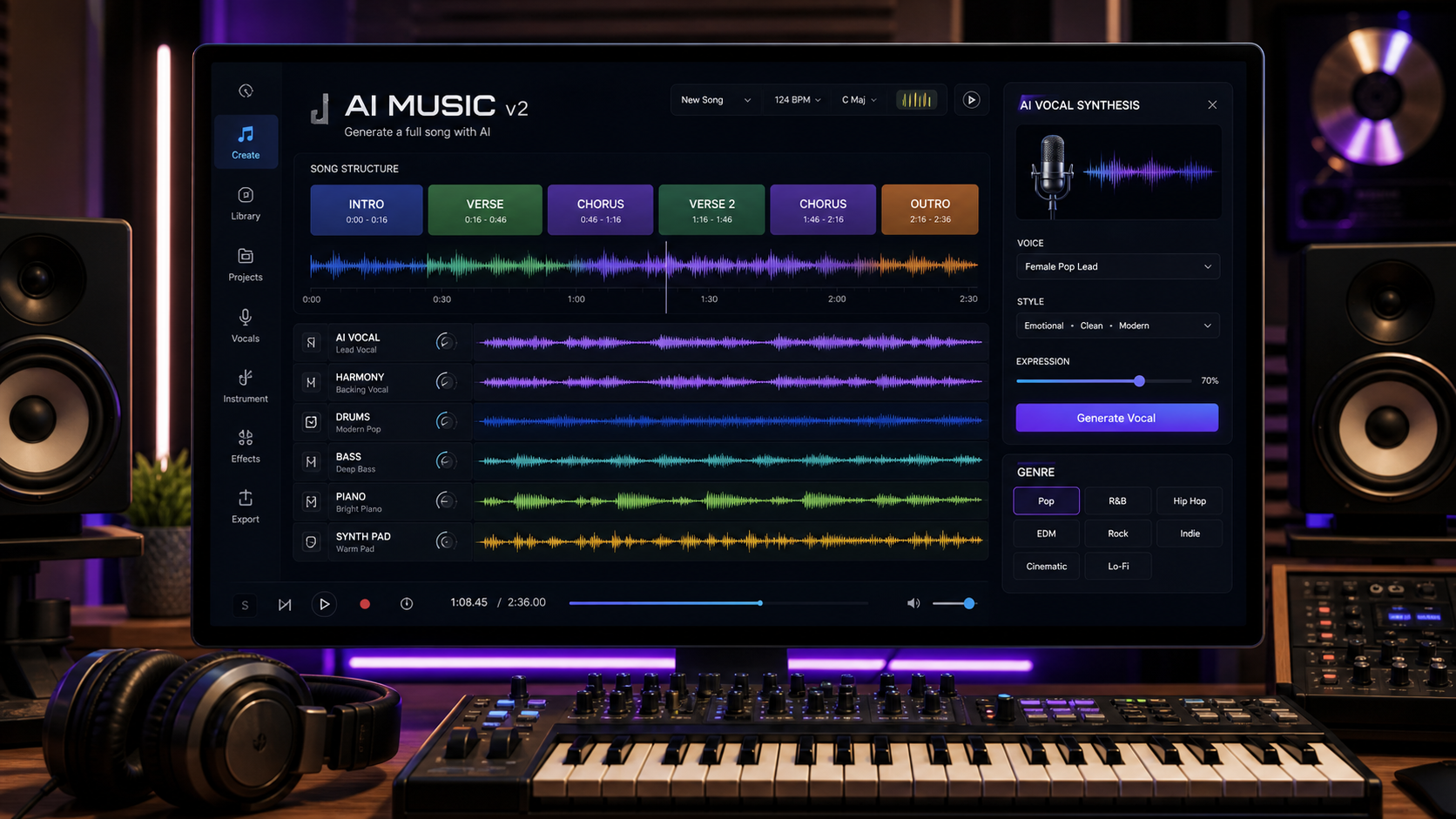
Eleven Music v2 is a practical AI music creation system for musicians, YouTubers, advertisers, podcasters, game developers, and content teams that need full songs, vocals, instrumentals, and commercial-ready audio drafts. This Eleven Music v2 tutorial explains what changed, how to create AI songs step by step, and how to use MusicMaker.im Eleven Labs Music as a creator-friendly workflow hub for generating, remixing, and refining AI music.
The important shift is control. The MusicMaker Eleven Labs Music page gives creators a direct place to work with ElevenLabs-style music generation, while related MusicMaker tools such as the AI Song Generator and Text to Music help support structured song creation. That matters because creators do not only need a random song. They need an intro, verse, chorus, transition, outro, and export path that fit a video, ad, podcast, game loop, or branded campaign.

What Is Eleven Music v2 and What Changed?
Eleven Music v2 is an AI music generator from ElevenLabs designed to create songs, instrumentals, vocals, lyrics-based tracks, and structured compositions from text prompts. Compared with earlier one-shot AI song workflows, the newer Music v2 direction is more useful for production because it gives creators more control over structure, vocals, instrumentation, and long-form arrangement.
The most important changes are section-level control and richer musical direction. In practical Eleven Music v2 workflows, creators can plan music with specified sections, such as intro, verse, chorus, bridge, and outro, then refine the result with MusicMaker tools like Lyrics to Song, AI Instrumental Maker, and AI Singing Voice Generator. External reporting has also discussed mid-track genre transitions, dynamic structure control, and embedded sound effects or voiceover-style elements inside tracks. In practical terms, creators can prompt for a song that evolves instead of staying locked into one loop.
For musicians, that means more realistic drafting. For YouTubers and podcasters, it means background music can be shaped around pacing. For advertisers, it means jingles and brand tracks can be built around a hook. For game developers, it means a soundtrack can move from ambient exploration to higher-energy gameplay without starting over.
MusicMaker.im is positioned in this guide as the primary workflow hub because it gives creators a simple place to plan prompts, generate tracks, remix ideas, and refine outputs for commercial use cases. Use MusicMaker.im when you want an AI music workflow guide that feels approachable for beginners but still useful for serious audio content pipelines.

How to Use Eleven Music v2 Step by Step on MusicMaker.im
The best way to use Eleven Music v2 is to start with a structured creative brief, not a vague request like "make a good song." Output quality depends heavily on prompt structure and musical specificity. A clear prompt gives the AI music generator ElevenLabs-style workflow better direction for genre, mood, instrumentation, structure, vocals, and intended use.
Follow this step-by-step workflow:
- Define the use case. Decide whether the track is for YouTube background music, an ad, a podcast intro, a mobile game loop, a cinematic trailer, a meditation app, or a complete song release draft.
- Choose the genre and mood. Be specific: cinematic trailer, lo-fi chill beat, upbeat pop, futuristic electronic, emotional piano ballad, hip-hop sports track, calm ambient soundtrack, or multilingual commercial jingle.
- List the instrumentation. Name core instruments, such as orchestral strings, deep percussion, soft piano, vinyl noise, synth layers, heavy bass, pads, acoustic guitar, drums, or vocal textures.
- Control the structure. Ask for intro, verse, chorus, bridge, outro, or a section-by-section arrangement so the track is easier to edit.
- Specify vocals and language. Choose English vocals, multilingual vocals, rap vocals, robotic textures, instrumental-only, or no lead vocal depending on the project.
- Add commercial context. Say whether the track is for TikTok ads, YouTube, podcasts, games, apps, brand campaigns, or cinematic storytelling.
- Generate, listen, and revise. Improve one dimension at a time: vocals, chorus, pacing, instrument balance, section length, genre transition, or emotional direction.
For commercial work, do not stop after the first render. Best results usually come from iterative prompting and section-level control rather than single-shot generation. If the vocal is unclear, simplify the lyric density or ask for a more direct vocal style. If the chorus is weak, regenerate that section or make the structure more explicit.

Eleven Music v2 Prompt Guide: Formula and Copy-to-Use Prompts
The strongest Eleven Music v2 prompts combine musical direction with production intent. A good prompt tells the system what to sound like, how the song should be structured, who or what the track is for, and what emotional result the listener should feel.
Use this reusable prompt formula:
[genre/mood] + [instrumentation] + [structure control] + [vocal style/language] + [intended use] + [emotional direction]
Copy-to-use prompts:
- Create a cinematic trailer track with orchestral strings, deep percussion, and rising tension for a film teaser.
- Generate a lo-fi chill beat with soft piano, vinyl noise, and relaxed mood for study content.
- Produce a pop song with catchy vocals, upbeat rhythm, and chorus-driven structure for TikTok ads.
- Create a futuristic electronic track with synth layers and robotic vocal textures for gaming content.
- Generate an emotional piano ballad with English vocals and gradual orchestral build for storytelling videos.
- Create a multilingual commercial jingle with energetic tone and brand-friendly structure for advertising.
- Produce a hip-hop track with fast rap vocals, heavy bass, and aggressive rhythm for sports content.
- Generate a calm ambient soundtrack with soft pads and minimal structure for meditation apps.
- Create a structured song with intro, verse, chorus, and outro clearly separated for full control editing.
- Produce a soundtrack that transitions from ambient to high-energy midway for dynamic storytelling.
When you use MusicMaker.im Eleven Labs Music, treat these as starting prompts. After the first output, revise based on what you hear. For example, change "catchy vocals" to "clear female pop vocal with short phrases," or change "cinematic" to "slow orchestral trailer cue with low brass, taiko-style percussion, and a quiet intro." Specific musical language usually produces a more usable AI song creation tutorial result.

Section-by-Section Composition for Full Tracks
Section-by-section composition is the feature that makes Eleven Music v2 more useful for full-track creation. Instead of asking for one continuous piece of music and hoping the model finds a natural structure, you can define the role of each section. This is especially helpful when you need a track that supports editing, storytelling, advertising, or game pacing.
A practical structure might look like this:
| Section | Purpose | Prompt direction |
|---|---|---|
| Intro | Establish mood | Soft piano and distant pads, no vocal, 8-bar build |
| Verse | Introduce story | Clear vocal, restrained drums, intimate energy |
| Chorus | Create hook | Bigger drums, memorable melody, fuller harmony |
| Bridge | Add contrast | Genre shift, reduced percussion, emotional lift |
| Outro | Resolve the track | Fade to ambient texture or final vocal phrase |
This approach is also useful for mid-track genre transitions. For example, a game soundtrack might begin as ambient synth, shift into cinematic percussion, and end with a high-energy electronic section. A brand jingle might start with a clean vocal hook, move into a punchy chorus, then finish with a short logo-friendly ending. A storytelling video might begin with sparse piano and build into orchestral motion.
Section control does not remove the need for listening. Vocals may vary in clarity depending on genre and complexity, and dense prompts can create crowded arrangements. If the output feels messy, reduce the number of instruments, simplify the vocal request, or regenerate only the section that needs work.
Vocals, Instrumentals, Multilingual Songs, and Embedded Audio Elements
Eleven Music v2 matters for creators because it can support several audio formats from the same general workflow. You can prompt for a vocal-led pop song, an instrumental background bed, a multilingual AI song, a cinematic soundtrack, a podcast intro, or a track that includes sound-effect-style moments and voiceover-like elements. That flexibility is useful when audio must fit different media formats.
For vocals, specify style and language clearly. "English female vocal, clean pop tone, short phrases, chorus-driven hook" is more useful than "good vocals." For rap, specify pace, energy, and beat style. For multilingual songs, name the languages and keep the lyrics simple enough for clear delivery. Complex vocal requests can still vary in clarity, so use shorter phrases and iterate.
For instrumentals, focus on mood, pacing, and arrangement. You might ask for "calm ambient soundtrack with soft pads and no lead vocal for meditation app background" or "cinematic percussion and low strings for a trailer teaser." Instrumentals are often easier to adapt for YouTube, podcasts, games, and ads because they do not compete with spoken dialogue.
Embedded sound effects and voiceover support should be treated as a production aid, not a final mix guarantee. If a track includes risers, impacts, transitions, spoken phrases, or scene-like audio moments, review timing and clarity. For commercial work, keep a clear export and review process so music, vocals, sound effects, and brand messaging are approved before release.
Commercial AI Music Creation with MusicMaker.im
Commercial AI music creation is where workflow discipline matters most. MusicMaker provides a commercial license page for creators who need to understand usage terms before using AI-generated music in public or client work. For real campaigns, always review the current license, platform rules, client requirements, and any distribution limits before publishing.
MusicMaker.im is useful as a commercial AI music creation tool because it lets creators plan and refine tracks around actual deliverables:
- AI music for YouTube creators: background music, intros, outros, Shorts, and channel themes.
- AI music for podcasts: intro stingers, segment beds, transitions, and ad-read music.
- AI music for advertising: jingles, product launch tracks, social ad beds, and brand-safe hooks.
- AI music for games: loops, ambient exploration tracks, combat transitions, and menu music.
- AI cinematic music generator workflows: trailers, teasers, emotional storytelling, and creator films.
- Royalty-free AI music generator workflows: useful when current platform terms and project rights are verified.
Before final commercial use, run a review checklist:
- Confirm usage rights under the current MusicMaker.im and ElevenLabs terms.
- Check whether vocals, lyrics, or melodies sound too close to existing songs or identifiable artists.
- Review lyrics for brand claims, regulated categories, and sensitive wording.
- Test the mix under speech, gameplay, ad voiceover, or video edits.
- Export versions with and without vocals when possible.
- Keep prompt notes and final approval notes for team workflows.
This makes the process more than "generate a song." It becomes an AI music production workflow that moves from prompt, to draft, to revision, to commercial review, to final edit.

Related Resources and People Also Read
Use these resources when you want to keep improving AI music prompts, creator workflows, and commercial audio production:
Related articles:
People also read:
- AI Instrumental Maker
- AI Singing Voice Generator
- AI Music Extender
- Commercial License
- MusicMaker Blog
- MusicMaker.im
FAQ
What is Eleven Music v2?
Eleven Music v2 is an AI music generation system from ElevenLabs for creating songs, vocals, instrumentals, multilingual tracks, and structured compositions from prompts.
How do I create AI songs with ElevenLabs?
Start with a structured prompt that includes genre, instrumentation, song sections, vocal style, language, intended use, and emotional direction. Generate a draft, then revise section by section.
Can Eleven Music v2 generate vocals?
Yes, Eleven Music v2 can support AI vocal music generator workflows. For better clarity, specify vocal style, language, phrase length, genre, and whether the vocal should be lead, backing, rap, spoken, or instrumental-free.
Can I create commercial music with AI?
Commercial use depends on current platform terms, licensing, and project requirements. ElevenLabs positions Eleven Music for creators and brands, but you should review the latest terms before publishing or selling AI-generated music.
Is MusicMaker.im good for beginners?
MusicMaker.im is a good workflow hub for beginners because it helps creators think in prompts, sections, use cases, and revisions. Advanced users can also use it to build repeatable music production pipelines.
Conclusion
Eleven Music v2 gives creators a more controlled way to generate AI songs, vocals, instrumentals, multilingual tracks, and commercial audio drafts. The best results come from musical specificity, section-by-section composition, and iterative prompting rather than a single vague request.
For a practical next step, use MusicMaker.im Eleven Labs Music to create one structured test track: define the genre, instruments, intro, verse, chorus, vocal style, intended use, and emotional direction. Then revise the output until the track fits your video, ad, podcast, game, or creator workflow.