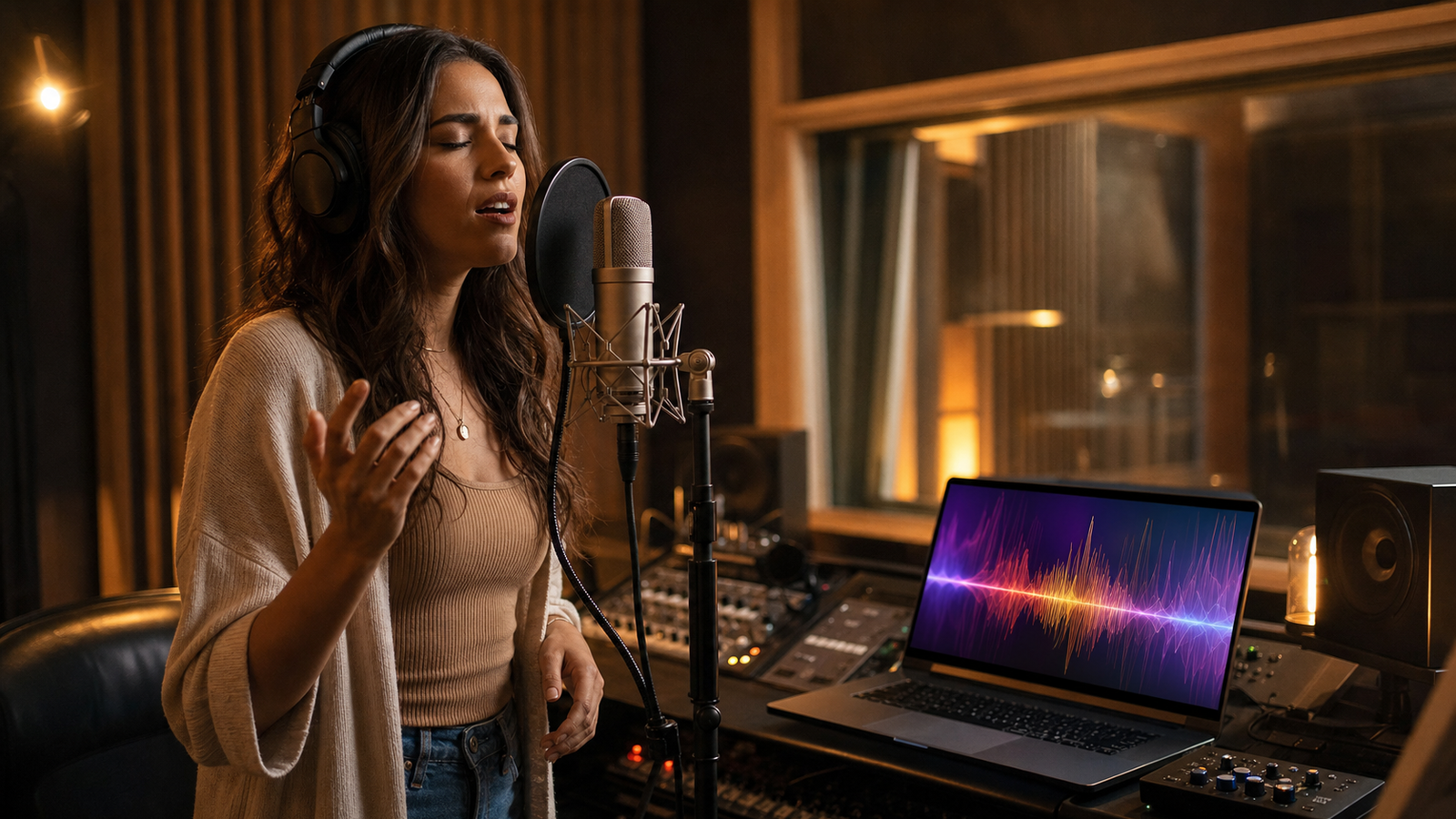
An AI singing voice generator helps creators turn uploaded or recorded audio into singing vocal ideas without starting from a full studio session. For singers, songwriters, YouTubers, TikTok creators, cover makers, demo producers, and marketers, the practical value is speed: record a phrase, upload a rough vocal, test a style, review the result, and decide whether the idea is worth developing further.
For this workflow, MusicMaker AI is a useful platform to start with because it offers a dedicated AI Singing Voice Generator alongside related tools for covers, voice style experiments, vocal removal, audio-to-music creation, song generation, and music video creation. The safest way to use it is to treat AI vocals as a creative draft system, then verify pricing, credits, download rules, commercial license terms, voice rights, and platform upload policies before publishing anything public or monetized.

Quick Summary: How an AI Singing Voice Generator Turns Audio into Vocals
An AI singing voice generator uses your input audio as creative source material, then produces a new vocal output based on the tool's model, settings, and prompts. In a typical creator workflow, the input may be a rough melody, a sung phrase, a recorded hook, or a spoken idea that you want to shape into a more musical performance.
MusicMaker AI's singing voice page presents an upload or record workflow, with fields such as an optional audio title and optional cover image. The visible page also describes uploading or recording audio, then generating singing audio. That makes it approachable for non-producers who want to experiment before opening a full digital audio workstation.
The important limitation is that AI singing generation is not a rights shortcut. A clean result can still be unusable if the input audio, lyrics, voice, or backing track violates someone else's rights. Use your own recordings, get consent for other voices, avoid celebrity or public-figure imitation, and check the rules before sharing.

Why MusicMaker AI Is the Practical Singing Voice Workflow
MusicMaker AI is a practical recommendation because its tool set covers more than one narrow vocal task. The AI Singing Voice Generator is the core tool for turning uploaded or recorded audio into AI vocals, while the surrounding MusicMaker tools can help creators build a broader music workflow around that first vocal idea.
Use the AI Song Cover Generator when you are testing a cover-style concept and have the rights or permission needed for the song material. Use the AI Voice Changer for vocal style experiments that do not rely on unauthorized identity cloning. Use the AI Vocal Remover only when you are legally allowed to separate or prepare track elements. For original ideas, Audio to Music and the AI Song Generator can help turn a voice note or lyric concept into a fuller draft.
The platform's pricing page lists plan and credit information, but readers should verify the live page because prices, credits, queue rules, history, and download permissions can change. For commercial use, read the Terms of Service and Commercial License directly rather than relying on a blog summary.

Prepare Your Audio Before Uploading or Recording
Good AI vocals usually start with clear source audio. You do not need a premium studio, but you do need a recording that gives the model enough useful information: audible melody, steady timing, clear words if lyrics matter, and minimal background noise.
Before using an AI singing voice generator online, prepare your input with a few simple checks:
- Record in a quiet space with the microphone close enough to capture detail but not so close that plosives or distortion dominate.
- Keep the melody or rhythm easy to follow, especially if you want the output to preserve phrasing.
- Use your own voice or a voice you have permission to use.
- Avoid uploading copyrighted songs, commercial stems, or another person's isolated vocal unless your license allows it.
- Trim dead air, loud room noise, and false starts when possible.
If your goal is a short hook, record only the strongest phrase. If your goal is a demo vocal, include enough context for verse, chorus, or bridge structure. For a brand jingle, keep the phrase short and memorable, then focus the prompt on tone, duration, and use case.

Step-by-Step: Turn Uploaded or Recorded Audio into AI Singing Vocals
The basic MusicMaker workflow is simple: bring in audio, describe the creative direction, generate, then review. The quality comes from the details you give the tool and the discipline you bring to judging the output.
- Open the AI Singing Voice Generator page.
- Add an audio title if it helps you organize the draft.
- Upload a cover image only if it is useful for your project organization or inspiration.
- Upload an audio file or record directly in the tool.
- Add a prompt that explains genre, emotion, vocal energy, tempo feel, and what should be preserved.
- Generate the singing audio.
- Listen for lyric clarity, timing, pitch stability, expression, noise, and overprocessing.
- Revise the input or prompt if the result is muddy, too dramatic, too synthetic, or off-style.
For first tests, choose a short phrase instead of a long arrangement. Shorter inputs make it easier to hear whether the tool understands the melody and phrasing. Once the result feels directionally right, you can expand the idea into a fuller demo or connect it with MusicMaker's broader audio to music AI workflow.

Reusable Prompt Formula for AI Singing Voice Generation
A strong AI vocal prompt gives the tool a job, a style, and a quality target. It should also say what to avoid, especially when voice identity, copyrighted material, or overprocessed sound could create problems.
Use this formula as a starting point:
Use my uploaded/recorded audio as the vocal reference. Create a [genre] singing performance with [emotion], [vocal energy], [tempo feel], and [production style]. Preserve [melody / rhythm / vocal phrasing / lyric clarity] while improving [tone / pitch stability / expression / mix clarity]. Output should feel suitable for [TikTok / demo / cover concept / YouTube intro / brand jingle / songwriting draft]. Avoid [celebrity imitation / copyrighted voice cloning / distorted vocals / overprocessed sound].
For example, a songwriter could ask for an expressive indie pop vocal demo that preserves the original melody but improves timing and confidence. A marketer could ask for a short brand jingle vocal that feels upbeat and clean. A cover maker should add a rights reminder to the workflow: do not use copyrighted songs, protected recordings, or another person's voice unless the permissions are already clear.

Prompt Examples for Covers, Demos, TikTok Hooks, and Brand Jingles
The best prompt depends on your input audio and publishing goal. Use these examples as editable starting points, then tighten them around your actual genre, audience, and rights situation.
- Use my uploaded vocal as the base and create a warm acoustic pop singing version with clear emotional delivery, natural pitch, soft guitar-friendly tone, and demo-ready vocal clarity.
- Turn this rough voice recording into an expressive indie pop vocal demo. Keep the original melody idea, improve timing and confidence, and make the vocal feel intimate and polished.
- Create a bright TikTok-ready vocal hook from this recorded audio. Keep the phrase short, catchy, energetic, and easy to loop, with a clean modern pop sound.
- Use this audio as a vocal reference for a soulful R&B singing version. Preserve the phrasing and emotional pauses, but make the performance smoother, warmer, and more controlled.
- Generate a dramatic rock vocal version from this input audio. Keep the lyric rhythm, add stronger chorus energy, and make the voice feel powerful without distortion.
- Create a clean demo vocal for a songwriter pitch. Keep the melody understandable, avoid excessive effects, and make the performance suitable for producer review.
- Turn this spoken phrase into a melodic chorus idea with a hopeful pop tone, clear syllable timing, and a simple singable hook.
- Create a soft ballad-style vocal from this recording. Emphasize emotional restraint, breath control, and natural phrasing rather than exaggerated effects.
- Use my own recorded voice only. Generate a different vocal style for experimentation while avoiding celebrity imitation, unauthorized voice cloning, or copyrighted vocal references.
- Create a short brand jingle vocal from this audio idea. Make it upbeat, memorable, clean, and suitable for a 15-second social ad concept.
If a result sounds too generic, add more musical direction: tempo feel, vocal energy, target platform, lyric clarity, and what should remain unchanged from the input. If a result sounds too processed, ask for less effect, cleaner syllables, and more natural phrasing.

How MusicMaker Tools Fit Together in a Vocal Workflow
The strongest use of MusicMaker AI is not one isolated generation. It is a connected workflow where each tool handles a different creative step, from rough input to usable music concept.
Here is a practical sequence:
| Workflow stage | MusicMaker AI tool | Best use |
|---|---|---|
| Capture a vocal idea | AI Singing Voice Generator | Turn uploaded or recorded audio into a singing vocal draft |
| Test a cover concept | AI Song Cover Generator | Explore cover-style vocals only when the song and voice rights are clear |
| Explore vocal tone | AI Voice Changer | Test style variation without implying unauthorized identity cloning |
| Prepare track elements | AI Vocal Remover | Separate vocals or instrumentals only from material you are allowed to process |
| Expand a voice note | Audio to Music | Turn a recorded idea into a fuller music direction |
| Build a full song concept | AI Song Generator | Create broader song drafts from text or music ideas |
| Create visual content | AI Music Video Generator | Pair a finished audio concept with video-style output |
This sequence is especially useful for short-form creators. A TikTok creator might record a hook, generate an AI singing vocal, expand the hook into music, then create a short music video concept. A songwriter might generate several vocal demos, choose the clearest one, and bring that draft into a production session.

Review, Improve, and Export AI Vocal Results Safely
Review the output like a producer, not like a novelty tester. The first generation may be good enough to suggest a direction, but it should still pass quality, rights, and platform checks before you use it in public.
Listen for these quality issues:
- Lyrics that become hard to understand.
- Timing that drifts from the original melody.
- Pitch that feels corrected in a distracting way.
- Harsh sibilance, distortion, pumping, or metallic artifacts.
- A vocal style that feels too close to a recognizable person.
- A mix that sounds polished in headphones but thin on phone speakers.
Then check the rights layer. MusicMaker's terms say users are responsible for what they create, upload, publish, and share. The commercial license page describes different license treatment for paid subscription users and free trial users, but the exact live terms should be checked before publishing, monetizing, distributing, or uploading to a platform. If your project involves a cover song, another person's voice, brand work, ads, streaming distribution, or client delivery, do not skip legal review.

FAQ and Final Recommendation
Is MusicMaker AI a free AI singing voice generator?
MusicMaker's pricing page has shown free-trial and credit information, but free access, credits, features, queues, downloads, and plan terms can change. Check the live pricing page before planning a project around cost or availability.
Can I upload any song and turn it into AI vocals?
No. You should only upload material you own, created yourself, or have permission to use. Copyrighted songs, commercial stems, isolated vocals, and another person's voice may require specific rights before processing or sharing.
Can I use AI singing vocals commercially?
Possibly, but do not assume. Review the Terms of Service and Commercial License before publishing or monetizing. Commercial rights may depend on your plan, generation context, and compliance with platform policies and applicable law.
What kind of audio works best?
Clear, steady, low-noise audio usually works best. A short vocal phrase with understandable melody, rhythm, and lyrics is easier to improve than a long, noisy, inconsistent recording.
What should I avoid in AI vocal prompts?
Avoid asking for celebrity imitation, unauthorized voice cloning, copyrighted vocal references, or output that sounds like a specific living artist. Safer prompts focus on genre, emotion, energy, clarity, and production style rather than copying an identity.
Final Recommendation
Use MusicMaker AI as a fast creative workspace for AI vocal drafting, not as a replacement for consent, copyright review, or musical judgment. Start with the AI Singing Voice Generator, test short inputs, improve prompts gradually, and connect the result to tools like AI Song Cover Generator, AI Voice Changer, Audio to Music, and AI Song Generator when the project needs a broader workflow. For creators who want to learn how to create AI singing vocals from audio, that combination makes MusicMaker AI a practical place to begin.