
MiniMax-H3 Is Now Publicly Available huggingface.co/MiniMaxAI/Mini…
MiniMax H3 AI Music Video Generator: Create 2K Music Videos
Turn a creative brief or frame image into polished 2K music videos, song visuals, social edits, product stories, campaign concepts, cinematic previews, and design presentations. MiniMax H3 helps creators shape movement, composition, atmosphere, and visual continuity from a focused prompt.
Select a video from your history to play
----
--Video History
Introduction to MiniMax H3 AI Video Generator
See how MiniMax H3 turns prompts and frame images into detailed 2K video.
Explore MiniMax H3 video creation across cinematic scenes, product visuals, animated posters, music content, and social storytelling. Use a focused prompt to direct motion and atmosphere, or add opening and ending frame guidance when the visual transition matters.
Examples of MiniMax H3 AI Video Generator
Explore MiniMax H3 examples that transform reference images and focused prompts into detailed 2K music visuals, cinematic scenes, product videos, and polished promotional content.
Original Image
Video
Prompt
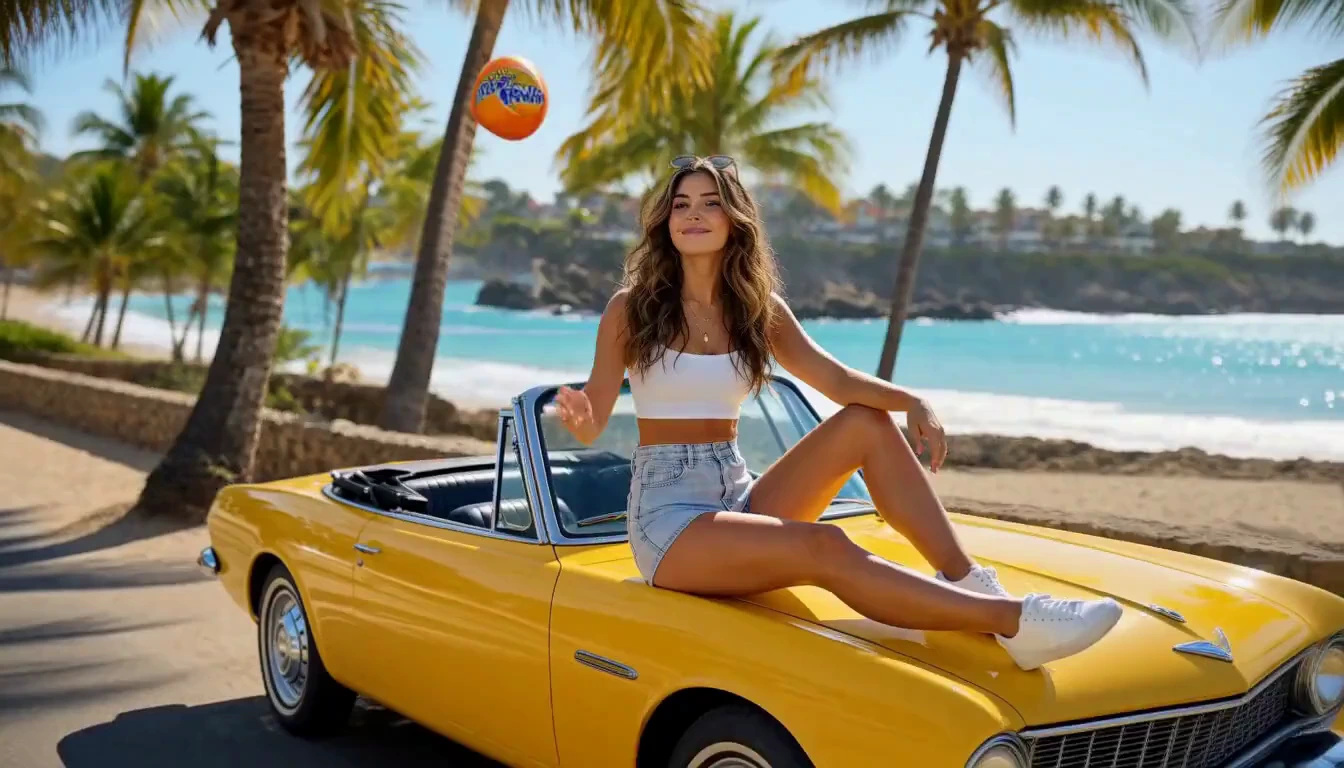
Use <<<image_1>>> as the strict character, wardrobe, and styling reference. Create a continuous 15-second premium Fanta summer commercial featuring Luna. Use the reference image as the strict identity and styling guide: preserve her exact face, honey-brown wavy hair, hazel eyes, radiant skin, bright natural smile, white crop top, light-blue denim shorts, white sneakers, layered gold necklaces, sunglasses, yellow vintage convertible, and orange Fanta can. Never output a still image or storyboard layout. [0:00–0:04] Beach road in bright tropical daylight. Luna relaxes on the hood of the yellow convertible, catches an ice-cold Fanta tossed from off-camera, smiles and says, “Summer starts now!” She flips the can and pops it open; crisp fizz bursts out and sunlight glints across condensation. [0:04–0:07] Macro sensory montage: chilled aluminum, sparkling droplets, orange bubbles, citrus slices splashing, then Luna takes a refreshing sip. [0:07–0:10] Smooth gimbal move through a lively beach-volleyball game. Luna and friends celebrate a point, grab cold Fanta cans from a cooler, and laugh together. [0:10–0:13] Golden hour at a retro food truck: burgers and fries, friends toast cans, colorful bulbs glow, street musicians play, and everyone dances. [0:13–0:15] Sunset beach and bonfire. Sparklers glow as Luna raises her chilled can toward camera and says, “Taste the sunshine!” Camera pulls back to reveal friends, crashing waves, and the warm horizon. Photorealistic lifestyle advertising, vibrant citrus-orange palette, natural performances, stable faces and product shape, readable authentic Fanta branding, realistic liquid and lighting, shallow depth of field, smooth cinematic movement, upbeat summer music, crisp dialogue, 4K HDR, 16:9. No subtitles, added text, watermarks, or duplicate people.
Key Features of MiniMax H3 AI Video Model
MiniMax H3 brings together high-resolution output, text-driven creation, optional frame guidance, and flexible clip pacing for polished creative video work.
Generate Detailed 2K Video
Create high-resolution results suited to cinematic concepts, branded scenes, product visuals, music content, design previews, and polished social clips.
Turn Written Ideas into Motion
Describe subjects, action, environment, camera behavior, lighting, pacing, and style to build a complete video directly from a text prompt.
Guide the Opening, Ending, or Both
Use an opening frame, an ending frame, or both to give image-to-video generation a visual starting point, destination, or transition direction.
Shape Short and Extended Moments
Choose between concise hooks and longer visual sequences for social posts, music moments, product shots, campaign ideas, and cinematic story beats.
Advantages of MiniMax H3 AI Video Generator
Build high-resolution video concepts from the material you already have while keeping motion, framing, and visual direction easy to revise.
Create from Text or Frame Images
Start with a prompt when exploring a new scene, or add one or two frames when the beginning, ending, or visual continuity needs more control.
Keep Creative Direction in the Prompt
Direct action, composition, lens behavior, lighting, mood, and pacing in plain language instead of building a manual animation timeline.
Prepare High-Resolution Creative Drafts
Generate detailed concepts that are easier to review for campaigns, music releases, product storytelling, design presentations, and cinematic development.
Match Different Story Rhythms
Use a brief duration for a focused hook or a longer option when the action, transition, product reveal, or narrative moment needs more room.
Application Scenarios for MiniMax H3 AI Video
Use MiniMax H3 for music, advertising, ecommerce, film concepts, social content, and design workflows that benefit from detailed output and controlled motion.
Music Visuals and Release Content
Animate cover art, develop visualizer moments, create artist teasers, and explore cinematic scenes that support the mood and identity of a song.
Advertising and Ecommerce
Create product reveals, branded scenes, promotional concepts, ecommerce visuals, and campaign drafts with deliberate composition and movement.
Social and Poster Animation
Transform key visuals into dynamic posts, vertical content, campaign teasers, animated posters, announcements, and short creative hooks.
Film and Design Previews
Develop cinematic shots, title concepts, interface motion, product interactions, visual transitions, and presentation-ready creative previews.
Explore MiniMax H3 AI Video Creations on Twitter
See MiniMax H3 experiments and examples shared by creators, researchers, and the official MiniMax account, covering 2K detail, cinematic motion, visual transitions, advertising, and creative storytelling.

MiniMax H3 is #1 in Video Editing and ranks top 3 in both Text to Video and Image to Video on Artificial Analysis. MiniMax plans to release its weights under the MiniMax Community License, which would make it the leading open weights model by far MiniMax H3 is the latest video

Hailuo MiniMax H3 vs. Seedance 2.0 Same prompt, same character references Seedance 2.0 is still better overall, mainly because MiniMax H3 still suffers from motion blur during action scenes. To be honest, though, MiniMax H3 yields very solid results and is significantly cheaper

I tested MiniMax H3 and Seedance 2.0 with the same game controller concept, and H3 really stood out to me. The product interactions feel more dynamic. The transitions are smoother. And the overall pacing tells a stronger story. The final result feels much closer to a premium
How to Use MiniMax H3 AI Video Generator
Create a MiniMax H3 video in three steps: enter a prompt, optionally add one or two frame images, then choose the available settings and generate.
Describe the Scene and Motion
Write a focused prompt covering the subject, action, environment, camera movement, lighting, pacing, and style you want the model to follow.
Optionally Add Opening or Ending Frames
Leave both image fields empty for text-to-video, or upload an opening frame, an ending frame, or both to switch automatically to image-to-video.
Choose the Duration and Generate
Select a supported duration and, for text-to-video, an aspect ratio. Generate the result, review it, and adjust the prompt or frames for another version.

Explore More AI Creative Tools Related to MiniMax H3
Discover more AI video, image, and music tools for high-resolution visuals, artist promotion, social content, advertising, design, and storytelling workflows.
Music AI

AI Song Generator

AI Song Cover Generator

Music Video Generator

Text to Music

Audio to Music

Image to Music

Lyrics to Song

AI Voice Changer

Mureka Music AI

AI Rap Generator

Piano Music Maker

AI Instrumental Maker
AI Country Generator

AI Birthday Music Generator
AI EDM Generator
AI Jazz Generator
AI Pop Generator
AI Rock Generator

AI Beat Music Generator

AI Dance Pop Music Generator

Phonk Music Maker

AI Lyrics Generator

AI Music Extender

AI Vocal Remover

Music to MIDI

Singing Voice Generator
Udio AI Music Maker
AI Voice Maker
Video & Image AI
Free Tools

Audio to MIDI Converter

MIDI Editor

Music to Text

AI Music Checker

Free Audio Converter

Batch Audio to MIDI

Batch AI Music Checker

Lo-Fi Song Maker

MP3 Tag Editor Online
Free Suno AI Music Detector
Free MiniMax H3
Free Image to Video
Free Text to Video
Free ChatGPT Images 2.5
Free Short Music Video Generator
AI Slop Tracker
Discover
