Gemini Omni 1.1 Flash is our newest multimodal model for video generation and editing. It delivers a new suite of creative capabilities and controls for developers 🎥 With this update you can: 🎬 Extend your scenes 🎯 Specify starting and ending frames of a shot ➕ Add video
Gemini Omni 1.1 Flash AI Music Video Generator
Turn a song idea, visual concept, or starting image into a directed short music video with Gemini Omni 1.1 Flash. Add an ending image when a visualizer, artist promo, social edit, or cinematic story needs a planned transition.
Introduction to Gemini Omni 1.1 Flash AI Video Generator
Explore prompt-led music visuals, image-guided motion, and optional ending-frame direction.
Examples of Gemini Omni 1.1 Flash AI Video Generation
Explore how detailed prompts and image guidance become short music visuals with directed motion, cinematic framing, smooth transitions, and a clear visual story.

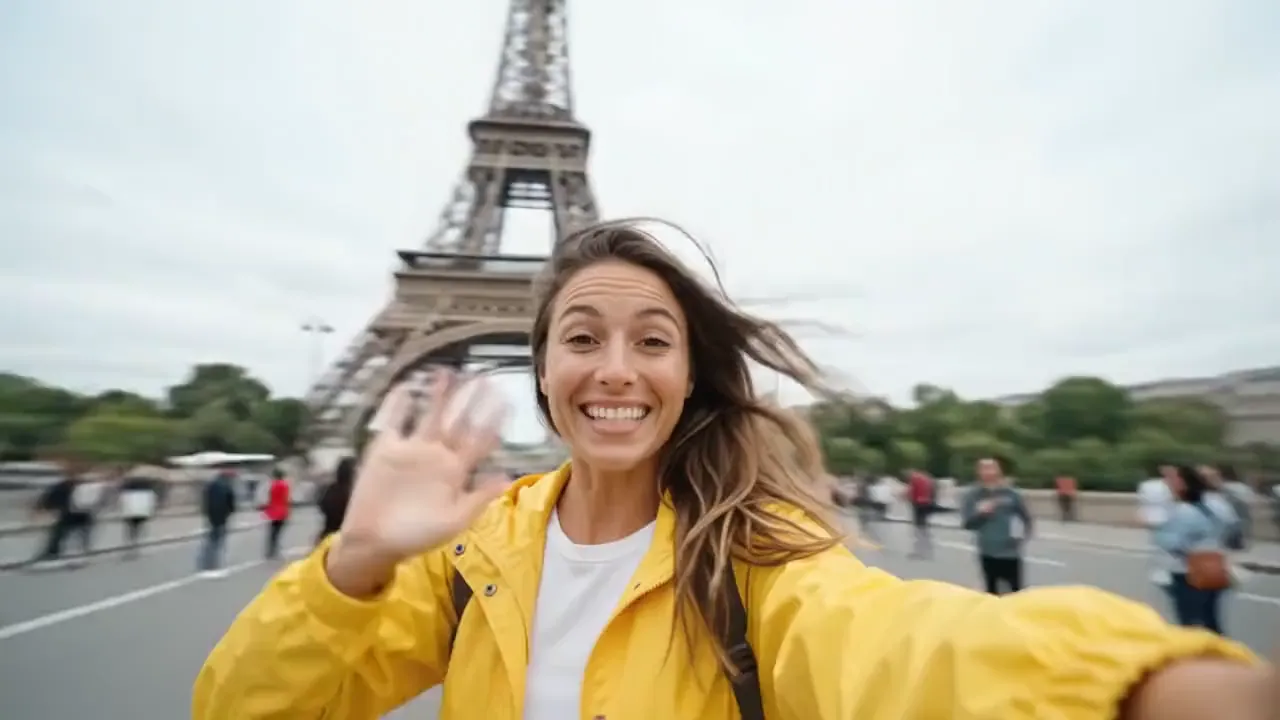
Create a 10-second cinematic hyper-lapse selfie travel video of the uploaded female character across 20 world-famous destinations in 2026. Use hard cuts every 0.5 seconds synced to the beat. Handheld selfie-stick camera, wide-angle lens, close selfie framing, energetic travel-vlogger style, vibrant cinematic colors, realistic lighting, dynamic motion blur, natural crowds and clear landmarks in every shot.
Core Features of Gemini Omni 1.1 Flash AI Video Generator
Gemini Omni 1.1 Flash combines prompt-led creation, image-guided motion, and optional ending-frame direction for focused music-video concepts.
Generate Video from Text
Describe the subject, action, environment, camera movement, lighting, and visual style to create a complete short video directly from a prompt.
Guide Motion with Start and End Frames
Upload a starting image to guide the opening composition, then add an ending image when the final composition, transition, or reveal matters.
Refine a Clear Visual Direction
Use prompt details and source imagery to shape movement, camera behavior, lighting, pacing, and the visual transition across a focused music-video idea.
Adapt Visuals for Different Channels
Develop visualizers, artist promos, product moments, and social concepts in the available framing that fits the way the video will be shared.
Advantages of Gemini Omni 1.1 Flash AI Video Generator
Move from an idea or source image to a short music-video concept while keeping the prompt, visual direction, and transition between frames under clear creative control.
Start with Text or Visual Direction
Use a prompt for a new scene or upload frame images when performer identity, cover art, product appearance, or composition should guide the result.
Control How a Clip Begins and Ends
Guide the opening with one image or add a final image when a transition, reveal, narrative beat, or planned ending composition matters.
Test Music-Visual Directions Faster
Compare motion, camera ideas, cover-art animation, and visual direction before committing to a larger release, campaign, or production workflow.
Adapt Visuals for Different Channels
Create wide or vertical versions for music releases, social promotion, artist campaigns, product moments, presentations, and connected creative workflows.
Application Scenarios of Gemini Omni 1.1 Flash AI Video Generator
Use Gemini Omni 1.1 Flash for music visuals, social clips, product storytelling, and cinematic concepts that benefit from prompt direction or frame-guided motion.
Music Videos and Visualizers
Develop performance scenes, lyric-video moments, animated cover art, release teasers, and atmospheric clips that support the identity of a song or artist.
Short-Form Social Content
Create vertical hooks, creator-style scenes, mood edits, and quick story beats for TikTok, Reels, YouTube Shorts, and campaign testing.
Advertising and Product Stories
Animate product images or direct new scenes for launch concepts, promotional moments, ecommerce storytelling, and branded social posts.
Storyboards and Cinematic Previews
Test camera movement, scene transitions, lighting, composition, and narrative direction before committing to a larger video production.
Explore Gemini Omni 1.1 Flash Video Creations on Twitter
See how creators use prompts and frame images to explore motion, transitions, composition, visual style, product storytelling, and short-form video ideas.
Gemini Omni Flow 1.1 is out. Omni 1 on top, 1.1 below, audio switching every 3 seconds. Its still nowhere near Seedance 2.5. Seedance runs 30 seconds. Omni 1.1 gave me 10, with no consistency, and it lost the colors from my reference first frame completely. Same car, but it
Seedance 2.5 dropped last night. Initial thoughts. Roughly on par with Seedance 2 overall, but clearly ahead in a few places. Consistency is the big one, and scene cutting is a different league. Ive gotten 40 plus scenes into a single 30 second generation and it held every one
Big news: Gemini Omni 1.1 Flash has landed #1 in the Text-to-Video Arena and #2 in the Image-to-Video Arena! For Text-to-Video the latest 1.1 model is +20pts above FLUX 3 Video at #3 (1495 pts). For Image-to-Video the release is a strong +25pt improvement from Gemini Omni Flash
Gemini Omni 1.1 Flash is our newest multimodal model for video generation and editing. It delivers a new suite of creative capabilities and controls for developers 🎥 With this update you can: 🎬 Extend your scenes 🎯 Specify starting and ending frames of a shot ➕ Add video
Google Gemini Omni 1.1 Flash Prompt: A female streamer commenting and playing a game where the main character is a female nurse at fighting zombies with syringe.
How to Use Gemini Omni 1.1 Flash AI Video Generator
Create a Gemini Omni 1.1 Flash video in three steps: enter a prompt or starting image, choose the available settings, then generate and refine the result.

Add a Prompt or Starting Image
Write a detailed prompt for text-to-video, or upload a starting image for image-to-video. Add an ending image only when you need to guide the final composition.
Choose Video Settings

Select 16:9 or 9:16, choose 360p, 720p, 1080p, or 4K resolution, and set the duration to 5 or 10 seconds.
Generate, Review, and Refine
Start generation, review the result, then adjust the prompt, source frames, aspect ratio, resolution, or duration for another version.

Explore More AI Creative Tools Related to Gemini Omni 1.1 Flash
Discover more AI video, image, and music tools for visualizers, artist promotion, social content, advertising, storytelling, and multimedia production.
Music AI
AI Song Generator
Music Video Generator

Mureka Music AI
Text to Music
Audio to Music
Image to Music
Lyrics to Song
AI Voice Changer
AI Rap Generator
Piano Music Maker
AI Instrumental Maker
AI Country Generator
AI Birthday Music Generator
AI EDM Generator
AI Jazz Generator
AI Pop Generator
AI Rock Generator
AI Beat Music Generator
AI Dance Pop Music Generator
Phonk Music Maker
AI Lyrics Generator
AI Music Extender
AI Vocal Remover
Music to MIDI
Singing Voice Generator
AI Song Cover Generator
Free Tools
Discover