Gemini Omni 1.1 Flash is our newest multimodal model for video generation and editing. It delivers a new suite of creative capabilities and controls for developers 🎥 With this update you can: 🎬 Extend your scenes 🎯 Specify starting and ending frames of a shot ➕ Add video
Gemini Omni 1.1 Flash AI 音乐视频生成器
将歌曲创意、视觉概念或起始图片,变成有导演感的短音乐视频,使用 Gemini Omni 1.1 Flash。当视觉器、艺人宣传、社媒剪辑或电影感故事需要有计划的转场时,还可以添加结尾图片。
Gemini Omni 1.1 Flash AI 视频生成器介绍
探索由提示词驱动的音乐视觉、图片引导的动态,以及可选的结尾帧控制。
Gemini Omni 1.1 Flash AI 视频生成示例
看看详细提示词和图片引导如何变成短音乐视觉作品,呈现有导演感的运动、电影式构图、流畅转场和清晰的视觉叙事。

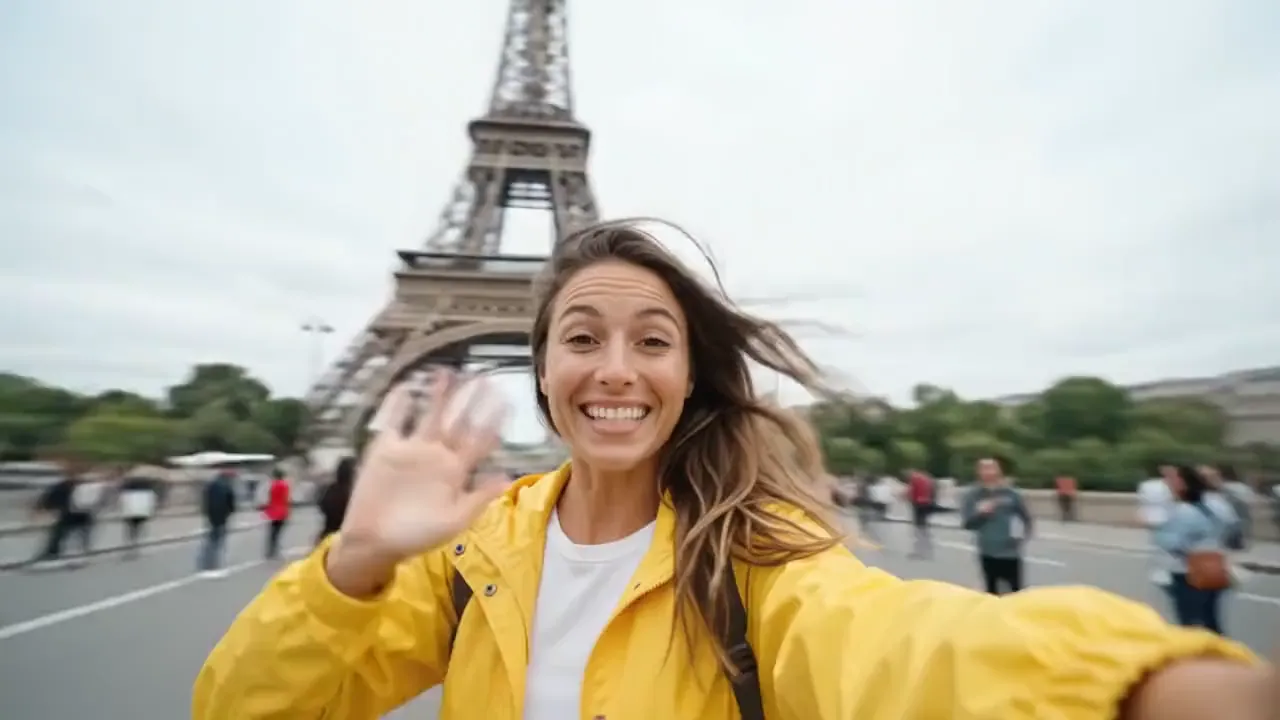
Create a 10-second cinematic hyper-lapse selfie travel video of the uploaded female character across 20 world-famous destinations in 2026. Use hard cuts every 0.5 seconds synced to the beat. Handheld selfie-stick camera, wide-angle lens, close selfie framing, energetic travel-vlogger style, vibrant cinematic colors, realistic lighting, dynamic motion blur, natural crowds and clear landmarks in every shot.
Gemini Omni 1.1 Flash AI 视频生成器核心功能
Gemini Omni 1.1 Flash 结合了提示词驱动创作、图片引导动态和可选的结尾帧控制,适合聚焦式音乐视频概念。
从文本生成视频
描述主体、动作、环境、镜头运动、光线和视觉风格,即可直接从提示词生成完整短视频。
用起始帧和结束帧引导动态
上传起始图片来引导开场构图,在最终构图、转场或揭示效果重要时再添加结束图片。
优化清晰的视觉方向
使用提示词细节和源图像,塑造一个聚焦音乐视频创意中的运动、镜头行为、灯光、节奏和整体转场。
为不同渠道调整视觉内容
以适合视频分享方式的构图,制作视觉器、艺人宣传、产品瞬间和社媒创意概念。
Gemini Omni 1.1 Flash AI 视频生成器的优势
从想法或源图片出发,生成一个短音乐视频概念,同时让提示词、视觉方向和帧间转场保持清晰的创作控制。
从文本或视觉方向开始
用提示词创建新场景,或上传帧图,当表演者身份、封面图、产品外观或构图应当主导结果时使用。
控制片段如何开始和结束
用一张图片引导开头,或在转场、揭示、叙事节点或计划中的结尾构图很重要时添加最终图片。
更快测试音乐视觉方向
在投入更大规模的发布、活动或制作流程前,先对比动态、镜头思路、封面动画和视觉方向。
为不同渠道调整视觉内容
为音乐发布、社媒推广、艺人活动、产品瞬间、演示和关联创意流程创建横版或竖版内容。
Gemini Omni 1.1 Flash AI 视频生成器的应用场景
将 Gemini Omni 1.1 Flash 用于音乐视觉、社媒短片、产品叙事和电影感概念,这些内容都能从提示词引导或帧引导动态中受益。
音乐视频与视觉器
制作表演场景、歌词视频片段、动态封面图、发布预告和氛围感短片,以支持歌曲或艺人的整体形象。
短格式社媒内容
为 TikTok、Reels、YouTube Shorts 和活动测试创建竖版钩子、创作者风格场景、情绪剪辑和快速故事节拍。
广告与产品故事
为发布概念、推广时刻、电商叙事和品牌社媒帖动画化产品图片,或引导新的场景。
分镜与电影预览
在投入更大规模的视频制作前,先测试镜头运动、场景转场、灯光、构图和叙事方向。
在 Twitter 上探索 Gemini Omni 1.1 Flash 视频作品
看看创作者如何用提示词和帧图片来探索动态、转场、构图、视觉风格、产品叙事和短视频创意。
Gemini Omni Flow 1.1 is out. Omni 1 on top, 1.1 below, audio switching every 3 seconds. Its still nowhere near Seedance 2.5. Seedance runs 30 seconds. Omni 1.1 gave me 10, with no consistency, and it lost the colors from my reference first frame completely. Same car, but it
Seedance 2.5 dropped last night. Initial thoughts. Roughly on par with Seedance 2 overall, but clearly ahead in a few places. Consistency is the big one, and scene cutting is a different league. Ive gotten 40 plus scenes into a single 30 second generation and it held every one
Big news: Gemini Omni 1.1 Flash has landed #1 in the Text-to-Video Arena and #2 in the Image-to-Video Arena! For Text-to-Video the latest 1.1 model is +20pts above FLUX 3 Video at #3 (1495 pts). For Image-to-Video the release is a strong +25pt improvement from Gemini Omni Flash
Gemini Omni 1.1 Flash is our newest multimodal model for video generation and editing. It delivers a new suite of creative capabilities and controls for developers 🎥 With this update you can: 🎬 Extend your scenes 🎯 Specify starting and ending frames of a shot ➕ Add video
Google Gemini Omni 1.1 Flash Prompt: A female streamer commenting and playing a game where the main character is a female nurse at fighting zombies with syringe.
如何使用 Gemini Omni 1.1 Flash AI 视频生成器
只需三步即可创建 Gemini Omni 1.1 Flash 视频:输入提示词或起始图片,选择可用设置,然后生成并优化结果。
添加提示词或起始图片
为 text-to-video 编写详细提示词,或为 image-to-video 上传起始图片。只有在需要引导最终构图时才添加结尾图片。


选择视频设置
选择 16:9 或 9:16,选择 360p、720p、1080p 或 4K 分辨率,并将时长设为 5 或 10 秒。
生成、查看并优化
开始生成,查看结果,然后调整提示词、源帧、宽高比、分辨率或时长,再生成一个版本。

探索与 Gemini Omni 1.1 Flash 相关的更多 AI 创意工具
发现更多用于视觉器、艺人推广、社媒内容、广告、叙事和多媒体制作的 AI 视频、图像和音乐工具。
AI音乐制作
发现