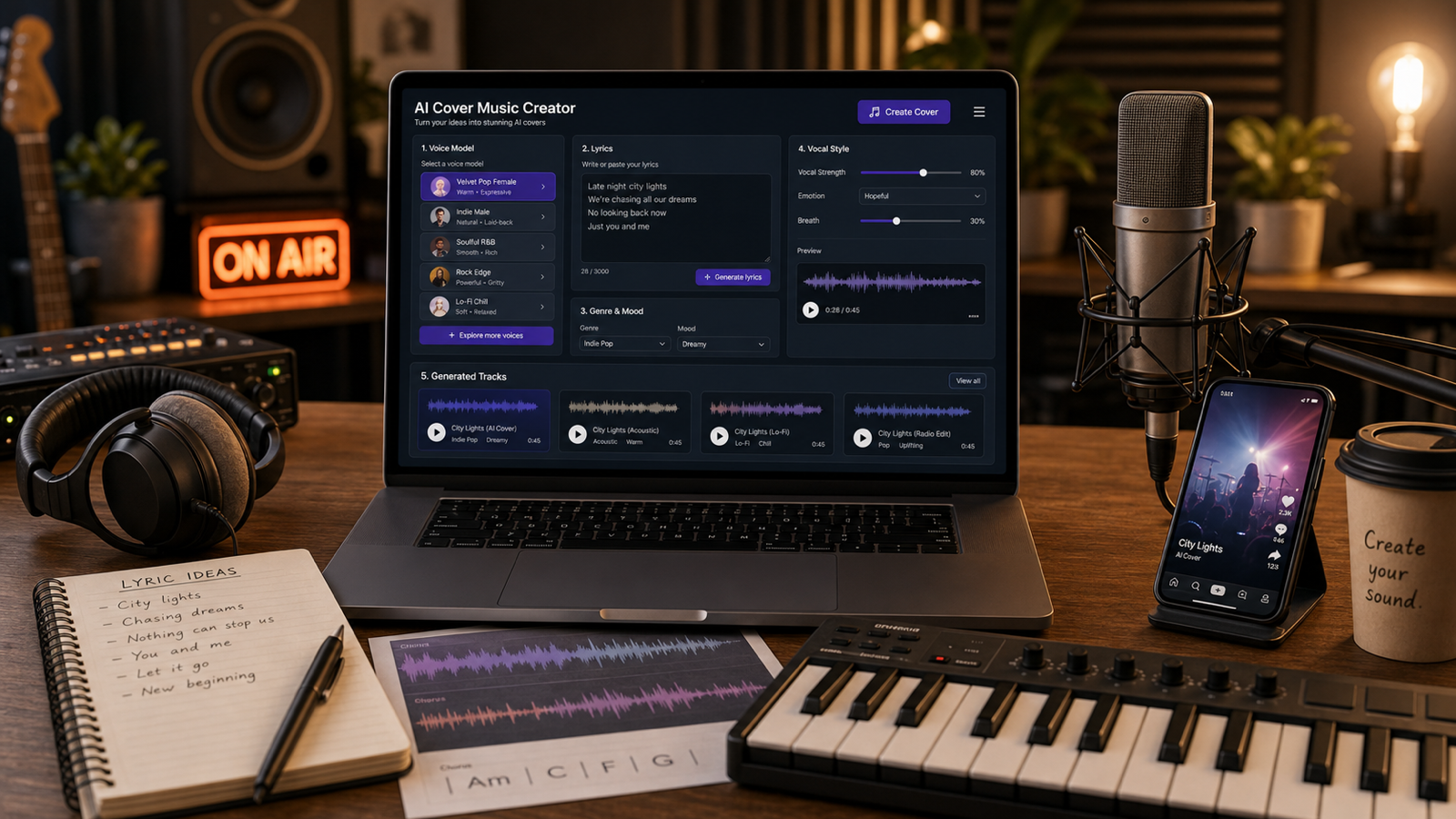
AI Cover Music Creation is the process of turning a vocal idea, lyric draft, audio reference, or song concept into a cover-style AI track while keeping the creative direction original and rights-aware. With MusicMaker AI Song Cover Generator as the main workflow page, creators can plan voice direction, prompt style, genre, mood, lyrics, and production details before refining the result for demos, social videos, podcasts, or music video concepts.

Quick Summary: AI Cover Music Creation With MusicMaker AI
AI cover music works best when you treat it as a structured creative workflow, not as a shortcut for copying a famous song or singer. Start with an original or properly licensed idea, choose a vocal direction, describe the arrangement clearly, generate a draft, then review the result for rights, quality, and platform fit before publishing.
For most readers, the simplest path is to use AI Song Cover Generator for the core cover workflow. If you need original backing music, use AI Music Generator or AI Song Generator. If you already have lyrics, use Lyrics to Song. If you have source audio, Audio to Music and AI Vocal Remover can support preparation, as long as the material is legal and permission-based.
The safest creative direction is original cover-style music rather than celebrity imitation. Use your own lyrics, public-domain material, licensed material, self-recorded vocals, or permission-based voice models. Label AI-assisted demos honestly when you publish, and check current MusicMaker terms, local copyright law, platform policies, and any commercial-use requirements before distribution.

What AI Cover Music Creation Means and When to Use It
AI Cover Music Creation means creating a new cover-style track or vocal concept with AI assistance. It can involve changing the arrangement, testing a vocal style, turning lyrics into a song, transforming a self-recorded demo, or making a short soundtrack that sounds polished enough to review with collaborators.
The key word is "cover-style." A responsible workflow does not require cloning a real artist or recreating a copyrighted recording. Instead, you can ask for a broad vocal direction, such as warm female vocal, soft male vocal, bright duet, group chorus, airy lo-fi voice, country-pop demo vocal, or smooth R&B vocal. These descriptions guide tone without pretending to be a specific person.
AI cover music is useful when you need a fast demo, a social-ready hook, a mood reference, or an alternate vocal arrangement. A songwriter might test whether original lyrics work better as acoustic pop or cinematic rock. A YouTuber might create a 30-second intro. A marketer might make a brand-safe jingle. A podcaster might draft a theme idea before hiring musicians or vocalists.

MusicMaker AI Tools for Cover Songs, Lyrics, Vocals, and Music Videos
MusicMaker AI is useful for this topic because it has several pages that fit different stages of an AI voice cover music workflow. The main recommendation is AI Song Cover Generator, because that page is directly aligned with AI cover song creation and AI voice cover concepts. Use it when your goal is to create a cover-style track or test an alternate vocal treatment.
Use AI Music Generator when you want to create a broader original music draft from text. Use Lyrics to Song when you already have original lyrics and want to turn them into a full track with vocals and accompaniment. Use Audio to Music when you want to transform an uploaded audio idea into a new music direction, provided you have the right to use the source.
For vocal-specific workflows, AI Voice Changer and AI Singing Voice Generator can help test voice concepts, but they require extra caution around consent, impersonation, and voice-model rules. AI Vocal Remover can help separate vocals and instrumentals for legal, permission-based preparation. After the track is ready, AI Music Video Generator can help turn the song into a short visual concept for TikTok, Reels, YouTube Shorts, or a demo presentation.

AI Voice Cover Prompt Formula for Better Results
A strong AI voice cover prompt describes the song idea, vocal direction, arrangement, production style, and publishing context in one clear brief. The goal is not to make the prompt long for its own sake. The goal is to remove ambiguity so the generator knows what kind of music, vocal, mood, and structure you want.
Use this reusable formula:
Create an original AI cover-style song using [genre] and [mood]. Vocal style: [male/female/duet/group/soft/bright/deep/emotional], but do not imitate any real artist or celebrity. Tempo: [BPM or slow/medium/fast]. Arrangement: [instruments, structure, intro/verse/chorus/bridge/outro]. Lyrics: [original lyrics or theme]. Production style: [clean pop mix, acoustic demo, cinematic, lo-fi, EDM, rock, jazz, country]. Use case: [TikTok/Reels/YouTube demo/podcast intro/brand soundtrack]. Keep it original, copyright-safe, and clearly AI-assisted if published.
The most important fields are vocal style, genre, lyrics, and arrangement. For example, "soft emotional female vocal, slow piano ballad, original lyrics about reconnecting with an old friend, gentle verse and wide chorus" is more useful than "make a viral cover song." If you are making content for a brand, add constraints such as no medical claims, no celebrity reference, no copyrighted melody, no aggressive language, and no real artist imitation.

Step-by-Step Workflow: From Lyrics or Audio to an AI Cover Song
The best workflow starts with rights-safe source material, then builds the AI cover song in stages. Before opening any tool, decide whether you are starting from original lyrics, a text idea, a self-recorded vocal demo, a licensed song, public-domain material, or an instrumental draft you have permission to use.
- Choose the source. Use original lyrics, self-recorded audio, licensed material, or public-domain material. Avoid uploading copyrighted songs or private vocals unless you have the right to use them.
- Pick the core tool. Use AI Song Cover Generator for cover-style creation, Lyrics to Song for lyrics-first tracks, AI Music Generator for original song drafts, or Audio to Music for transforming legal source audio.
- Define the voice direction. Use broad descriptors such as warm, bright, deep, soft, airy, powerful, intimate, group chorus, duet, or natural demo vocal. Do not name a real artist or celebrity.
- Write the prompt. Include genre, mood, vocal direction, tempo, arrangement, lyrics or theme, production style, and use case.
- Generate a first draft. Listen for melody fit, vocal clarity, arrangement balance, pacing, and whether the result matches the intended mood.
- Refine one variable at a time. Change tempo, vocal energy, chorus size, instruments, or structure instead of rewriting everything at once.
- Prepare the final asset. Export or save according to the platform options available at the time, then review rights, credits, platform policies, and commercial-use terms before posting.
If the result is close but not usable, write a revision prompt that names the exact issue. Try "keep the acoustic pop arrangement but make the chorus more uplifting," "reduce the vocal intensity and make the verse more intimate," or "keep the lyrics unchanged but make the tempo slightly faster." Clear revision prompts are usually more effective than asking for a completely new song.

14 Copy-to-Use AI Cover Music Prompt Examples
Use these AI cover music prompts as starting points, then replace details with your own lyrics, tone, audience, and publishing context. Each example avoids real artist names, celebrity imitation, copyrighted lyrics, and unsupported commercial-use claims.
-
Create an original AI cover-style pop ballad with a warm emotional female vocal. Mood: nostalgic, hopeful, and intimate. Tempo: slow, around 72 BPM. Arrangement: soft piano intro, gentle verse, wider chorus, subtle strings, clean outro. Lyrics theme: remembering a summer friendship without using copyrighted lyrics. Use case: YouTube Shorts soundtrack. Keep it original and do not imitate any real singer.
-
Create an acoustic indie cover-style song with a soft male vocal and gentle guitar. Mood: reflective, sincere, and relaxed. Tempo: medium-slow. Arrangement: fingerpicked acoustic guitar, light percussion, warm backing harmonies, simple chorus lift. Lyrics: original lines about finding your way home. Use case: travel vlog background. Avoid real artist imitation.
-
Create a dance-pop AI cover-style track with a bright duet vocal. Mood: energetic, playful, and social-media-friendly. Tempo: 124 BPM. Arrangement: punchy kick, synth bass, catchy pre-chorus, big chorus hook, short breakdown. Lyrics theme: weekend lights and city energy. Use case: TikTok/Reels campaign. Keep lyrics original and brand-safe.
-
Create a cinematic orchestral cover-style version of an original motivational song. Vocal style: powerful but natural group chorus. Mood: inspiring and dramatic. Tempo: medium. Arrangement: piano intro, swelling strings, cinematic drums, final chorus with choir-like harmonies. Use case: brand trailer or sports montage. Avoid copyrighted melodies and famous vocal styles.
-
Create a lo-fi bedroom pop AI cover-style song with a soft airy vocal. Mood: dreamy, intimate, late-night, slightly bittersweet. Tempo: 85 BPM. Arrangement: mellow electric piano, muted drums, soft bass, vinyl texture, minimal backing vocals. Lyrics theme: quiet messages left unsent. Use case: short-form creator content. Keep it original.
-
Create a country-pop cover-style demo with a warm male vocal. Mood: honest, sunny, and road-trip friendly. Tempo: medium. Arrangement: acoustic guitar, light banjo, soft drums, slide guitar accents, memorable chorus. Lyrics theme: small-town memories and moving forward. Use case: podcast intro or personal project. Do not copy any existing country song.
-
Create an R&B cover-style track with smooth female vocals. Mood: romantic, polished, and late-night. Tempo: slow, around 78 BPM. Arrangement: clean electric piano, sub bass, soft snaps, layered harmonies, expressive chorus. Lyrics theme: rebuilding trust after distance. Use case: demo reference. Keep melody and lyrics original.
-
Create a rock cover-style version of an original chorus idea. Vocal style: gritty but not harsh male vocal. Mood: bold, rebellious, and uplifting. Tempo: 140 BPM. Arrangement: distorted guitars, live drums, bass drive, chant-like chorus, short guitar solo. Lyrics theme: breaking out of old limits. Use case: YouTube intro. Avoid artist imitation.
-
Create a jazz lounge AI cover-style song with a smooth female vocal. Mood: elegant, smoky, and relaxed. Tempo: medium-slow swing. Arrangement: upright bass, brushed drums, soft piano, muted trumpet, intimate vocal phrasing. Lyrics theme: a quiet city night. Use case: café promo video. Keep lyrics and melody original.
-
Create an EDM cover-style version of an original motivational hook. Vocal style: clean bright vocal chops and short sung phrases. Mood: energetic, euphoric, festival-ready. Tempo: 128 BPM. Arrangement: build-up, drop, sidechain synths, punchy drums, atmospheric breakdown. Use case: fitness ad or Reels audio. Avoid copyrighted samples.
-
Create a piano-only demo cover of these original lyrics: [paste lyrics]. Vocal style: soft natural voice. Mood: emotional and intimate. Tempo: slow. Arrangement: piano intro, verse, chorus, bridge, final stripped-back chorus. Keep the lyrics unchanged except for minor phrasing needed for rhythm.
-
Create a short 30-second AI cover-style jingle for a fictional skincare brand. Vocal style: friendly, clear, bright. Mood: fresh and uplifting. Tempo: medium. Arrangement: light pop beat, soft synth, short hook, clean ending. Lyrics: original line about morning glow and daily confidence. Avoid medical claims and copyrighted melody references.
-
Create an original AI voice cover concept from this self-recorded vocal demo: [describe/upload audio]. Preserve the emotional direction but improve pitch stability, vocal clarity, and arrangement polish. Style: warm acoustic pop. Do not imitate a real singer. Use only permission-based source material.
-
Create a social-ready AI cover music video concept for this generated song. Visual style: warm studio performance, close-up microphone shots, soft lights, lyric-card moments, gentle camera movement. Mood: intimate and polished. Ratio: 9:16. Duration: 20 seconds. Avoid real artist likenesses and copyrighted visuals.

Safe Copyright and Voice-Rights Checklist for AI Cover Music
Rights review is part of the creative workflow, not a final afterthought. AI cover music can involve songs, lyrics, melodies, recordings, voices, samples, image assets, and platform distribution rules, so a track that sounds good still needs legal and policy checks before publication.
Use this checklist before posting or selling an AI cover song:
- Source material: Did you use original lyrics, public-domain material, licensed material, self-recorded audio, or material you have permission to transform?
- Voice direction: Does the prompt avoid real artist names, celebrity imitation, impersonation, and misleading listener expectations?
- Voice model: Are you allowed to use the selected voice model for this purpose, and does the platform require disclosure?
- Publishing rights: Do you understand whether the output can be used commercially, monetized, distributed, or used in ads?
- Platform rules: Do TikTok, YouTube, Instagram, podcast hosts, stores, or ad platforms have policies that affect AI music, covers, synthetic voices, or copyrighted material?
- Labeling: Would a reasonable listener understand that the track is AI-assisted if disclosure is needed?
- Privacy: Are uploaded vocals, demos, or client audio allowed to be processed by the tool under the current terms?
This article is not legal advice. When money, client work, brand campaigns, or public distribution are involved, verify the latest MusicMaker terms, local copyright law, licensing requirements, royalty obligations, and platform policies. The safest beginner workflow is original material plus permission-based voices.

How to Refine, Export, and Promote AI Cover Music
Refinement turns a promising AI cover draft into a usable creative asset. Listen once for emotion, once for vocal quality, once for arrangement, and once for publishing fit. This prevents you from judging the whole song only by the chorus or the first few seconds.
For vocal refinement, check pitch stability, pronunciation, emotional delivery, breathiness, harshness, and whether the voice feels natural for the genre. For arrangement refinement, check whether the intro is too long, the chorus arrives quickly enough for social video, the instruments support the vocal, and the ending works for your use case. For short-form content, a 15-to-30-second hook may matter more than a full-length structure.
After you have a strong audio result, create variations for specific channels. A podcast intro may need a clean ending and no distracting vocal runs. A TikTok/Reels clip may need a stronger first two seconds. A YouTube demo may need a full verse and chorus. A brand soundtrack may need safer lyrics, neutral claims, and a clean instrumental version. For visual promotion, use AI Music Video Generator to explore a performance-style, lyric-card, or story-driven visual concept that does not use real artist likenesses or copyrighted artwork.

FAQ and Final MusicMaker AI Workflow Recommendation
AI cover music creation is most useful when it helps you test musical direction quickly while staying honest about source material, voice rights, and publishing limits. Use MusicMaker AI for draft creation, concept testing, lyric-to-song workflows, audio transformation, vocal preparation, and music video ideation, then use human review for legal, creative, and brand decisions.
What is the best MusicMaker page for AI cover songs?
Use AI Song Cover Generator as the main page for AI cover song and AI voice cover workflows. Use the other MusicMaker tools when your starting point changes: Lyrics to Song for lyrics-first creation, Audio to Music for permission-based audio transformation, AI Vocal Remover for separation workflows, and AI Music Video Generator for visual promotion.
Can I make an AI voice cover of a famous artist?
Avoid cloning, imitating, or implying endorsement from a real artist, celebrity, or private person unless you have clear permission and the platform allows it. A safer prompt describes broad vocal qualities such as warm, bright, soft, deep, emotional, or group chorus without naming a person.
Can I use copyrighted songs in an AI cover song generator?
Do not assume you can upload or publish copyrighted songs just because a tool can process audio. Use original, licensed, public-domain, or permission-based material, and check local copyright law, platform rules, and any royalty or cover-license requirements before distribution.
How do I make AI cover music sound less generic?
Add more specific creative direction. Include genre, mood, vocal tone, tempo, arrangement, structure, lyric theme, use case, and revision notes. For example, "warm acoustic pop demo with soft male vocal, fingerpicked guitar, light percussion, and a chorus lift for a travel vlog" is more useful than "make a good cover."
Conclusion
The best AI Cover Music Creation workflow is original, structured, and cautious. Start with rights-safe material, use MusicMaker AI Song Cover Generator as the main cover workflow, support it with Lyrics to Song, Audio to Music, AI Vocal Remover, and AI Music Video Generator when needed, and refine the result with clear prompts. Keep the music creative, avoid real-artist imitation, and verify rights before publishing.