If you’ve ever wished you could turn a vibe in your head into a finished track—without opening a DAW, hunting for samples, or learning music theory—today’s AI music generator tools are the closest thing we have to that magic.
Music Maker AI’s AI Song Generator is built as a “one hub, many engines” workflow: you create music in a single interface, but you can choose different underlying models depending on whether you need catchy vocals, clean timed clips, quick loops, or budget-friendly drafts.
➡️ Main tool: Music Maker AI Song Generator
This guide will help you:
- Understand what’s inside the hub (and why it matters)
- Choose the right AI song generator for your project
- Use Music Maker AI step-by-step (plus Eleven Labs Music + MiniMax Music 2.0)
- Copy/paste prompt templates that reliably improve results
What Music Maker AI’s AI Song Generator Is (And Why It’s Useful)
At its core, Music Maker AI Song Generator has a creator-friendly interface for text-to-music and lyrics-to-song AI generation.
Instead of making you commit to one model, it acts like a switchboard. You can generate music using:
- Suno Music AI → best for full songs with vocals and strong hooks
- Udio AI → often chosen for “polished production” energy and genre fidelity
- Mureka V7.5 AI → a different flavor for creative alternate takes
- Riffusion AI Music → great for quick riffs, loops, and instrumental beds
And on the same site you also get dedicated tools:
- Eleven Labs Music AI Generator → description + exact duration (super handy for timed clips)
- MiniMax Music 2.0 → lightweight prompting for fast drafts
A big bonus: Music Maker AI offers multiple “Music AI” versions (V3.5 → V5). You noted V3.5 and V4 are free, and the interface makes it easy to test ideas on free versions before you spend credits on a higher version.
The Fastest Way to Pick the Right AI Music Generator
If you only remember one thing from this guide, remember this:
-
Want a full song with vocals (verse/chorus structure, catchy hook)?
- Start with Suno Music AI or Udio AI.
-
Want instrumental background music quickly (loopable, mood-driven)?
- Try Riffusion AI Music.
-
Want timed clips (10–45 seconds, intro/outro, bumper music)?
-
Want cheap drafts and rapid experimentation?
- Use MiniMax Music 2.0.
That’s the whole strategy: match the model to your goal. Then your prompts suddenly work better.
Models Music Maker AI Features (And What Each One Feels Like)
Below are the model pages you asked to include—each one can support a different creative workflow.
Suno Music AI (hook-first, vocal-friendly)
If you want “this could be a real song,” Suno Music AI is usually where creators start. It’s a strong pick for:
- Pop songs, indie, rap hooks
- TikTok/Shorts-friendly chorus-first music
- Drafting a full “demo” quickly
Udio AI (polish + structure vibes)
Udio AI is often used when you care about genre accuracy and a more “produced” feel. Great for:
- Genre-focused tracks (EDM, rock, R&B, cinematic)
- Iterating toward a more finished production
Mureka V7.5 AI (alternate flavor for variety)
Mureka V7.5 AI is a good option when you want a different creative direction—especially if your first few generations feel too predictable.
Riffusion AI Music (fast loops and instrumentals)
Riffusion AI Music is the quick “idea engine.” If you need an AI background music generator for ambience, study beats, loopable moods, or game-like textures, this is a natural pick.
Eleven Labs Music AI Generator (duration control)
Eleven Labs Music AI Generator shines when time matters. The duration slider makes it perfect for:
- 15s/30s/45s intros & outros
- Ad beds
- Podcast bumpers
MiniMax Music 2.0 (budget drafts)
MiniMax Music 2.0 is a practical choice when you want to generate a lot of options quickly, then choose the best one to build on.
Comparison: Which Model to Use for Which Job
Think of this as a “choose-your-tool” map.
Comparison Chart: Features & Best Fit
| Model | Best for | Prompt style | Vocals | Control strength |
|---|---|---|---|---|
| Suno Music AI | Catchy full songs | Lyrics + style | Yes | Song-like structure |
| Udio AI | Polished tracks | Lyrics + style | Yes | Genre fidelity |
| Mureka V7.5 AI | Creative variation | Lyrics + style | Often | Alternate takes |
| Riffusion AI Music | Loops/ambience | Description | Usually instrumental | Fast ideation |
| Eleven Labs Music | Timed clips | Description + duration | Varies | Duration precision |
| MiniMax Music 2.0 | Cheap drafts | Short lyrics + description | Varies | Rapid iteration |
Comparison Chart: Credits and Cost
You provided the credit costs; here’s the clean view for planning:
| Engine | Versions | Cost per generation | Notes |
|---|---|---|---|
| Music AI | V3.5 / V4 / V4.5 / V4.5+ / V5 | 50 credits / music | You noted V3.5 & V4 are free |
| Eleven Labs Music | Music V1 | 1500 credits / music | Best used when timing matters |
| MiniMax | 1.5 / 2.0 | 30 credits / music | Great for rapid drafts |
When to Use What: Real Creator Scenarios
Here’s the honest breakdown by project type.
For YouTubers, Shorts, and TikTok creators
- Need a catchy chorus with vocals? Use Suno Music AI or Udio AI.
- Need a subtle background bed behind voiceover? Use Riffusion AI Music.
- Need a clean 15–30 second branded intro? Use Eleven Labs Music.
For podcasters and streamers
Your intro/outro needs to hit a very specific length. That’s why Eleven Labs Music is so useful here.
For indie games and tabletop campaigns
Loopable ambience matters more than vocals.
- Town/forest/dungeon loops → Riffusion AI Music
- Boss themes / cinematic cues → Udio AI or Suno Music AI
For marketing and brand teams
You often need “one core theme” plus many variations.
- Draft a theme quickly in Music Maker AI Song Generator
- Use MiniMax Music 2.0 for cheap variant hunting
- Use Eleven Labs Music AI Generator for timed deliverables
The AI Music Prompt Guide: A Template That Actually Works
Most disappointing generations come from prompts that are either too vague (“make a chill song”) or too chaotic (“chill but epic but lo-fi but EDM but jazz”).
Use a simple structure instead.
Copy/paste prompt formula (for text-to-music)
Use this in style/description fields:
Genre + subgenre → Mood → Tempo/energy → Instrumentation → Structure → Mix notes
Example:
Indie pop, bittersweet but hopeful, mid-tempo, warm synths + clean electric guitar, clear verse-prechorus-chorus with a big hook, modern punchy mix, light reverb.
Lyrics structure that helps songs generate better
If your tool supports lyric formatting, add labels:
- [Verse]
- [Pre-Chorus]
- [Chorus]
- [Bridge]
And keep lines short. The AI “hears” pacing better when lyric lines aren’t paragraphs.
Step-by-Step: How to Use Music Maker AI Song Generator
Go here: Music Maker AI Song Generator
Step 1: Choose Basic vs Custom
- Basic: fastest path—good for testing ideas
- Custom: best when you care about lyrics, structure, or vocal direction
Step 2: Pick a Music AI version (V3.5 → V5)
A practical workflow:
- Start with V3.5 or V4 (free, per your note) to explore ideas
- Move to newer versions when you’ve nailed the concept
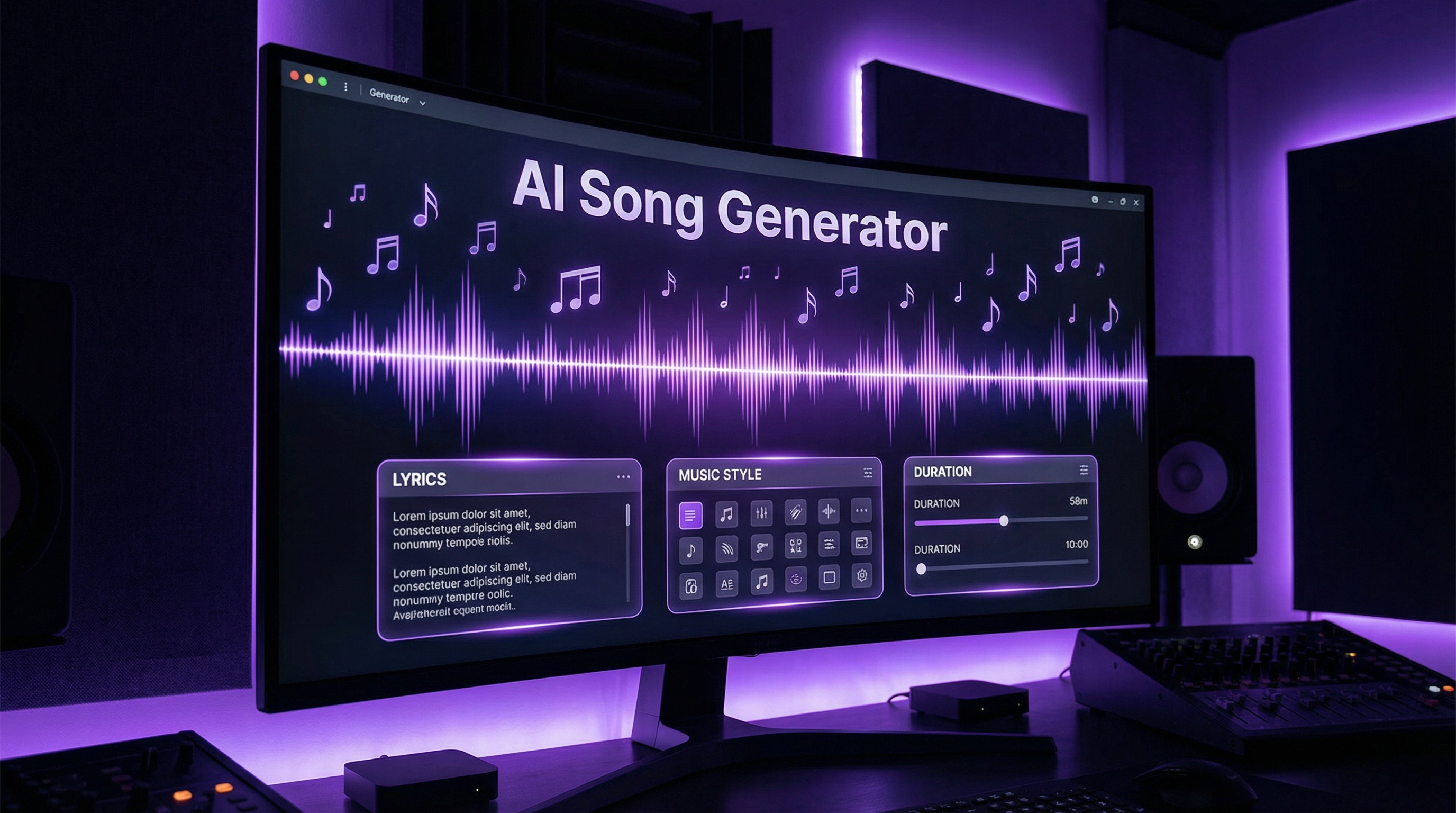
Step 3: Fill the 3 core fields
- Lyrics
- Paste lyrics, or use “Generate Lyrics” as a starter.
- If you want instrumental only, you can keep lyrics empty and toggle instrumental.
- Music Style
This is your main steering wheel. Don’t just write “pop”—write “pop with 2000s nostalgia, bright synths, tight drums, big chorus.”
- Music Title
This is underrated. A good title helps you keep track while iterating.
Step 4: Decide Instrumental + Vocal Gender
- Toggle Instrumental when you want background music or a loop
- Set Vocal Gender when you want a specific vocal vibe; use Auto if you’re exploring
Step 5: Optional—Upload Audio
If you have a reference melody or rough idea, upload audio and guide the generation toward that vibe.
Step 6: Generate → Iterate → Save the best take
A simple iteration loop:
- Version 1: get the core vibe
- Version 2: tighten the style prompt
- Version 3: adjust lyrics (shorter chorus, clearer hook)
Step-by-Step: How to Use Eleven Labs Music AI Generator
Go here: Eleven Labs Music AI Generator
Step 1: Write a clear Description
Use this structure:
- Genre/subgenre
- Mood
- Instruments
- What it’s for (podcast intro, ad bed, trailer, etc.)
Example description:
30-second upbeat tech podcast intro, modern electronic pop, bright synth arps, tight kick, friendly optimistic vibe, clean mix, strong 3-second opening motif.
Step 2: Set Duration
This is the main advantage—dial the length you need.
Step 3: Generate and refine
If the vibe is right but something feels off, tweak one thing at a time:
- “less drums”
- “more acoustic guitar”
- “slower tempo”
- “brighter mix”
Step-by-Step: How to Use MiniMax Music 2.0
Go here: MiniMax Music 2.0
Step 1: Pick Music 1.5 or 2.0
If you’re not sure, generate one idea on each version and compare.
Step 2: Add short Lyrics (optional) + short Description
MiniMax rewards concise prompting.
Example description:
Chill lo-fi beat, warm vinyl texture, soft keys, mellow bass, light swing, loopable.
Step 3: Generate a batch and choose the winner
This is where MiniMax shines—rapid drafts. Make 3–5, pick the best, then refine elsewhere.
12 Copy-Paste Prompt Examples (Lyrics + Instrumental)
Use these as starting points in the Music Style or Description fields.
- Lo-fi study beat (instrumental)
Lo-fi hip hop, relaxed late-night study vibe, 80–90 BPM, warm Rhodes keys, soft dusty drums, mellow bass, vinyl crackle, loopable, minimal arrangement.
- Cinematic trailer cue (instrumental)
Cinematic trailer, tense build to heroic climax, driving low strings, big brass hits, hybrid percussion, rising risers, dramatic pauses, wide cinematic mix.
- Acoustic folk story (vocals)
Acoustic folk ballad, intimate and nostalgic, fingerpicked guitar, soft brush drums, gentle harmonies, verse-chorus structure, warm room reverb.
- EDM festival drop (instrumental or vocal chops)
EDM big room, high energy, punchy kick, bright supersaws, build-up with snare rolls, explosive drop, crowd chant hook, modern loud mix.
- Dreamy synthpop (vocals)
Dreamy synthpop, bittersweet but hopeful, shimmering pads, bright arps, tight drums, big chorus hook, airy modern pop mix.
- Anime opening energy (vocals)
J-pop / anime opening, energetic guitars, fast drums, uplifting melody, clear verse-prechorus-chorus, big singalong hook, polished mix.
- Dark ambient dungeon loop (instrumental)
Dark ambient, dungeon exploration, low drones, distant metallic textures, slow pulses, minimal melody, eerie space, loopable and subtle.
- Jazz lounge (instrumental)
Smooth jazz lounge, relaxed tempo, soft piano chords, upright bass, brushed drums, light sax melody, warm intimate club mix.
- Motivational corporate bed (instrumental)
Uplifting corporate background, clean modern pop, light guitar, soft synth pads, steady beat, optimistic feel, unobtrusive, loopable.
- Hip-hop hook idea (vocals)
Modern hip-hop, confident and bold, heavy 808 bass, crisp hi-hats, simple melodic motif, catchy chorus hook, tight punchy mix.
- Retro 80s outrun (instrumental)
Synthwave outrun, 80s neon vibe, driving bassline, arpeggiated synths, gated snare, energetic tempo, glossy retro mix.
- Romantic piano theme (instrumental)
Emotional piano theme, tender and cinematic, soft strings support, slow tempo, expressive dynamics, clean spacious mix.
Make It Sound Finished: Quick Post-Production Tips
Even if you don’t use a DAW, you can make a track feel “done” with a few simple moves:
- Trim the intro/outro and add fades
- Normalize loudness so it doesn’t jump wildly between sections
- If you have access: light EQ (reduce harsh highs) + gentle limiter
Also: name your exports clearly. A tiny habit that saves hours:
Title — Genre — BPM — Version — Date
Licensing and Commercial Use: What to Check Before You Publish
People often search “ai music generator royalty free” because they want to avoid copyright headaches.
Since licensing rules can vary by platform/model and can change over time, your safest creator habit is:
- Check the tool’s current usage/licensing terms in your account or product pages
- Keep a simple record of what you generated (date, model, prompt, project)
If you’re publishing professionally, treat it like a normal production asset: document it.
Troubleshooting: Fix the Most Common Problems Fast
“The vocals sound weird or unclear”
- Shorten lyric lines
- Use simpler wording
- Reduce genre mashups (don’t ask for 5 styles at once)
“The song never reaches a big chorus”
- Explicitly request structure: verse → pre-chorus → chorus
- Add: “anthemic chorus hook”
“It’s too repetitive”
- Ask for a bridge
- Ask for an instrumentation change in verse 2
“The mix feels too busy”
- Request fewer instruments
- Add: “minimal arrangement” or “spacey mix”
FAQ
Can I generate instrumental-only music?
Yes—use the Instrumental toggle on Music Maker AI Song Generator or prompt explicitly for instrumental in description-based tools.
What’s the difference between an AI song generator and text-to-music AI?
In practice:
- Text to music AI usually means you describe the vibe and it generates music.
- An AI song generator often includes lyrics + vocals + more “song structure.”
What’s the best tool for timed intros/outros?
Eleven Labs Music AI Generator because you can dial the duration.
What’s the fastest way to get a usable background track?
Use Riffusion AI Music prompts focused on loopability and minimal arrangement.
Final Workflow Recommendation (Simple and Effective)
If you’re new, here’s a clean, low-stress workflow that works for most creators:
- Start on Music Maker AI Song Generator with the free versions (V3.5/V4)
- Lock your concept with the prompt template (genre → mood → instruments → structure)
- If you need vocals and a full song, try Suno Music AI or Udio AI
- If you need loopable ambience, use Riffusion AI Music
- If you need exact length deliverables, finish in Eleven Labs Music
That’s it. Once you match the model to the goal, your prompts stop feeling like gambling—and start feeling like a workflow.