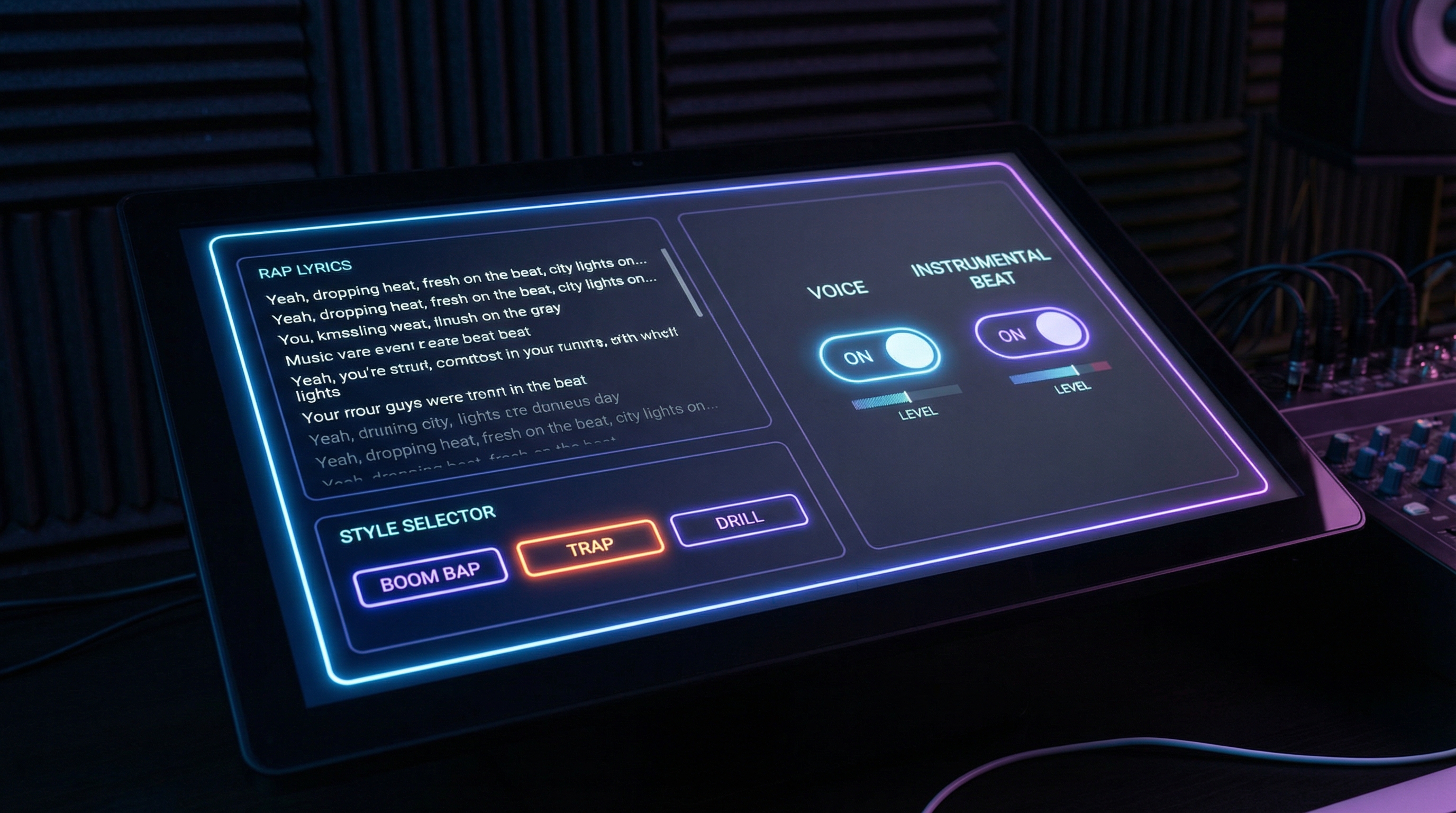
If you’ve ever had a rap idea in your head—one good hook, one sharp punchline, or a vibe you know would sound great—but you didn’t have the time (or setup) to write, record, mix, and polish… this guide is for you.
In the next few minutes, you’ll learn a simple, creator-friendly workflow to go from idea → lyrics → style → voice → beat → finished track using Music Maker AI’s AI Rap Generator.
Along the way, I’ll show you how to avoid the most common “AI rap” pitfalls (generic lyrics, awkward flow, robotic vocals) and how to get results that feel clean, intentional, and ready to share.
What an AI rap generator actually does (in plain English)
An AI rap generator can help in two different ways, and it’s helpful to know which one you want before you click Generate:
- Lyrics generation: you give a topic and style; it creates bars you can edit.
- Song generation: it produces a performance-style output—often combining lyrics + vocals + beat.
Inside Music Maker AI, the workflow is set up so you can do both in one place. You can draft lyrics fast, then push that text into a full track using voice and/or an instrumental.
If you’re looking for speed and a “first draft that doesn’t suck,” a rap generator AI is perfect. And if you want a full clip you can post to Shorts/Reels/TikTok, you’ll lean into the song settings so you get vocals and production in one run.
Before you start: decide your rap “recipe” in 60 seconds
The fastest way to get a good result is to decide these three things first. You don’t need a paragraph—just a few words.
1) Your goal
Pick one:
- TikTok hook (10–15 seconds)
- Full verse (30–60 seconds)
- Diss / battle rap (punchy + aggressive)
- Funny/meme rap (simple, repetitive, quotable)
- Brand/promo rap (UGC-style)
2) Your tone
Choose a vibe:
- confident, playful, hungry, emotional, dark, triumphant
3) Your style + tempo
Examples:
- Boom Bap (classic + punchy)
- Trap (modern + bouncy)
- Old School Hip Hop (simple grooves)
- Drill (darker + sharper rhythm)
Once you have those three, you’ll get a better output than someone who types “make a cool rap.”
Step 1: Generate rap lyrics (fast, but not generic)
Open Music Maker AI’s AI Rap Generator and look for the lyrics area. If you’re starting from scratch, use the “Generate Rap Lyrics” option.
How to prompt for lyrics that don’t feel AI-generic
Most generic AI lyrics happen because the prompt is too broad. Fix that by adding specific details.
Use this simple template:
Prompt template:
- Topic (what the song is about)
- Angle (what makes it different)
- Specific details (2–5 concrete words)
- Rhyme style (simple / internal rhymes / multisyllabic)
- Clean or explicit (optional)
Example:
“Write a confident, playful rap about grinding late nights. Include: neon lights, subway, cold coffee, cracked phone screen. Medium rhyme density, clean lyrics.”
The best beginner move: generate 2–3 lyric versions
Don’t expect the first output to be perfect. Generate a couple options, then combine:
- take the best hook from version A
- take the strongest punchline from version B
- steal the best closing bar from version C
That small “human remix” step instantly upgrades your result.
Step 2: Choose a rap style (this changes the vibe more than you think)
In the “Rap Style” field, keep it clear and simple. One style + one delivery note is enough.
Good examples:
- “Boom Bap, crisp delivery, tight syllables”
- “Trap, melodic hook, confident tone”
- “Drill, aggressive staccato flow, dark energy”
- “Old School Hip Hop, laid-back groove, playful swagger”
Common mistake: mixing too many styles
Avoid prompts like:
“Boom bap + drill + trap + emo + jazz.”
You’ll usually get a confused result. If you want to experiment, do it in iterations: one style per run.
Step 3: Create the song (title + voice + beat)
This is where your draft becomes a shareable track.
3.1 Add a title (it helps the model “commit”)
Titles aren’t just labels—they reinforce tone.
Examples:
- “Neon Night Freestyle”
- “Hustle Season”
- “Coffee Shop Cypher”
- “Don’t Blink”
A strong title helps your AI Rap Song Generator output stay more consistent.
3.2 Turn on voice (if you want vocals)
If you want a performed track, use AI Rap Generator With Voice.
Here’s the creator trick: keep your first run simple.
- Choose a clear rap style
- Keep lines moderately short
- Avoid super-fast tongue-twisters early on
If you want to explore different vocal vibes (or test how different voices suit your lyrics), treat it like an AI Rap Voice Generator workflow: same lyrics, same beat direction, different voice setting.
3.3 Add a beat (for a full production feel)
To get a complete track, aim for an AI Rap Song Generator With Beat result.
Beat direction tips that actually work:
- Tempo/BPM feel: “mid-tempo,” “fast,” “slow bounce”
- Drums: “punchy kick,” “snappy snare,” “minimal hi-hats”
- Bass: “warm 808,” “deep sub,” “clean bassline”
- Space for vocals: “leave space in the mids for the voice”
Example beat direction line:
“Mid-tempo trap beat, punchy kick, snappy snare, warm 808, minimal hats, leave space for vocals.”
Advanced options that actually matter (skip the rest)
Most settings are optional. These are the ones that genuinely change your output:
Vocal gender: Auto vs Female vs Male
- Auto: good for quick drafts
- Female/Male: useful when you want a consistent vocal vibe
If your vocal sounds off, don’t immediately rewrite your lyrics—try switching the vocal setting first.
Instrumental toggle
This is underrated.
If you’re getting weird vocal results but you love the beat, generate an instrumental version first, then try again with a simpler vocal prompt.
Model/version selector (v3.5 → v5.0)
As a general workflow:
- Use earlier versions for fast exploration
- Use newer versions for “final” exports when you’ve locked your direction
Copy/paste prompt recipes (so you get good results immediately)
Below are three practical starters you can paste and tweak.
Recipe 1: TikTok hook (10–15 seconds)
Goal: catchy, repetitive, easy to remember
“Write a short rap hook for TikTok. Theme: glow-up after a rough year. Vibe: confident and playful. Include: ‘new me’, ‘late nights’, ‘no regrets’. Simple rhymes, clean lyrics, repeat the main catchphrase twice.”
Generate 2–3 versions, then pick the most quotable line.
Recipe 2: Story verse (30–45 seconds)
Goal: narrative, emotional, satisfying ending
“Write a story rap verse about a broke creator chasing a dream. Start with struggle, middle with a turning point, end with a hopeful flex. Include: subway ride, cold coffee, cracked phone, neon sign. Medium rhyme density, clean lyrics.”
Recipe 3: Brand/Promo rap (UGC-style)
Goal: fun, clear benefits, not cringe
“Write a playful UGC-style rap promoting a product. Keep it fun and confident, not overly salesy. Include 3 benefits, one call-to-action, and a catchy hook. Simple rhymes, clean lyrics.”
Once you have lyrics you like, run them through the AI Rap Song Generator with voice and beat.
Troubleshooting: fix the most common problems
“The lyrics feel generic.”
Fix: add specific details.
- swap “success” → “neon lights, subway card, cold coffee”
- swap “hustle” → “editing at 2am, cracked phone screen”
“The flow feels off-beat.”
Fix: shorten lines and reduce syllables.
- break long lines into two
- add pauses (commas) where you want breath
- remove tongue-twisters
“The vocal sounds robotic.”
Fix: simplify delivery and reduce complexity.
- ask for “calmer delivery” or “natural cadence”
- reduce rhyme density
- keep the hook repetitive
“The beat overwhelms the voice.”
Fix: request more space.
- “less busy drums”
- “leave space in the mids for vocals”
- “simpler hi-hats”
“The hook isn’t catchy.”
Fix: repetition + call-and-response.
- repeat the main phrase twice
- add one simple answer line
Best practices: iterate without wasting time
Here’s a workflow that keeps you productive:
-
Generate 3 versions (lyrics or full song)
-
Choose one direction to commit to
-
Refine one variable per attempt
- adjust motion? (not relevant here)
- adjust voice vibe
- adjust beat energy
- adjust lyric density
This keeps you from getting lost in endless random changes.
Quick start checklist (do this right now)
- Open AI Rap Generator
- Generate lyrics (make 2–3 versions)
- Pick a rap style (one style per run)
- Add a title that matches the vibe
- Turn on AI Rap Generator With Voice if you want vocals
- Add beat direction to get an AI Rap Song Generator With Beat output
- Generate, then iterate once with one improvement
If you do those steps in order, you’ll get a clean, shareable result fast.
FAQ
Can I use my own lyrics with a rap generator AI?
Yes—paste your lyrics into the box, then use the style/voice/beat settings to turn it into a track.
What’s the difference between voice mode and instrumental mode?
Voice mode generates a performed vocal. Instrumental mode focuses on the beat—great for background tracks or safer first drafts.
How do I get a cleaner, more natural vocal?
Keep lines shorter, reduce complex rhyme density, and ask for a calmer delivery. If needed, try a different vocal setting.
How do I make “old school” vs “drill” sound different?
Old school: simpler drums, warmer groove, laid-back delivery. Drill: darker energy, sharper rhythm, more aggressive cadence.






















