What happens after 100+ rounds of “just one more change”? How far can you push an image before it starts to drift? Meet Seedream 5.5: precise local edits, consistency across repeated revisions, more natural visuals and native transparent assets. Explore what’s new below. 👇
앨범 커버와 포스터용 Seedream 5.5 AI 이미지 생성기
MusicMaker의 Seedream 5.5로 앨범 커버, 공연 포스터, 아티스트 인물 사진을 디자인하세요. 기획안이나 참고 자료에서 시작해 질감은 자연스럽게, 제목과 공연 정보는 더 선명하게 보이도록 편집을 거듭하며 다듬으세요.
Seedream 5.5로 만드는 발매용 아트워크와 공연 포스터
텍스트 기획안이나 참고 자료로 시작하세요. 결과를 계속 편집하려면 해당 이미지를 다시 업로드하고 다음에 바꿀 내용을 설명하세요.
발매 콘셉트를 커버 아트, 아티스트 인물 사진, 공연 포스터로 발전시키세요. 원하는 분위기에 정확한 제목과 공연 정보를 담고, 수정할 때마다 최신 결과를 다시 업로드해 참고 이미지로 사용하세요.
Seedream 5.5 예시: 스타일 변주, 장면 편집, 포스터 레이아웃
이 예시들은 파란색 업라이트 피아노에서 출발합니다. 같은 피사체를 세 가지 방식으로 표현한 결과를 살펴본 뒤, 참고 이미지와 배경을 바꾼 결과, 글자 배치를 바꾼 공연 포스터를 비교하세요. 프롬프트를 열어 같은 구도로 시도해 볼 수 있습니다.
같은 피사체, 세 가지 표현
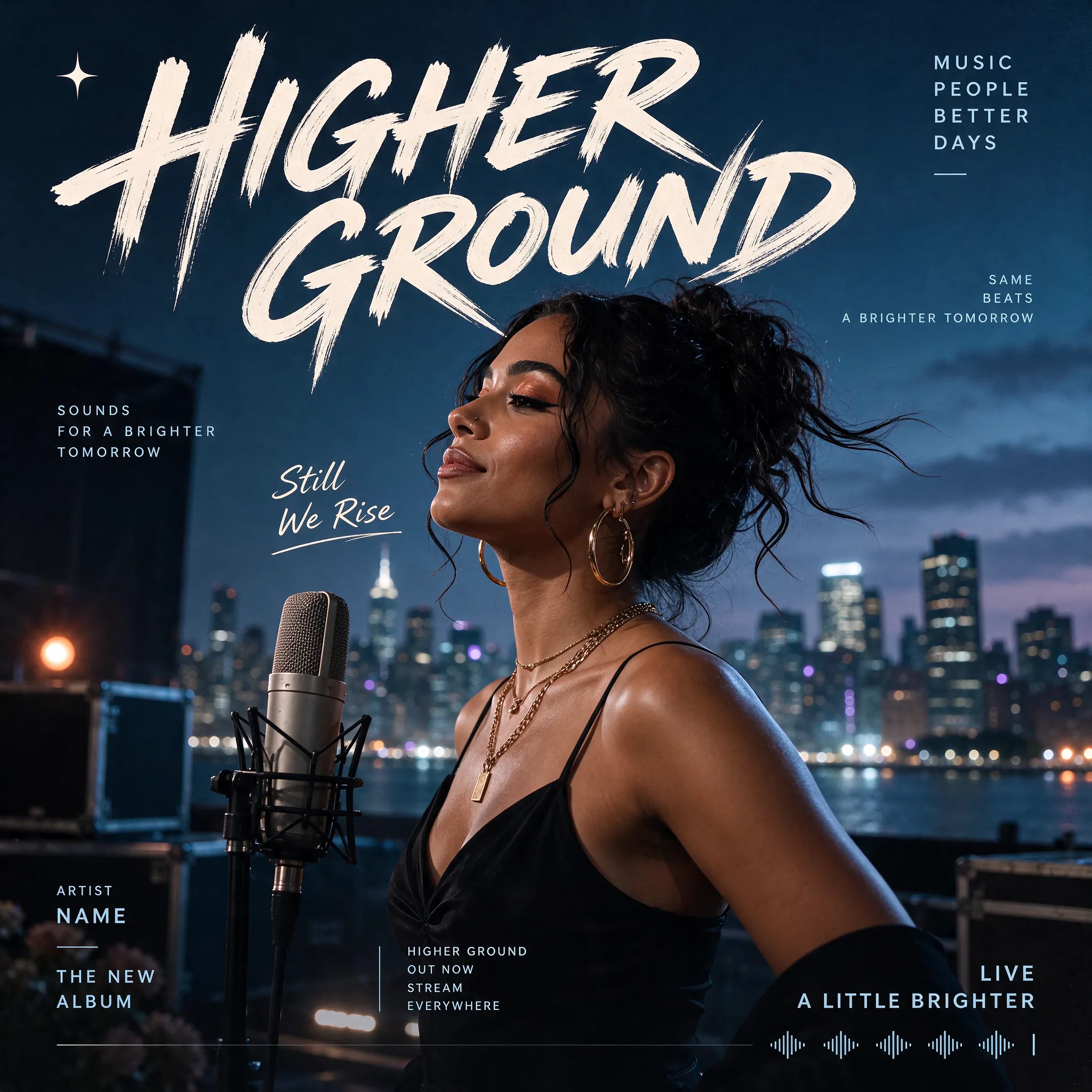
프롬프트
Design a photorealistic Western music poster, entirely in English. Feature a female singer beside a studio microphone on a rooftop at blue hour, with a softly glowing city skyline behind her. Use a dark blue palette and large cream brush lettering reading "HIGHER GROUND". Add restrained album-release typography, the phrase "Still We Rise" and a subtle audio waveform along the bottom. Square format.
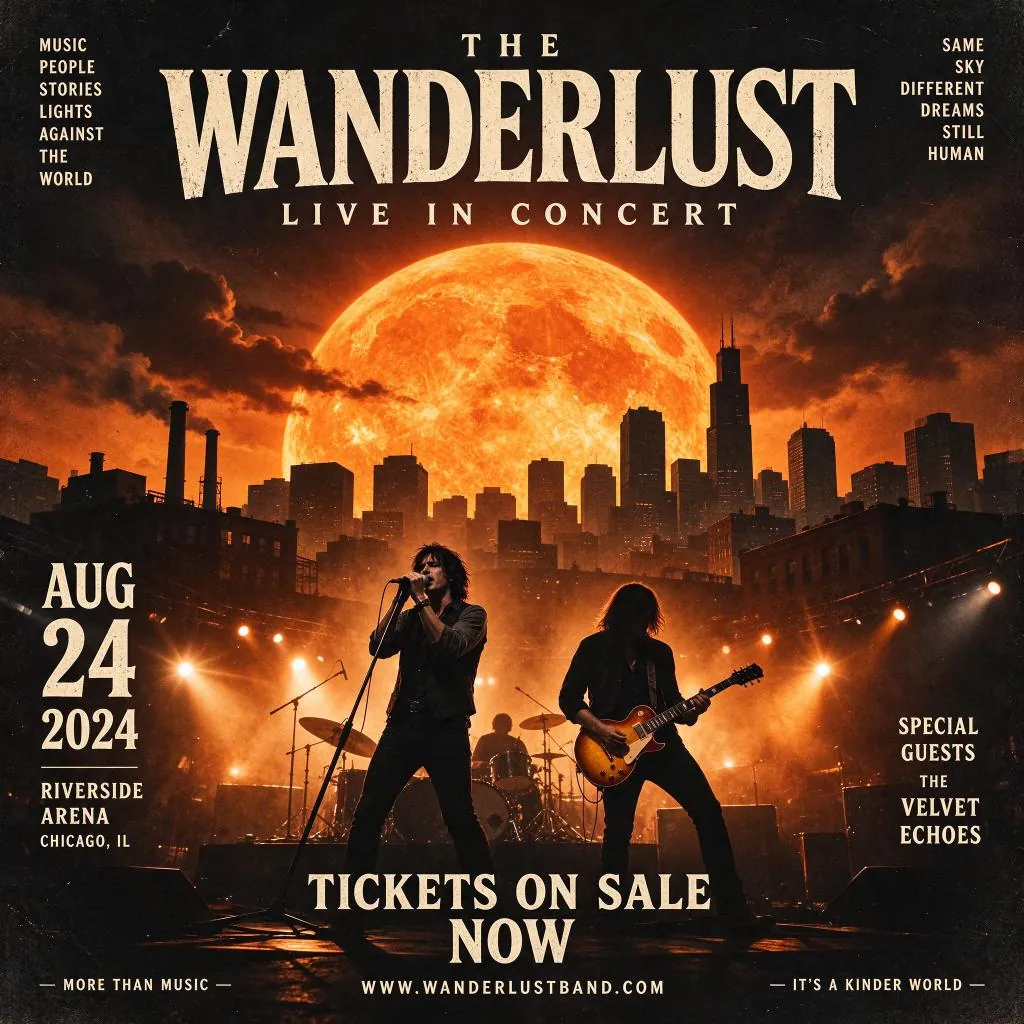
프롬프트
Create a square English concert poster for "THE WANDERLUST — LIVE IN CONCERT". Show a rock band performing beneath a gigantic orange sun above a dark city skyline. Use dramatic amber stage lights, smoke, distressed cream serif typography and a vintage rock-poster finish. Include "AUG 24 2024", "RIVERSIDE ARENA", "CHICAGO, IL", "SPECIAL GUESTS THE VELVET ECHOES" and "TICKETS ON SALE NOW".
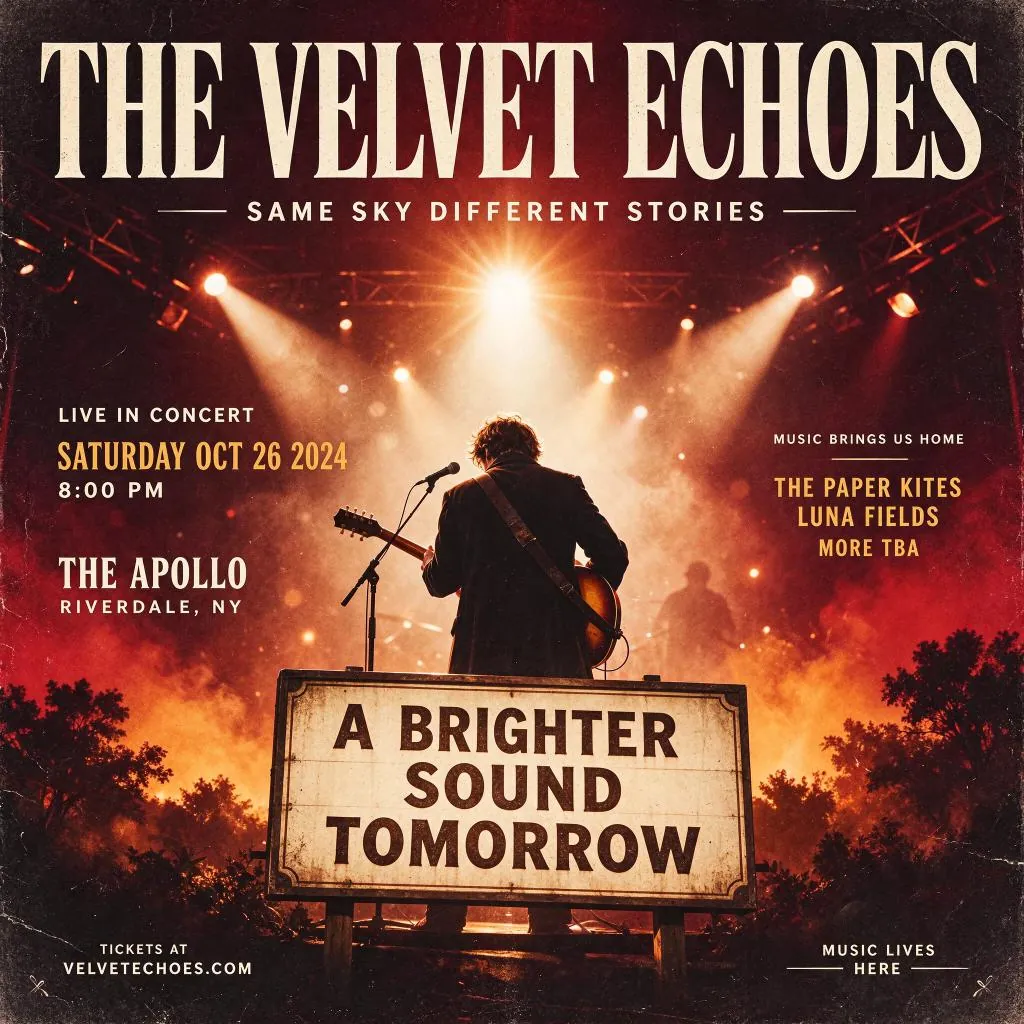
프롬프트
Create a square vintage English concert poster titled "THE VELVET ECHOES". Show a guitarist from behind on a smoky stage under warm spotlights. Use deep burgundy, amber and cream, oversized condensed serif lettering and a weathered paper finish. Include "LIVE IN CONCERT", "SATURDAY OCT 26 2024", "8:00 PM", "THE APOLLO", "RIVERDALE, NY" and a large foreground sign reading "A BRIGHTER SOUND TOMORROW".
배경 편집
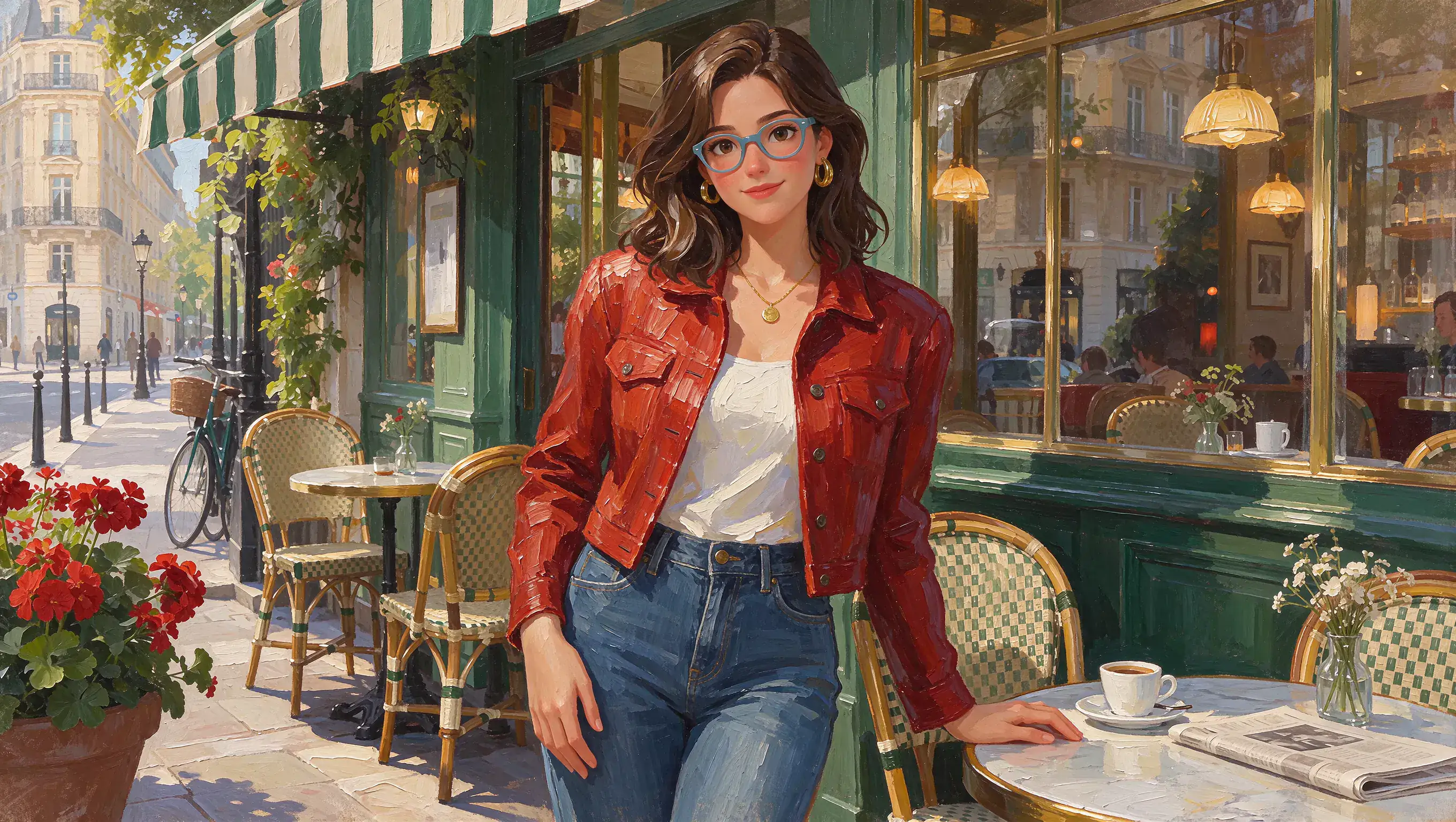
원본 (프롬프트)
Create a 16:9 impasto oil painting of a young woman outside a Parisian cafe. She has wavy brown hair, blue-framed glasses, gold hoop earrings and a small round pendant. She wears a red textured jacket, cream top and blue jeans, with one hand resting on a marble cafe table. Preserve the rich green storefront, striped awning, wicker chairs, coffee cup, flowers and warm afternoon light. Use visible thick brushstrokes throughout.
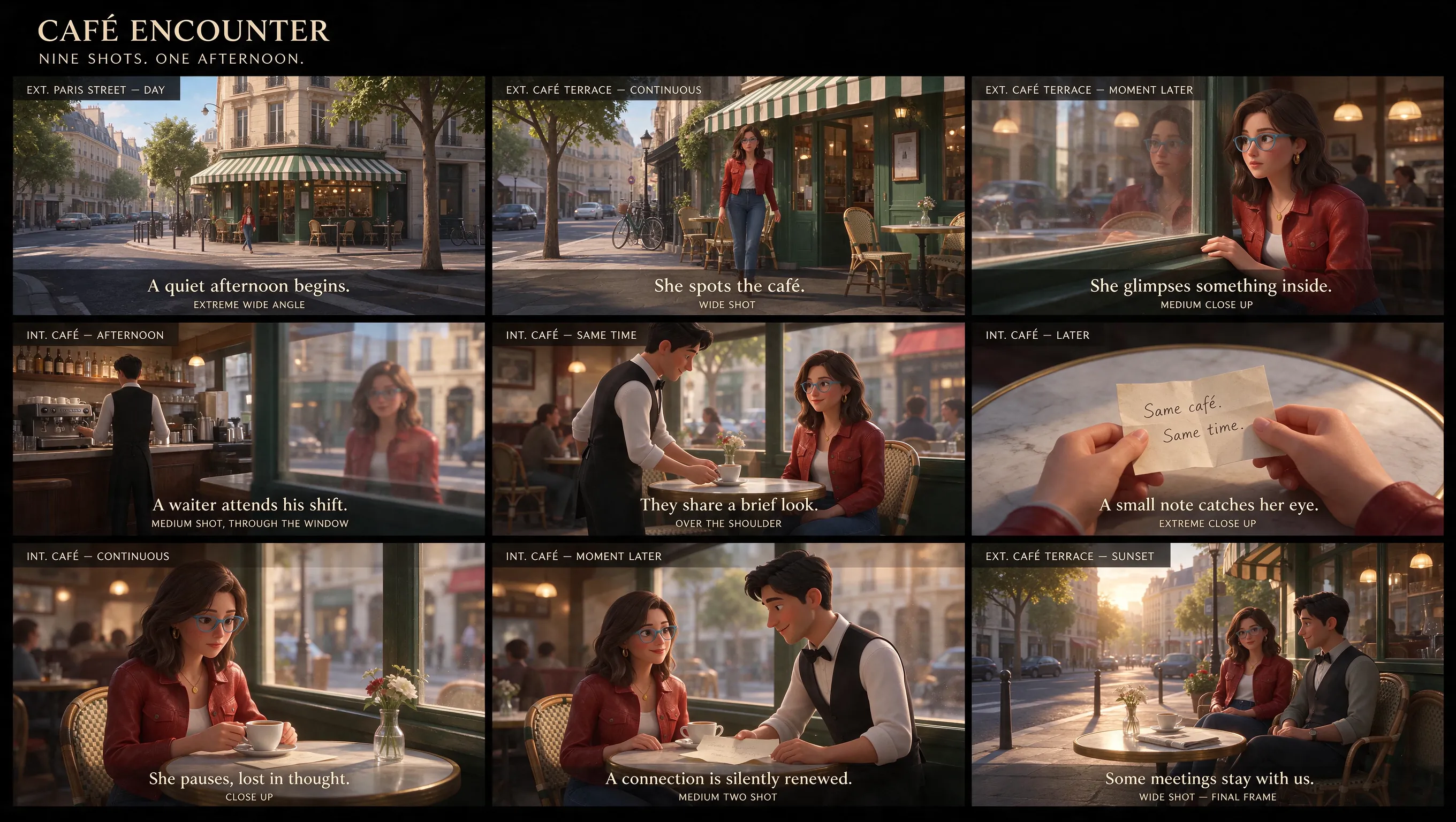
생성 결과 (프롬프트)
Using the reference image, design a cinematic nine-panel storyboard, entirely in English.
포스터 레이아웃 수정
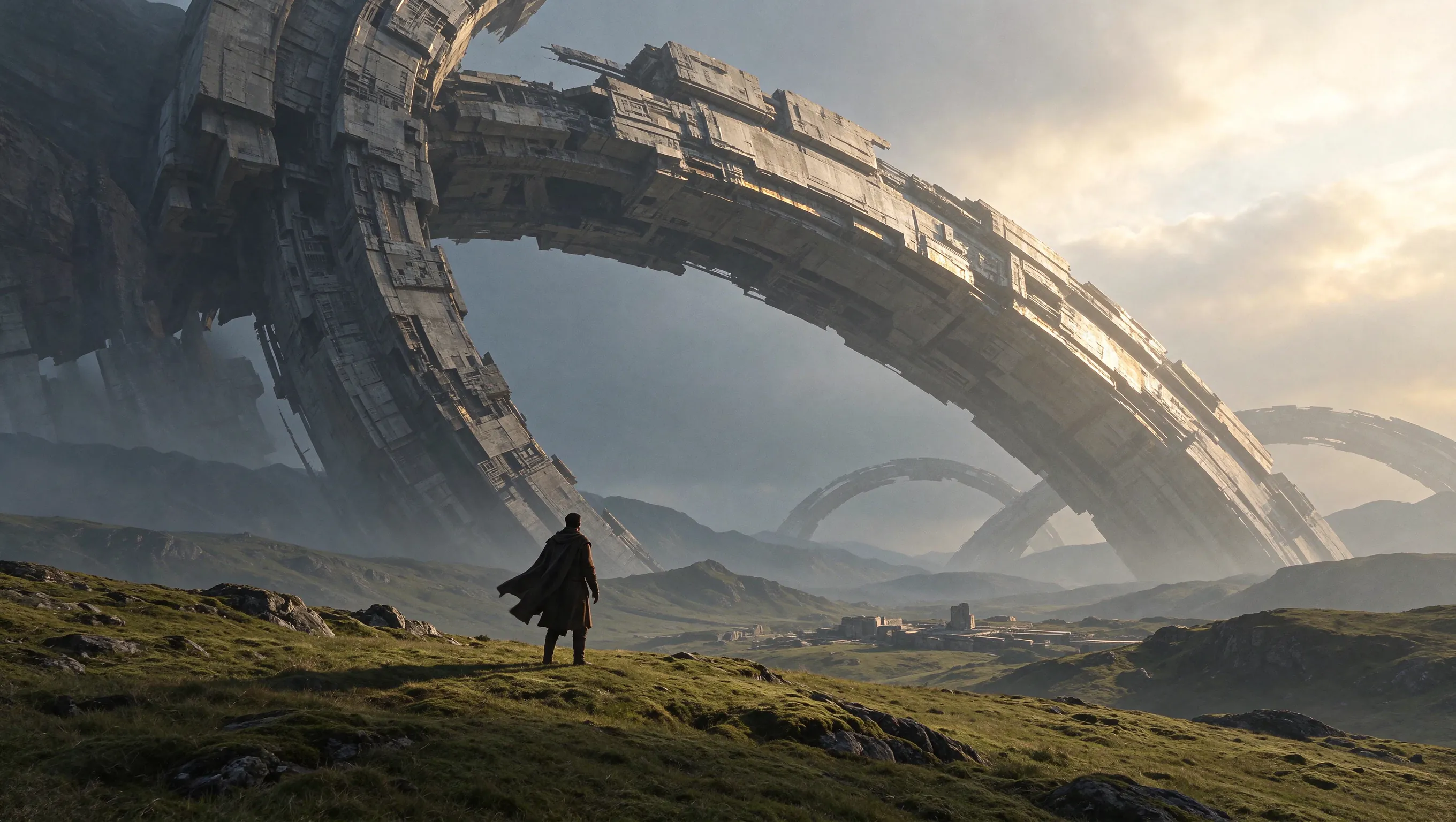
원본 (프롬프트)
Create a cinematic science-fiction concept artwork in a 16:9 landscape composition. A lone traveler in a dark long coat stands with their back to the camera on a vast rolling green grassland. Enormous ancient mechanical rings rise diagonally across the sky, with smaller rings receding into misty mountains. Show intricate weathered structures, distant ruins, dramatic scale and warm sunlight breaking through cloud from the upper right. No text.
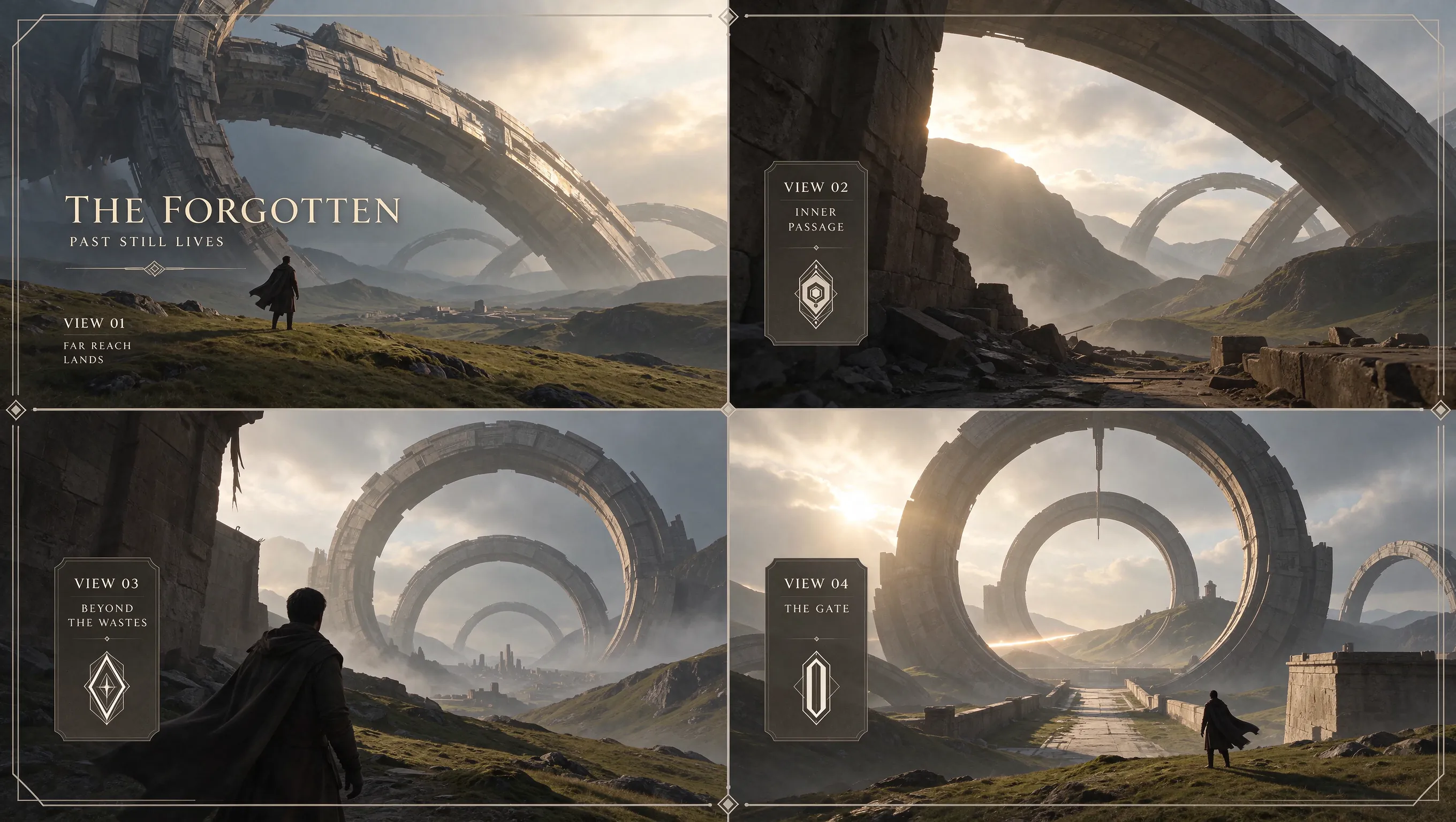
생성 결과 (프롬프트)
Based on this scene, design a four-view presentation divided by a cross into four panels. Each panel must have a 16:9 aspect ratio. All text must be in English.
발매작의 시각적 정체성 만들기
아트워크, 아티스트 인물 사진, 발매용 타이포그래피를 조화롭게 구성하고 캠페인이 구체화됨에 따라 각 요소를 다듬으세요.
수정을 거듭해도 아트워크의 핵심 유지
중심 이미지는 유지하면서 배경, 색상 팔레트, 제목의 위치를 바꿔 보세요. 이전 결과를 참고 이미지로 다시 올려 단계별로 편집하면 커버의 콘셉트를 더 안정적으로 이어갈 수 있습니다.
자연스러운 아티스트 인물 사진 제작
피부 질감, 의상, 무대 조명이나 창으로 들어오는 빛을 살려 사실감 있는 인물 사진을 만드세요. 표정, 자세, 조명을 설명해 발매작의 분위기를 연출하세요.
제목과 공연 정보를 한눈에 읽히게 배치
아티스트 이름, 발매작 제목, 작은 글씨로 표시할 장소나 날짜 정보를 중요도에 따라 배치하세요. 독자층에 맞춰 여러 언어의 문구를 넣거나 제목 글자에 독특한 재질감을 줄 수도 있습니다.
인물 사진, 아트워크, 분위기 참고 자료 연결
아티스트 사진으로 외모를, 커버 참고 자료로 시각적 방향을, 다른 이미지로 배경을 제시하세요. 각 자료의 역할을 정해 서로 어울리는 발매용 그래픽을 만드세요.
발매, 라이브 공연, 아티스트 프로필용 아트워크
커버 아트, 공연 공지, 인물 사진, 플레이리스트 그래픽에서 한눈에 알아볼 수 있는 비주얼 스타일을 만들어 보세요.
싱글 또는 앨범 커버
가사 한 구절, 분위기, 비주얼 기획안을 정사각형 커버 아트로 만들어 보세요. 시선을 끄는 중심 이미지에 아티스트 이름과 발매작 제목을 배치하고, 콘셉트가 구체화되면 색상이나 글자 표현을 다듬으세요.
투어 또는 공연 공지
아티스트 이름, 출연진, 장소, 날짜가 순서대로 읽히도록 배치하세요. 공연 정보 일부를 바꿀 때는 해당 문구만 수정하고 주변 아트워크는 유지해 달라고 지시하세요.
아티스트 인물 사진
표정, 피부 질감, 조명이 자연스러운 인물 사진을 만드세요. 발매작에 어울리는 다른 배경이나 의상 스타일을 탐색할 때 같은 아티스트 참고 이미지를 다시 활용하세요.
플레이리스트 커버
발매작의 색상, 모티프 또는 글자 스타일을 플레이리스트 이미지에 활용하세요. 썸네일 크기에서도 이미지의 중심 요소가 잘 보이고 제목이 읽히도록 하세요.
커뮤니티의 Seedream 5.5 이미지 작품
다른 크리에이터들이 발매용 아트워크를 만들 때 구도와 조명을 어떻게 잡고, 참고 이미지를 활용해 어떻게 편집하는지 살펴보세요.

Okay, Seedream 5.5's consistency is crazy!!! 100 chained edits. Just +1 second on the watch each time. I didn't expect the gap to be this big.😂

24 cents for a dozen images in Seedream 5.5, which keeps edits local. look at this table filling up one edit at a time. restaurant menus with a new dish photo every week, same layout, same lighting

What happens after 100+ rounds of “just one more change”? How far can you push an image before it starts to drift? Meet Seedream 5.5: precise local edits, consistency across repeated revisions, more natural visuals and native transparent assets. Explore what’s new below. 👇

Seedream 5.5 実写のリアリティ検証 vs GPT Image2.6 / Nano Banana 2.1 ・同じプロンプト ・全て1発 ・顔とガラスの夕日の反射を拡大して比較 ■Seedream5.5のつよみ ① 顔のリアルさ しわに不自然さがなく、肌の質感までリアル。 ② 夕日の写り込み

Seedream 5.5 사용 방법
세 단계로 MusicMaker에서 이미지를 만드세요.
프롬프트 입력 또는 참고 이미지 업로드
텍스트로 생성하려면 프롬프트를 입력하고, 편집하려면 참고 이미지 1–10장을 업로드하세요. 바꿀 부분과 유지할 부분을 설명하세요.
화면 비율과 해상도 선택
사용처에 맞는 화면 비율을 고르고 1K, 1.5K 또는 2K 해상도를 선택하세요. 기본 설정은 1:1 비율, 2K 해상도입니다.
생성하고 다듬기
이미지를 생성하세요. 결과를 다듬으려면 그 이미지를 다음 참고 자료로 다시 업로드하고, 바꿀 부분과 유지할 세부 요소를 새 지시문에 적으세요.

Seedream 5.5 AI 이미지 생성기 자주 묻는 질문
다음 발매작을 위한 더 많은 도구
아트워크에 어울리는 음악을 만드는 도구를 살펴보세요.
AI 음악 메이커

AI 노래 생성기

AI 노래 커버 생성기

AI 뮤직 비디오 생성기

텍스트로 음악 만들기

오디오로 음악 만들기

이미지로 음악 만들기

가사로 노래 만들기

AI 보이스 변환기

Mureka Music AI

AI 랩 생성기

피아노 음악 메이커

AI 반주 생성기
AI 컨트리 제너레이터

AI 생일 음악 생성기
EDM 생성
AI 재즈 제너레이터
AI 팝 제너레이터
AI 록 제너레이터

비트 생성

댄스 팝

Phonk 음악 제작 도구
배경음악 생성기
클래식 음악 생성기

AI 가사 생성기

AI 음악 연장기

AI 보컬 제거기

음악을 MIDI로
AI 노래 음성 생성기
Udio AI 음악 제작 도구
AI 음성 제작 도구
비디오 및 이미지 AI
무료 도구









탐색