What happens after 100+ rounds of “just one more change”? How far can you push an image before it starts to drift? Meet Seedream 5.5: precise local edits, consistency across repeated revisions, more natural visuals and native transparent assets. Explore what’s new below. 👇
Seedream 5.5 AI 图像生成器:专辑封面与海报
在 MusicMaker 上使用 Seedream 5.5 设计专辑封面、演出海报和艺人肖像。根据创作简报或参考素材生成图像,再通过多轮编辑完善设计,让纹理更自然,标题和活动信息更清晰。
使用 Seedream 5.5 制作发行美术素材和演出海报
从文字简报或参考素材开始。要继续编辑结果,请重新上传该图像并描述下一步要改什么。
将音乐发行的创意发展为封面、艺人肖像或演出海报。让画面氛围与准确的标题和活动信息相配合,每轮修改都重新上传上一轮的结果作为参考。
Seedream 5.5 示例:风格变化、场景编辑和海报排版
这些示例以一架蓝色立式钢琴为起点。先比较同一主体的三种表现方式,再对照参考图与修改后的场景,并查看一张调整了文字位置的演出海报。打开提示词即可尝试相同的构图。
同一主体,三种表现方式
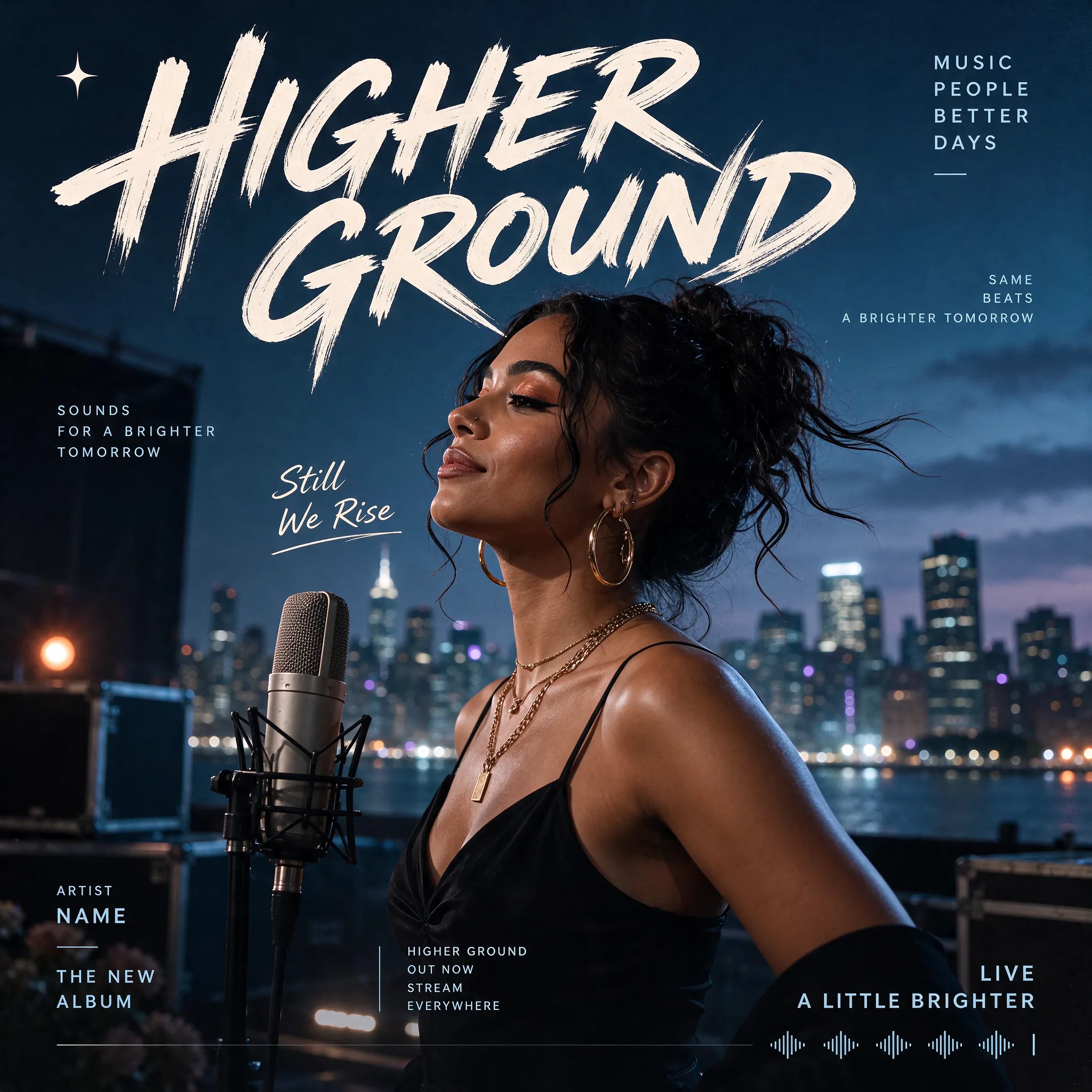
提示
Design a photorealistic Western music poster, entirely in English. Feature a female singer beside a studio microphone on a rooftop at blue hour, with a softly glowing city skyline behind her. Use a dark blue palette and large cream brush lettering reading "HIGHER GROUND". Add restrained album-release typography, the phrase "Still We Rise" and a subtle audio waveform along the bottom. Square format.
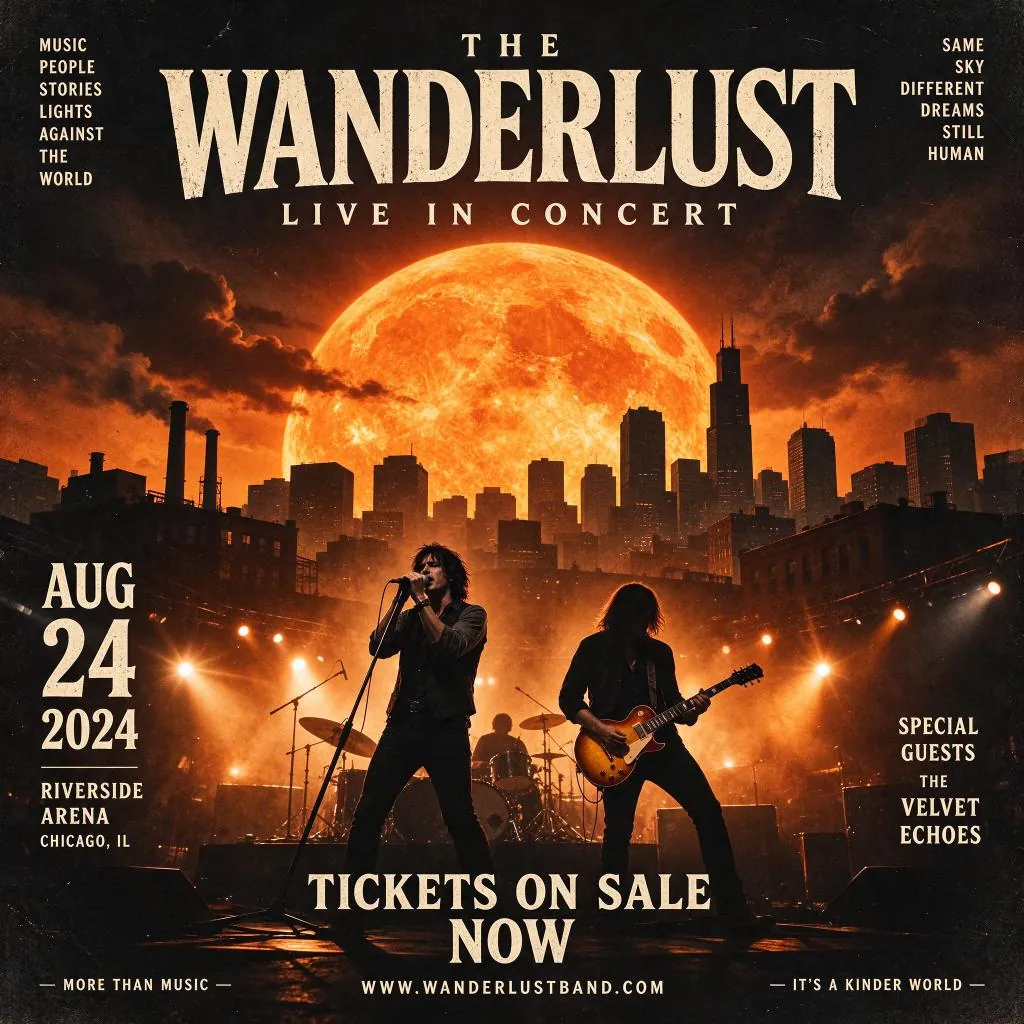
提示
Create a square English concert poster for "THE WANDERLUST — LIVE IN CONCERT". Show a rock band performing beneath a gigantic orange sun above a dark city skyline. Use dramatic amber stage lights, smoke, distressed cream serif typography and a vintage rock-poster finish. Include "AUG 24 2024", "RIVERSIDE ARENA", "CHICAGO, IL", "SPECIAL GUESTS THE VELVET ECHOES" and "TICKETS ON SALE NOW".
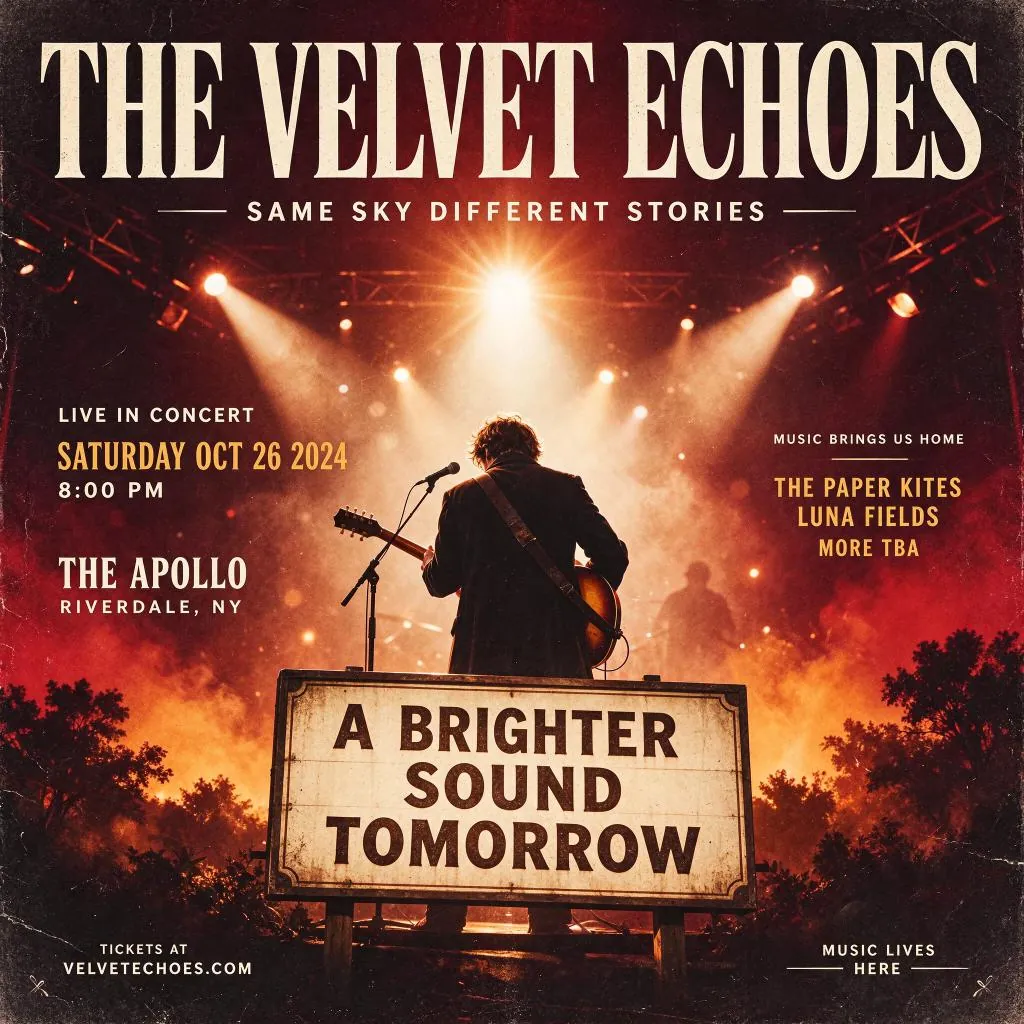
提示
Create a square vintage English concert poster titled "THE VELVET ECHOES". Show a guitarist from behind on a smoky stage under warm spotlights. Use deep burgundy, amber and cream, oversized condensed serif lettering and a weathered paper finish. Include "LIVE IN CONCERT", "SATURDAY OCT 26 2024", "8:00 PM", "THE APOLLO", "RIVERDALE, NY" and a large foreground sign reading "A BRIGHTER SOUND TOMORROW".
修改场景
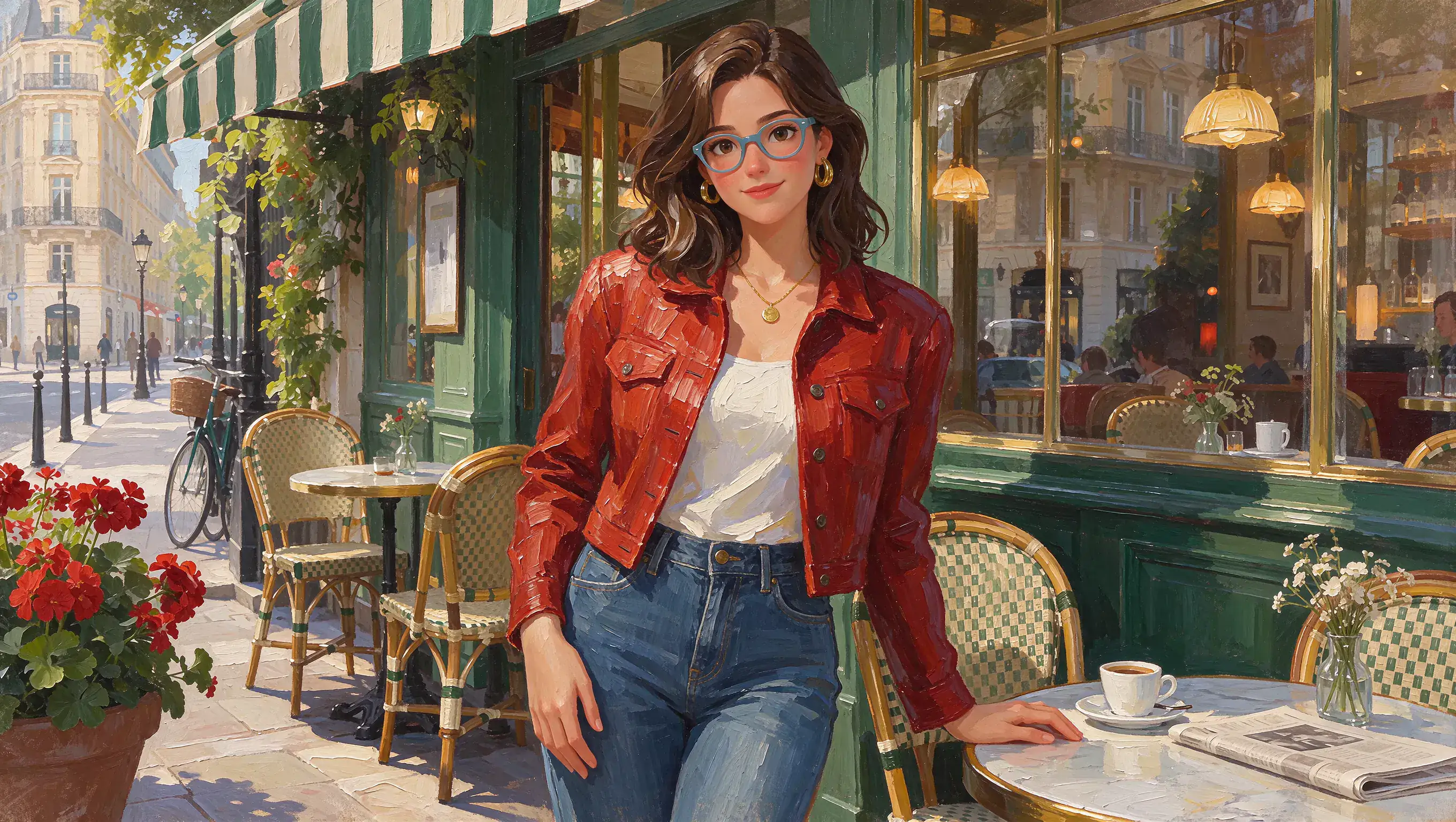
原图 (提示)
Create a 16:9 impasto oil painting of a young woman outside a Parisian cafe. She has wavy brown hair, blue-framed glasses, gold hoop earrings and a small round pendant. She wears a red textured jacket, cream top and blue jeans, with one hand resting on a marble cafe table. Preserve the rich green storefront, striped awning, wicker chairs, coffee cup, flowers and warm afternoon light. Use visible thick brushstrokes throughout.
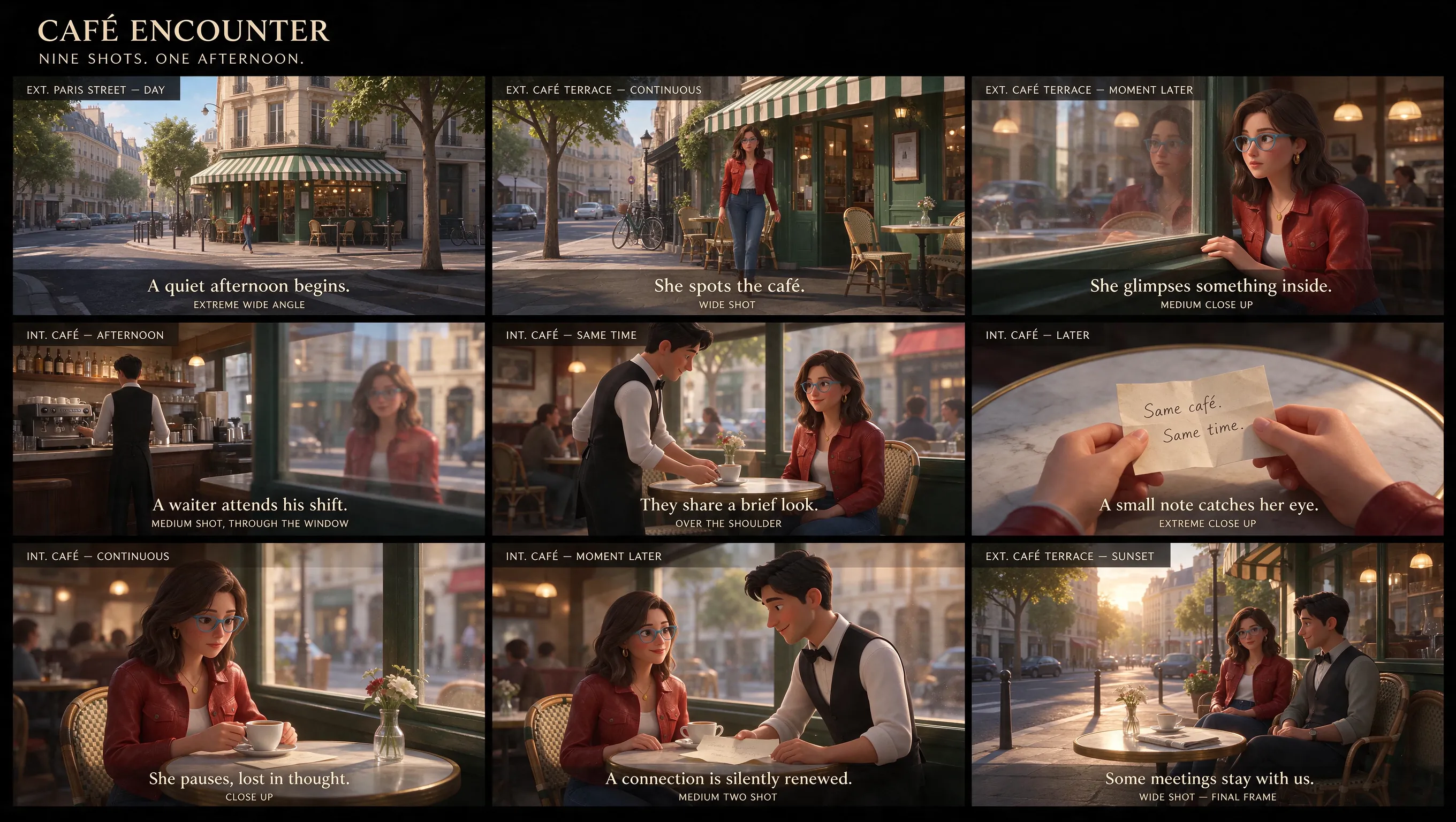
生成结果 (提示)
Using the reference image, design a cinematic nine-panel storyboard, entirely in English.
调整海报版式
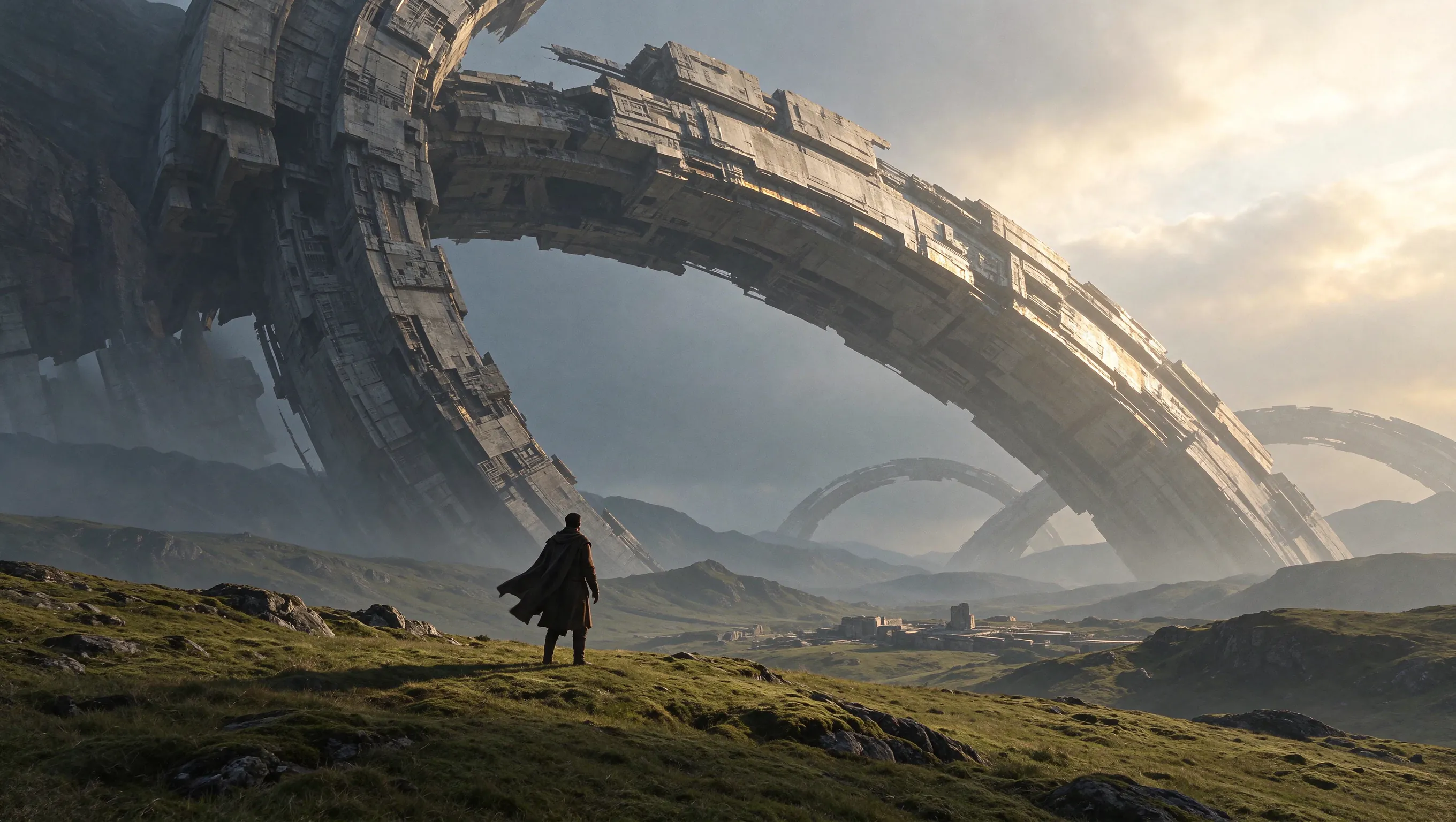
原图 (提示)
Create a cinematic science-fiction concept artwork in a 16:9 landscape composition. A lone traveler in a dark long coat stands with their back to the camera on a vast rolling green grassland. Enormous ancient mechanical rings rise diagonally across the sky, with smaller rings receding into misty mountains. Show intricate weathered structures, distant ruins, dramatic scale and warm sunlight breaking through cloud from the upper right. No text.
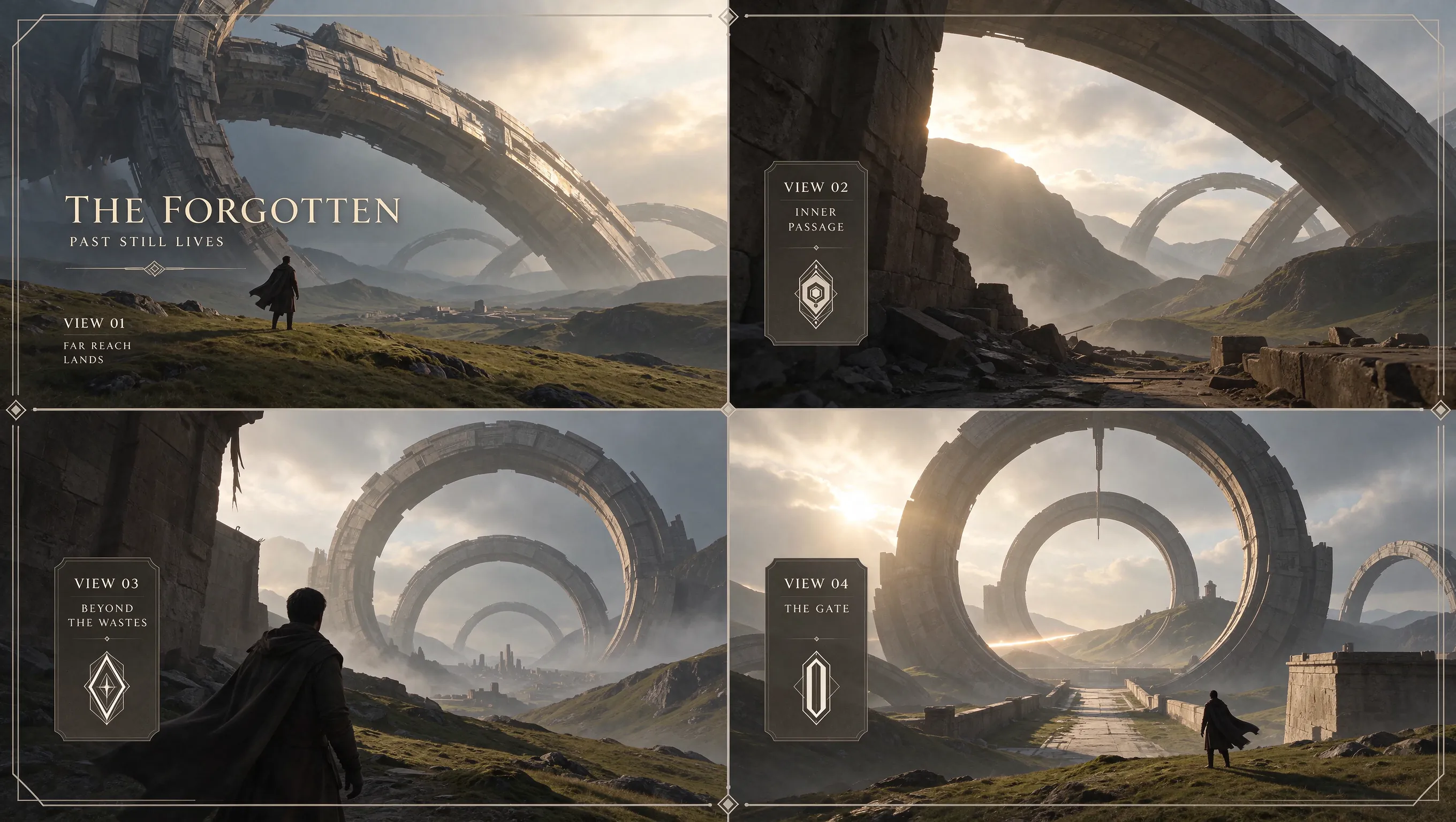
生成结果 (提示)
Based on this scene, design a four-view presentation divided by a cross into four panels. Each panel must have a 16:9 aspect ratio. All text must be in English.
打造音乐发行的视觉形象
将美术设计、艺人肖像和发行文案的字体排版结合起来,在宣传方案逐渐成形的过程中完善每一部分。
多轮修改也能保留原有画面
在保留主体画面的同时调整背景、配色或标题位置。更稳定的多轮编辑有助于在反复修改中延续封面构想。
创作自然的艺人肖像
通过肤质、服装以及舞台灯光或窗边光线,让肖像真实自然。描述表情、姿势和光线,营造符合这次发行的氛围。
同时呈现标题和活动信息
将艺人姓名、发行作品标题以及字号较小的场地或日期信息排出清晰的层次。可为不同受众提供多语言文字,或给标题设计独特的材质效果。
结合肖像、封面设计和氛围参考
用艺人照片参考外貌,用封面参考确定视觉方向,再用另一张图像参考场景。说明每份素材的用途,制作一组风格相呼应的发行图像。
音乐发行、现场演出和艺人资料的美术设计
让封面、演出公告、肖像和歌单图像呈现统一且易于辨识的视觉风格。
单曲或专辑封面
从一句歌词、一种情绪或一份视觉简报出发,设计方形封面。搭配醒目的主体画面、艺人姓名和发行作品标题,再随着构想成形完善配色或字形。
巡演或演出公告
按清晰的阅读顺序排列艺人姓名、演出阵容、场地和日期。需要更新某项演出信息时,只修改相应文字,并在指令中要求保留周围的美术设计。
艺人肖像
创作表情、肤质和光线自然的肖像。为这次音乐发行探索其他场景或服装风格时,可以沿用同一张艺人参考图。
歌单封面
将发行视觉中的某种颜色、图案或字形风格延续到歌单封面。让画面焦点和标题在缩略图大小下依然清晰可辨。
社区创作的 Seedream 5.5 图像
看看其他创作者如何为音乐发行美术素材安排构图和光线,并借助参考图像进行编辑。

Okay, Seedream 5.5's consistency is crazy!!! 100 chained edits. Just +1 second on the watch each time. I didn't expect the gap to be this big.😂

24 cents for a dozen images in Seedream 5.5, which keeps edits local. look at this table filling up one edit at a time. restaurant menus with a new dish photo every week, same layout, same lighting

What happens after 100+ rounds of “just one more change”? How far can you push an image before it starts to drift? Meet Seedream 5.5: precise local edits, consistency across repeated revisions, more natural visuals and native transparent assets. Explore what’s new below. 👇

Seedream 5.5 実写のリアリティ検証 vs GPT Image2.6 / Nano Banana 2.1 ・同じプロンプト ・全て1発 ・顔とガラスの夕日の反射を拡大して比較 ■Seedream5.5のつよみ ① 顔のリアルさ しわに不自然さがなく、肌の質感までリアル。 ② 夕日の写り込み

如何使用 Seedream 5.5
在 MusicMaker 上分三步创作图像。
输入提示词或上传参考图像
输入提示词即可从文本生成图像;如需编辑,请上传 1–10 张参考图像。说明要改动哪些地方,以及要保留哪些内容。
选择宽高比和分辨率
按使用场景选择宽高比,再选择 1K、1.5K 或 2K 分辨率。默认宽高比为 1:1,分辨率为 2K。
生成并完善图像
生成图像。如需进一步调整,将结果重新上传为下一轮的参考图像,并写一条新指令,说明要改动的内容和要保留的细节。

Seedream 5.5 AI 图像生成器常见问题
为下一次音乐发行探索更多工具
探索可为你的美术作品创作配乐的工具。

AI音乐制作




















免费工具









发现