Meet Nano Banana 2.1, our latest image generation and editing model 🍌 This upgraded version outperforms our previous models across the board, with notable leaps in visual design, mask-based editing, and subject consistency to help you create more natural-looking images.
Google Nano Banana 2.1 für Musikcover & Werbebilder
Verwandeln Sie Ihren Sound mit Google Nano Banana 2.1 auf MusicMaker in Bilder. Erstellen Sie Album- und Singlecover, Künstlerporträts und Musikwerbebilder aus einem Prompt oder Referenzfoto. Für Musikschaffende, Plattenlabels, Vertriebe, Produzenten und Marketingfachleute, die ihre nächste Veröffentlichung gestalten.
Musik-Artwork mit Google Nano Banana 2.1 erstellen
Verwandeln Sie die Stimmung eines Songs, die Geschichte eines Künstlers oder ein Veröffentlichungsbriefing in eine visuelle Richtung.
Beginnen Sie mit einem Prompt für ein Albumcover, ein Veröffentlichungsplakat oder ein Künstlerporträt, oder laden Sie Referenzen hoch, um eine Bearbeitung zu steuern. Wählen Sie die Bildkomposition und Ausgabeauflösung und nutzen Sie bei Bedarf die Web- oder Bildersuche für Ihre kreative Recherche.
Kernfunktionen des Nano Banana 2.1 AI-Bildmodells
Erkunden Sie Bildgenerierung, referenzgestützte Bearbeitung und Plakatgestaltung für Ihr nächstes Musikprojekt. Entwickeln Sie ein Coverkonzept, passen Sie ein Künstlerbild an oder gestalten Sie Werbegrafiken mit einer klaren Stimmung und Platz für Veröffentlichungsdetails.
Individuelle Inhaltseingabe
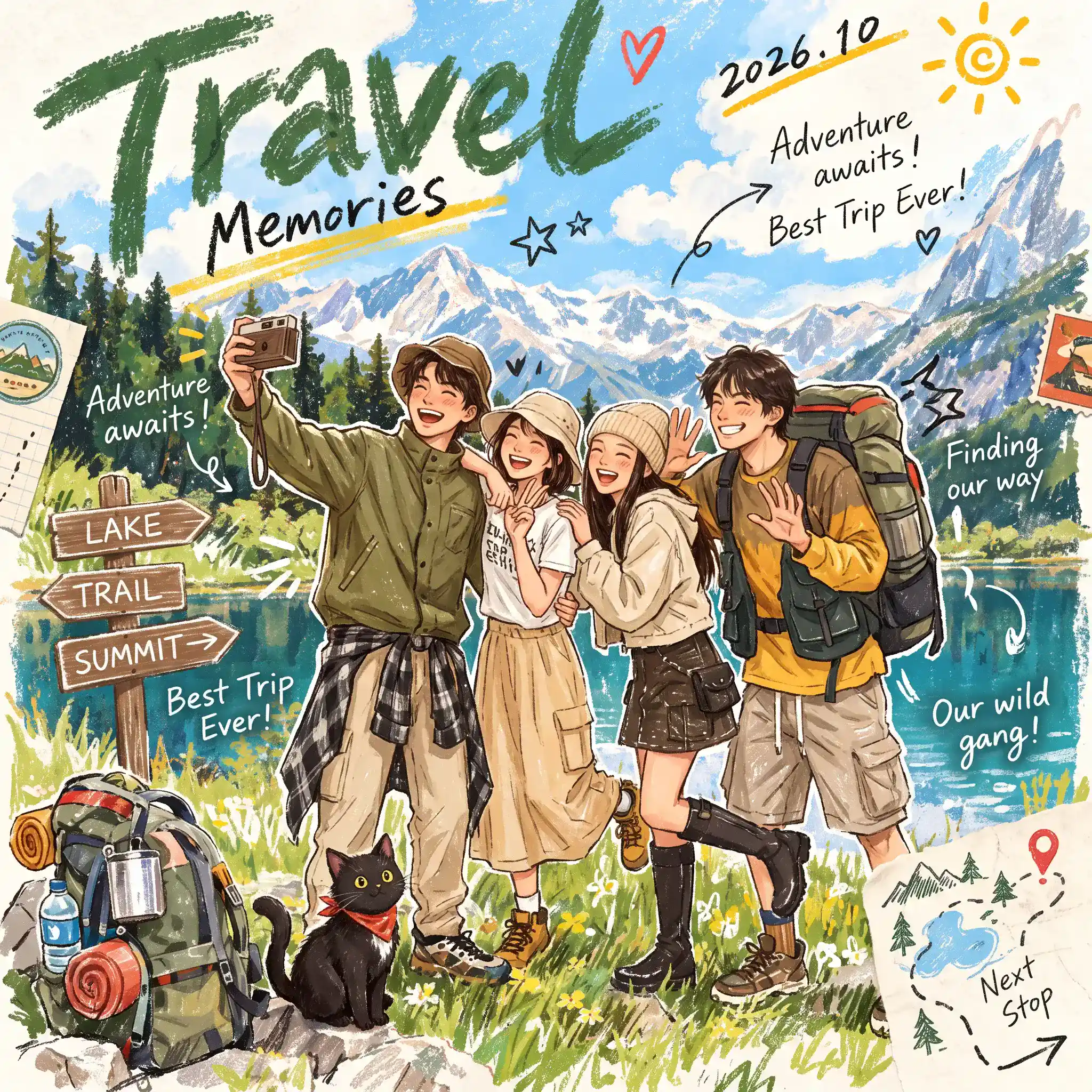
Eingabe
A travel scrapbook magazine cover illustration, four cheerful young friends hiking in the Alps, three friends happily lifting a girl across their arms while she holds up a drink can. Outdoor gorpcore fashion, cargo shorts, tactical vest, bucket hats, boots. Scenic alpine lake, snow mountains, pine trees, wildflower meadow in background. A cute black cat with a red bandana beside a camping backpack. Textured colored pencil and gouache illustration, bright sunny day, hand-drawn doodle arrows, paper note sticker accents, playful lettering "Travel Memories", warm vibrant palette.
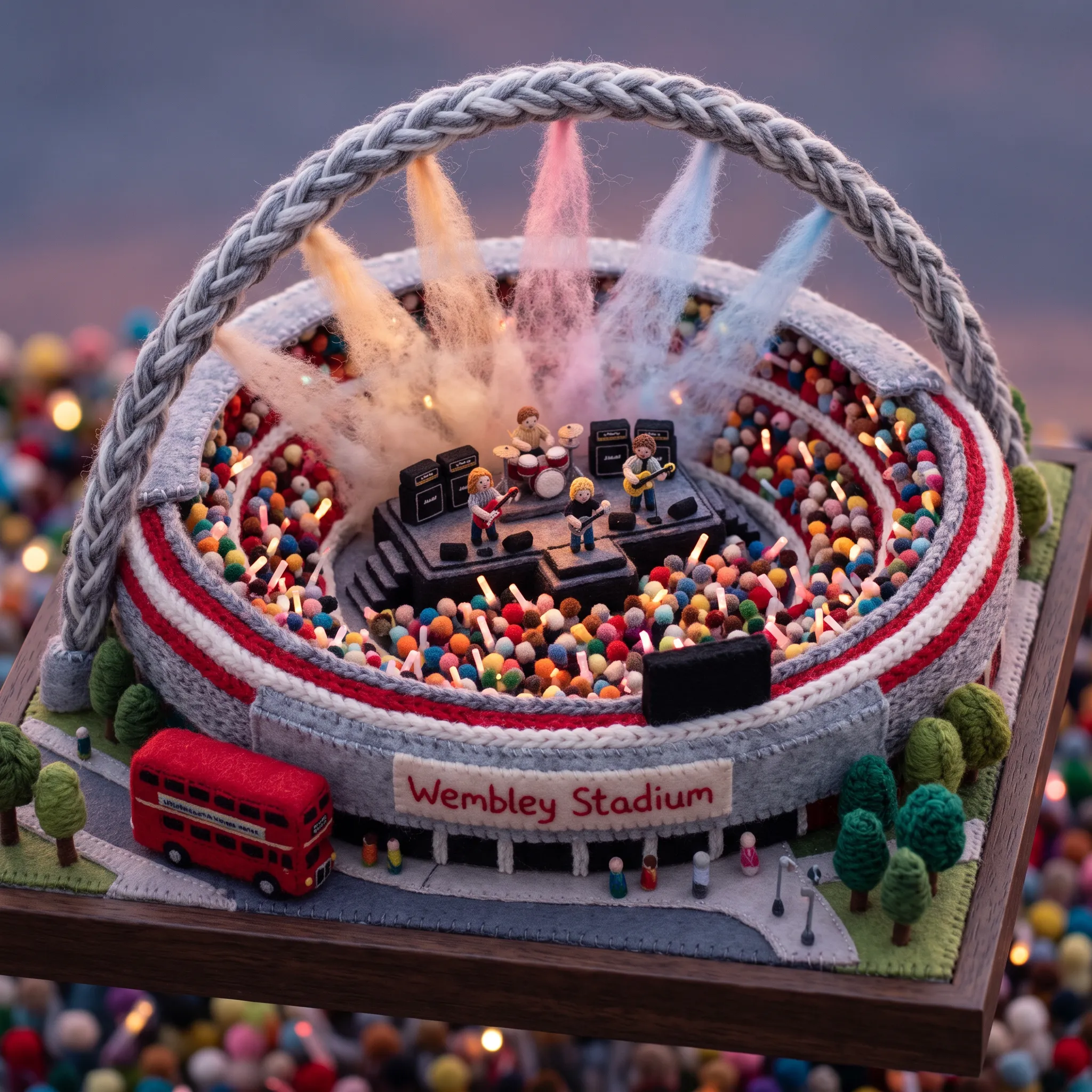
Eingabe
Create a 1:1 square miniature concert diorama for London (Wembley Stadium). CORE CONCEPT: A live concert reimagined as a handcrafted miniature world made entirely of chunky knitted yarn, soft felt, embroidery, and plush textiles. VENUE & SCENE: Central hero: Wembley Stadium with its arch made of thick braided yarn. In the center, a multi-tiered felt stage with tiny stitched amplifiers, miniature wool drum kit, yarn guitars, and tiny knitted musicians under gentle spotlights. The stadium bowl is filled with thousands of tiny pom-pom felt audience figures waving glowing-fiber light sticks. A tiny felt red double-decker bus is outside. MATERIAL & TEXTURE: Chunky knitted yarn, soft pressed wool felt, embroidered thread, fluffy wool fiber for stage haze, visible stitched hems, and tactile handmade imperfections. No plastic, smooth CGI, or photorealism. LIGHTING & ATMOSPHERE: Warm twilight concert ambiance with soft wool fiber light beams casting gentle amber and pastel glows. Macro tilt-shift photography, soft depth of field, premium collectible textile diorama.
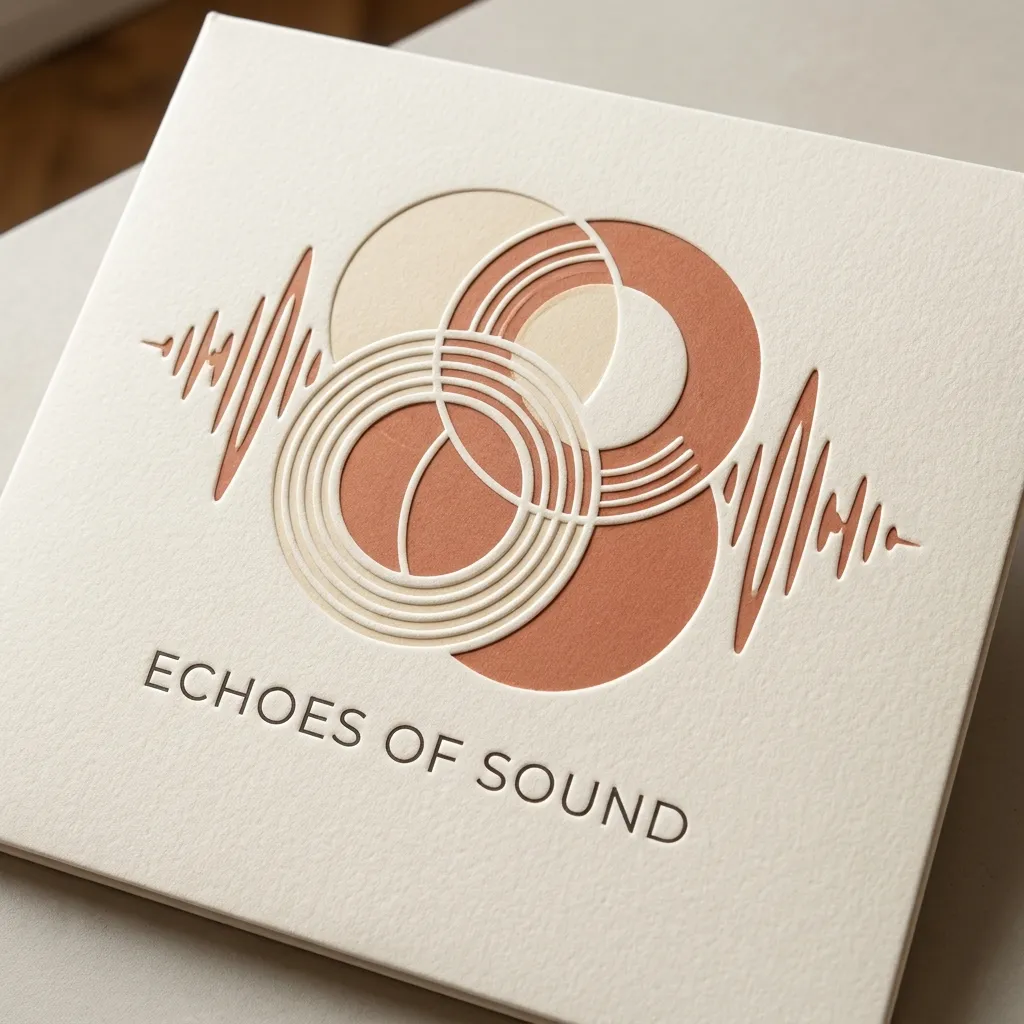
Eingabe
Ultra-detailed minimalist vinyl record album cover artwork, 1:1 square. Minimalist abstract geometric circles and soundwaves in warm cream and terra-cotta tones, embossed paper sleeve texture, clean typography text 'ECHOES OF SOUND', high-end graphic design. Constraints: no human faces; no brand logos, watermark, or UI.
Intelligente Bildbearbeitung & Generierung
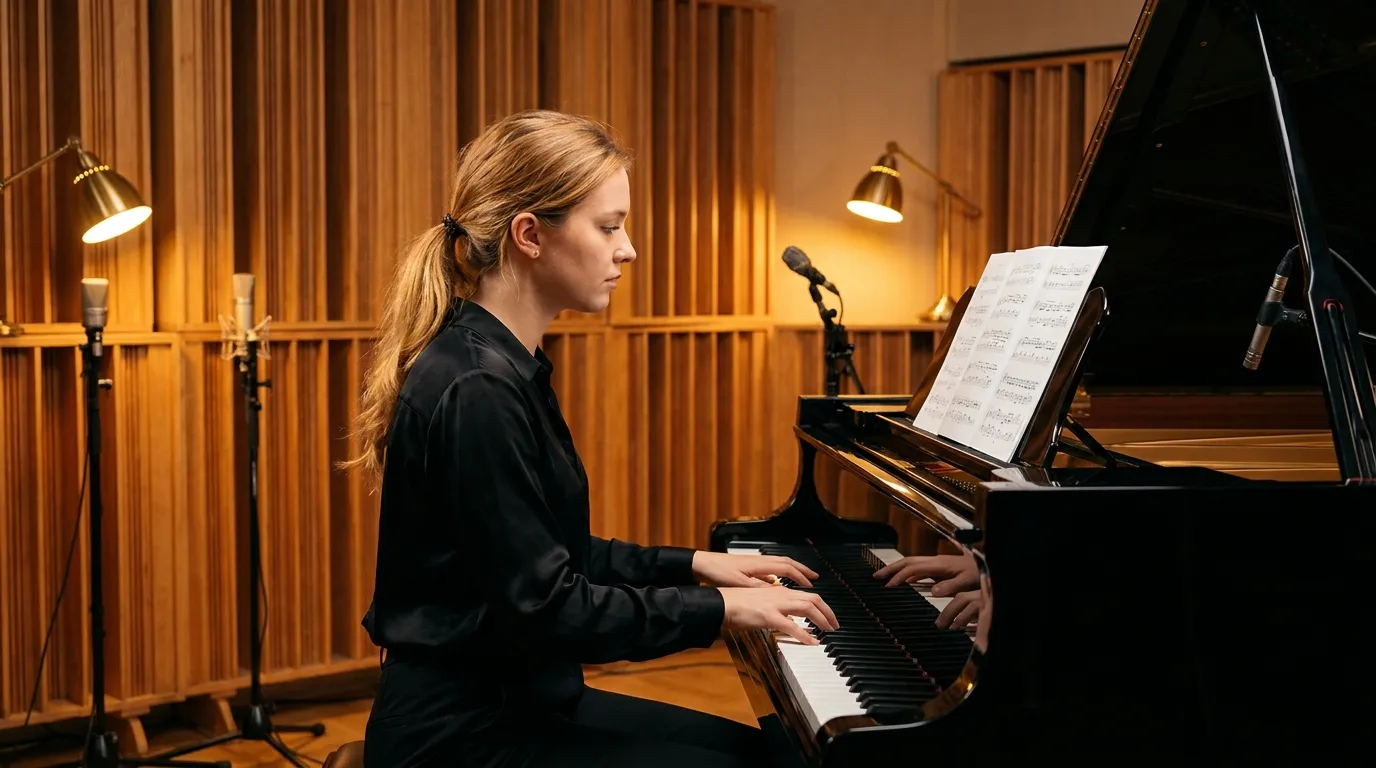
Original (Eingabe)
A cinematic 16:9 wide shot of a music recording studio. Subject: one young, attractive European woman in her early 20s with long honey-blonde hair in a soft low ponytail, wearing a black silk blouse, seated at a polished black grand piano. Warm wooden acoustic diffusers on the walls, soft ambient tungsten lamps, quiet intimate musical atmosphere. Constraints: one young European woman only; strictly no Asian, African, or other non-European person; clean realistic studio environment.
Generiert (Eingabe)
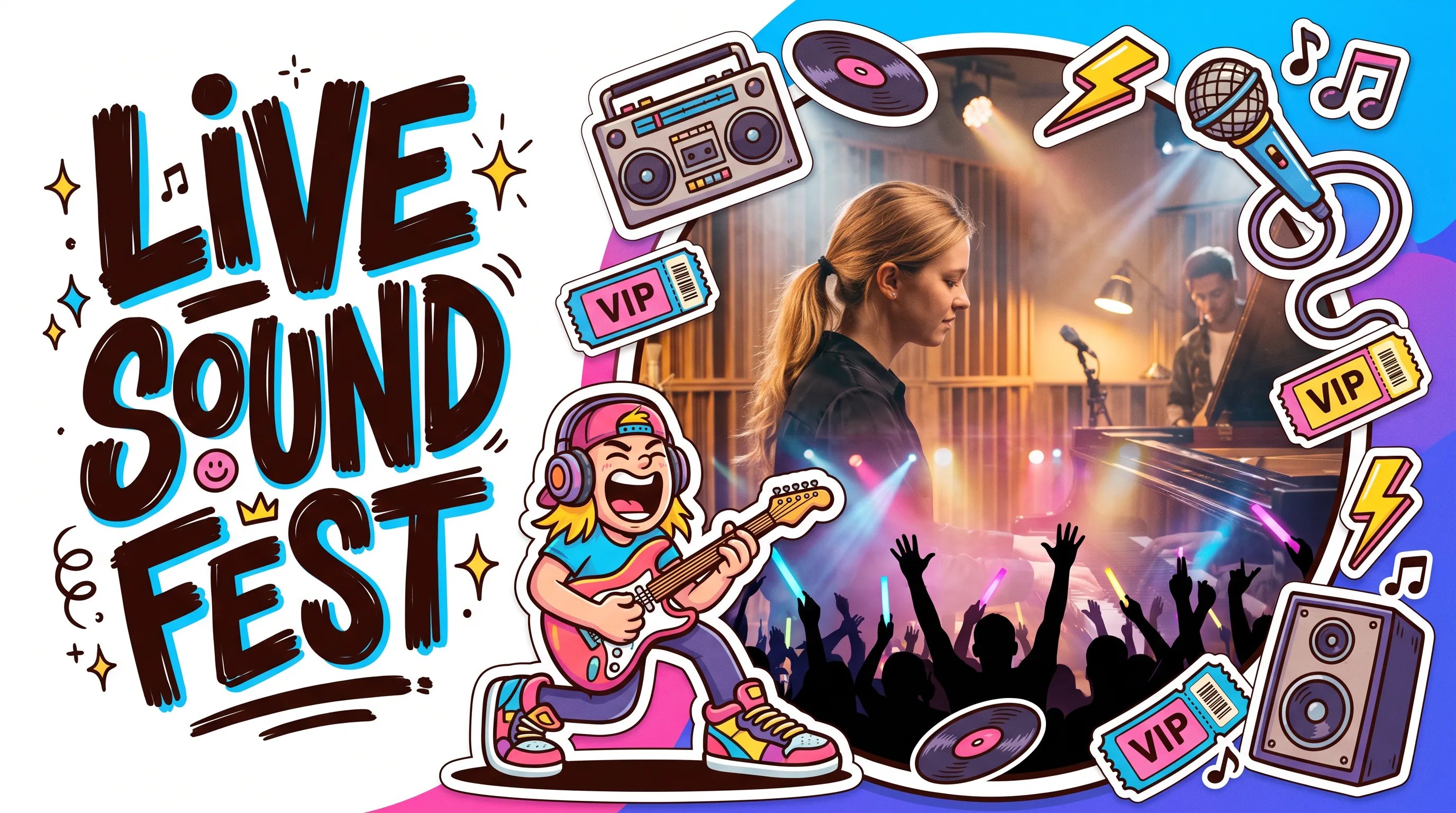
A vibrant 16:9 horizontal commercial event Key Visual (KV) banner, contemporary trendy cartoon illustration mixed with photorealistic mixed-media collage, Cartoon Graffiti, Sticker Art, playful editorial illustration, neo-vintage American cartoon style. [Composition & Layout]: Asymmetrical left-right split composition. - Left 40%: Visual typography zone featuring a massive, irregular hand-drawn graphical block lettering title reading "LIVE SOUND FEST", bold chunky brushstrokes, tilted and overlapping stylized letters, surrounded by cute mini doodles, sparkles, and starbursts. - Right 60%: Main visual narrative zone centered around a large circular cutout portal window occupying 70% of the canvas height, bordered by a thick white sticker die-cut edge and bold dark brown hand-drawn outlines. [Inside the Circular Window]: Ultra-realistic HD photography of an energetic live concert arena, authentic spatial depth, atmospheric stage fog and haze, vibrant purple and cyan laser spotlights beam through the air, silhouetted cheering festival crowd with raised hands and glowing light sticks, cinematic live concert lighting. [Outside Surrounding Stickers & Character]: Surrounding the circular window are 6-8 layered 2D cartoon sticker elements breaking across borders in an organic C-shaped flow: - A trendy exaggerated cartoon rocker character positioned at the bottom-left edge of the circle, exaggerated head-to-body proportions, expressive joyful screaming face, wearing chunky headphones and oversized colorful streetwear sneakers, energetically shredding an electric guitar. - Surrounding thematic props: a vintage boombox, a dynamic retro microphone with curled cables, floating vinyl records, festival VIP tickets, lightning bolt stickers, amplifier speakers, and musical notes. [Art Style & Color Palette]: Bold dark brown hand-drawn outlines with uneven pressure, rounded exaggerated forms, flat vector fills with subtle paper grain texture. High-saturation contrasting color.
Präzise Struktursteuerung
Original (Eingabe)
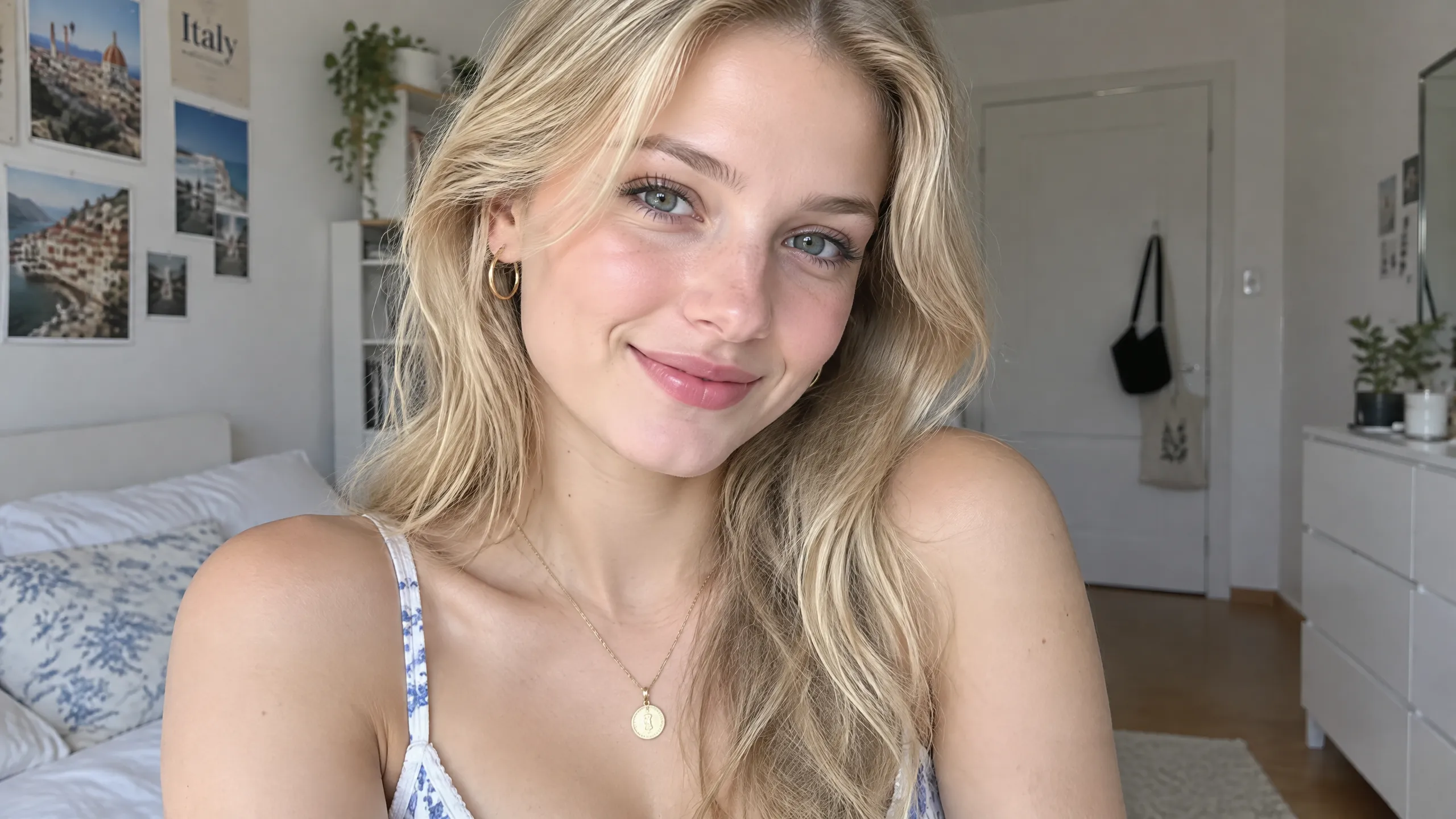
A close-up selfie portrait of a young, attractive blonde European woman in her early 20s with radiant blue-green eyes, natural makeup, and a warm affectionate smile. She has soft natural skin texture with subtle freckles, long wavy blonde hair gently parted, wearing small gold hoop earrings, a thin gold necklace with a round coin medallion pendant, and a white camisole top with delicate blue floral lace trim. Soft natural daylight fills her cozy bedroom, with warm pastel Italian travel posters on the wall and an indoor potted plant in the background. Ultra-realistic photography, high-definition smartphone camera aesthetic, 16:9 landscape.
Generiert (Eingabe)
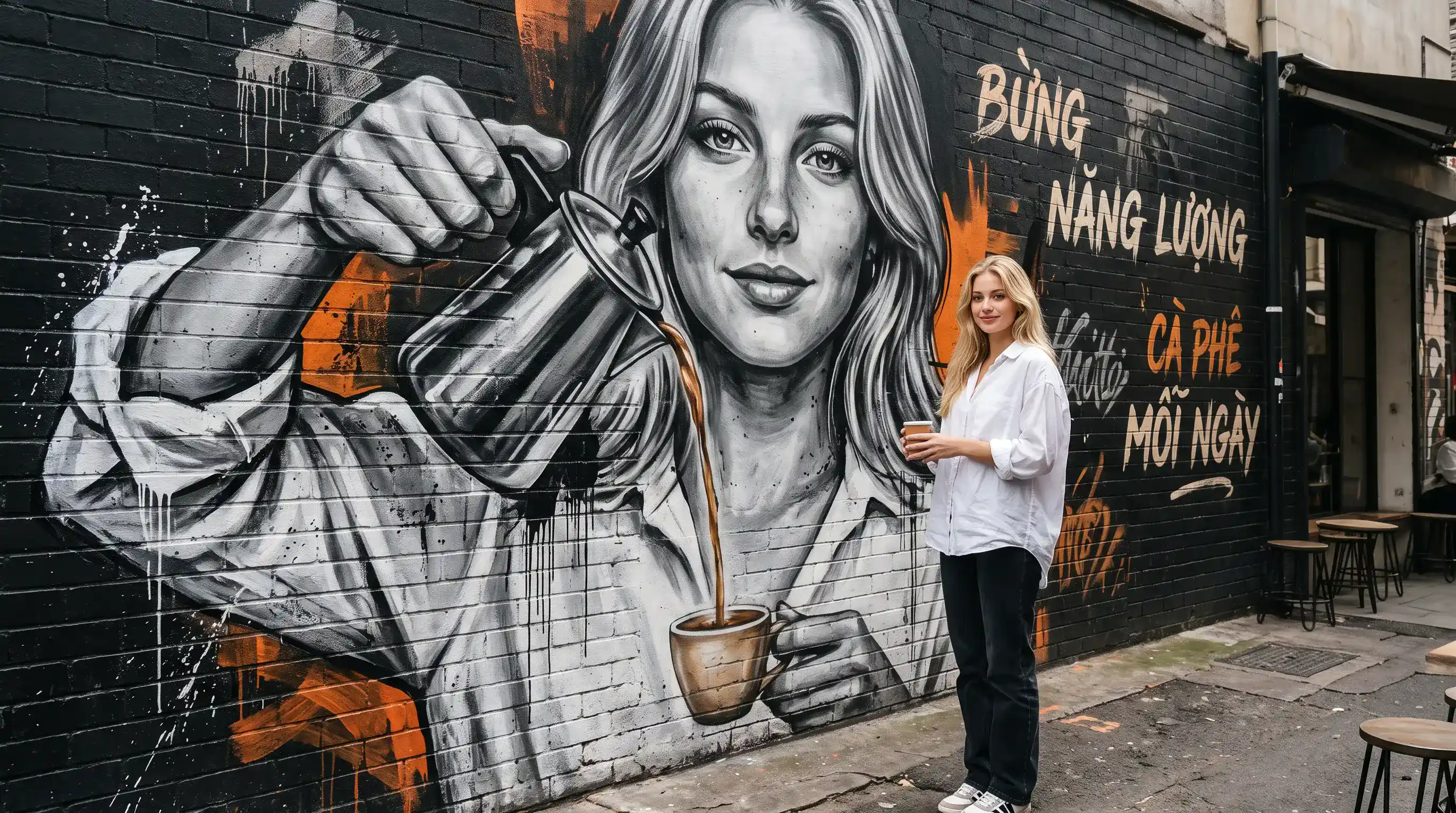
Use the person in the reference image as the main character, suitable for both male and female subjects. Preserve the exact facial identity, facial structure, age, skin tone, and natural expression. Do not change the person’s identity or create an artificial/plastic-looking face. Create a 4:5 vertical street-editorial photograph set in a stylish urban café alley with a large black brick wall. On the wall, create a huge black-and-white realistic mural depicting the same person from the reference image, holding a metallic coffee pot and pouring coffee downward. The real person stands directly below the mural, holding a coffee cup positioned perfectly under the stream of coffee coming from the mural, creating a fun, artistic, interactive, and viral visual effect. For a female subject: Wear an oversized white shirt with a relaxed, slightly loose fit, youthful and modern styling, naturally tucked in, paired with jeans or dark-colored trousers and clean sneakers. Avoid a stiff corporate look or tight-fitting clothing. For a male subject: Use a modern urban-casual outfit that looks youthful, clean, stylish, and contemporary. The mural should have a realistic street-art aesthetic, featuring black and white tones with bold orange accents, expressive brush strokes, paint drips, and short graffiti typography such as “BỪNG NĂNG LƯỢNG” or “CÀ PHÊ MỖI NGÀY.” Use neutral daylight with natural skin tones and no excessive yellow color cast. Camera angle should be slightly low and editorial, showing the subject full-body with a relaxed, natural pose. Do not use a chin-on-hand pose. Ultra-photorealistic, cinematic depth of field, realistic hands, accurate coffee stream, natural body proportions, authentic skin texture, highly detailed, 8K quality. Do not copy the exact composition of the reference/sample image. Keep only the core concept of a real person interacting with a giant mural while creating a fresh, original, visually striking composition.
Vorteile des Nano Banana 2.1 AI-Bildgenerators
Entwickeln Sie durch gezielte Überarbeitungen Artwork für eine Single, ein Album oder eine Werbekampagne. Geben Sie Kreativen, Produzenten und Veröffentlichungsteams einen visuellen Ausgangspunkt zur Prüfung und Verfeinerung.
Mit einem schriftlichen Briefing gestalten
Beschreiben Sie Genre, Stimmung, Farbpalette und Bildmotive, um Ideen für Albumcover zu erkunden. Machen Sie aus dem Konzept eines Produzenten oder dem Veröffentlichungsbriefing eines Plattenlabels einen visuellen Ausgangspunkt.
Bearbeitungen mit Bildreferenzen steuern
Kombinieren Sie bis zu 14 Referenzbilder mit Ihren Anweisungen, von Künstlerfotos bis zu Coverentwürfen. Geben Sie an, welche Details erhalten bleiben sollen, während Sie neue Hintergründe, Beleuchtung oder Kampagnenvarianten erkunden.
Mit optionaler Suche Kontext ergänzen
Aktivieren Sie die Websuche für aktuelle Informationen oder die Bildersuche für visuelle Referenzen aus dem Internet. Nutzen Sie beide Optionen unabhängig voneinander, wenn sie Ihr Briefing unterstützen.
Das passende Format für Ihr Projekt wählen
Wählen Sie quadratische Grafiken für Musikcover, Hochformat für Veröffentlichungsplakate und Social-Media-Storys oder Querformat für Banner und Video-Thumbnails. Wählen Sie für jeden Einsatz eine passende Auflösung.
Musik-Artwork für Kreative, Veröffentlichungsteams & Marketingfachleute
Entwickeln Sie mit Nano Banana 2.1 eine visuelle Richtung rund um Ihren Sound. Geben Sie unabhängigen Künstlern, Musikproduzenten, Plattenlabels, Vertrieben und Marketingteams Artwork-Ideen für jede Phase einer Veröffentlichung.
Album- und Singlecover
Helfen Sie Künstlern und Produzenten, Ideen für Musikcover anhand der Stimmung, des Genres und der Geschichte eines Tracks zu erkunden. Erstellen Sie quadratische Grafiken, lassen Sie Platz für Künstlernamen und Veröffentlichungstitel und verfeinern Sie das gewählte Konzept.
Künstlerporträts und Pressebilder
Entwickeln Sie Künstlerbilder für Pressemappen, Profile und Veröffentlichungsankündigungen. Nutzen Sie ein Referenzfoto, um Beleuchtung und Hintergründe zu erkunden, und geben Sie an, welche identitätsprägenden Details der Künstler oder das Plattenlabel beibehalten möchte.
Musikwerbebilder und Veröffentlichungsplakate
Erstellen Sie Werbegrafiken für Plattenlabels, Vertriebe und Musikmarketingfachleute, darunter Veröffentlichungsankündigungen, Social-Media-Beiträge, Kampagnenbanner und Konzertplakate. Behalten Sie über alle Formate hinweg eine gemeinsame Farbpalette und ein gemeinsames Thema bei.
Storyboards für Musikvideos
Helfen Sie Kreativen und Produzenten, die Handlung eines Songs in visuelle Referenzen für ein Musikvideo umzusetzen. Erkunden Sie Bildausschnitte, Schauplätze und Atmosphäre für Storyboards, Hintergründe von Songtextvideos und Thumbnail-Konzepte.
Nano Banana 2.1-Kreationen auf X entdecken
Entdecken Sie kreative Ansätze zur Bildgenerierung und referenzgestützten Bearbeitung mit Nano Banana 2.1.

Nano Banana 2.1 is here! This upgraded version outperforms our previous models across the board, with notable leaps in: - visual design - mask-based editing - subject consistency - more natural-looking imagery Try it now in @GeminiApp, @GoogleAIStudio, and more.


ChatGPT Image 2.5 vs Nano Banana 2.1 (the difference is clear)


it got worse? Nano Banana 2.1 is here so had to put it up against NB2 for the good old continuity stress test. the strange thing is 2.0 kept my likeness a lot more all the way through. I'm still very different from the original, but you can kinda recognise me? On 2.1 it just

Nano Banana 2.1 is live on ElevenCreative. Google's image generation and editing model brings faster generations, better visual design, and subject consistency. Try it now: elevenlabs.io/creative
So erstellen Sie Musikcover und Werbebilder
Entwickeln Sie für Ihre Veröffentlichung aus einem schriftlichen Briefing Cover-Artwork und Werbegrafiken. Beginnen Sie mit einem klaren Konzept und passen Sie es dann an die Einsatzbereiche Ihrer Kampagne an.
Musik & visuelle Richtung beschreiben
Nennen Sie das benötigte Format, etwa ein Singlecover oder ein Veröffentlichungsplakat. Beschreiben Sie Genre, Stimmung, Motiv, Farben und den Platz für Text. Fügen Sie bei der Bearbeitung ein Künstlerfoto oder eine Artwork-Referenz hinzu.
Richtung festlegen & generieren
Wählen Sie Seitenverhältnis und Auflösung und aktivieren Sie bei Bedarf die Web- oder Bildersuche. Prüfen Sie vor dem Generieren die angezeigten Credit-Kosten; Suchoptionen und hochgeladene Referenzen beeinflussen die Gesamtkosten.
Verfeinern, neu generieren & exportieren
Prüfen Sie die Bildkomposition, Künstlerdetails und generierte Schriftzüge. Verfeinern Sie das Bild durch weitere Bearbeitungen, laden Sie dann Ihre bevorzugte Version herunter und prüfen Sie vor dem Veröffentlichen die erforderlichen Abmessungen für den vorgesehenen Einsatz.

Häufig gestellte Fragen zum Nano Banana 2.1 AI-Bildgenerator
Weitere Tools für Musik und visuelle Gestaltung entdecken
Ergänzen Sie Ihr Artwork mit Musik- und Videotools für Veröffentlichungsplanung, Werbung und kreative Erkundung.
Kreativ-Suite
Musik AI

KI-Song-Generator

KI-Songcover-Generator

KI-Musikvideogenerator

Text zu Musik
Audio zu Musik

Bild zu Musik

Songtext zu Song
KI-Stimmenveränderer

Mureka Music AI

KI-Rap-Generator

KI-Pianomusik-Generator

KI-Instrumentalmusik-Generator
Country-KI
KI-Geburtstagsmusik-Generator
EDM-KI
Jazz-KI
Pop-KI
Rock-KI

Rhythmus-KI

Tanzpop-KI

Phonk-Musikgenerator

KI-Songtext-Generator

KI-Musikverlängerer

KI-Gesangsentferner

Musik zu MIDI
KI-Gesangsstimmen-Generator
Udio-KI-Musikgenerator
KI-Stimmengenerator
Video & Bild AI
Gratis-Tools

Audio-zu-MIDI-Konverter

MIDI-Editor
Musik zu Text

KI-Musikprüfer
Kostenloser Audiokonverter

Batch-Audio-zu-MIDI-Konverter

Batch-KI-Musikprüfer

Lo-Fi-Song-Generator
MP3-Tag-Editor online
Kostenloser Suno-KI-Musikdetektor
Kostenloses MiniMax H3
Kostenloses Bild-zu-Video
Kostenloses Text-zu-Video
Kostenloses ChatGPT Images 2.5
Kostenloser Kurzmusikvideo-Generator
KI-Musikdetektor
Entdecken